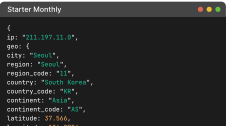
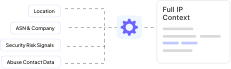
One API Call, Full IP Context

Clear pricing. Free to start. Scale when you are ready.

No credit card required for Free

APIDatabases

API Pricing

Pick the Plan That Fits Your Needs

Free includes the essentials. Paid unlocks higher limits and more data. Standalone APIs are listed below for dedicated use cases. Enterprise adds custom volume pricing and contracts.

IP Geolocation API (Unified Endpoint)

Location By IP
Available in paid plan
Country Metadata
Available in paid plan
Currency
Available in paid plan
ASN (Coupled with IPGeolocation API)
Available in paid plan
Time Zone (Coupled with IPGeolocation API)
Available in paid plan
Location By Domain
Available in paid plan
Hostname Info
Available in paid plan
Company
Available in paid plan
IP Abuse Contact Details (Coupled with IPGeolocation API)
Available in paid plan
Connection Type
Available in paid plan
Routing Info
Available in paid plan
Security (Coupled with IPGeolocation API)
Available in paid plan
User Agent (Coupled with IPGeolocation API)
Available in paid plan
Bulk Lookup
Available in paid plan
Geolocation In Multiple Languages
Available in paid plan
Extra Request Origins/API Keys
Available in paid plan

Free vs Paid Response Examples

Compare these examples to see which data fields you need before you choose a plan.

Free plan includes

  • IP location essentials
  • Country metadata
  • ASN basics and organization
  • Currency and coupled time zone data
  • Standalone Time Zone, Astronomy, and User Agent APIs

Paid plan includes

  • Everything in Free
  • Lookup by domain and hostname info
  • Route and connection type
  • Bulk lookup and multi-language geolocation
  • Locality, accuracy radius, and confidence
  • Full ASN details and company enrichment
  • Standalone ASN, Abuse Contact, and IP Security APIs
  • Request origin data and extra API keys
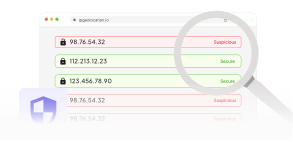
  • Couple Security, VPN , Proxy, and Tor detection etc with IP Geolocation API
  • Couple Abuse Contact details with IP Geolocation API
Free Response
{
ip: "165.227.0.0",
location: {
continent_code: "NA",
continent_name: "North America",
country_code2: "US",
country_code3: "USA",
country_name: "United States",
country_name_official: "United States of America",
country_capital: "Washington, D.C.",
state_prov: "California",
state_code: "US-CA",
district: "Santa Clara County",
city: "Santa Clara",
zipcode: "95051",
latitude: "37.35983",
longitude: "-121.98144",
is_eu: false,
country_flag: "https://ipgeolocation.io/static/flags/us_64.png",
geoname_id: "5346804",
country_emoji: "🇺🇸"
},
country_metadata: {
calling_code: "+1",
tld: ".us",
languages: en-US,es-US,haw,fr
},
currency: {
code: "USD",
name: "US Dollar",
symbol: "$"
},
asn: {
as_number: "AS14061",
organization: "DigitalOcean, LLC",
country: "US"
},
time_zone: {
name: "America/Los_Angeles",
offset: -8,
offset_with_dst: -8,
current_time: "2026-02-16 07:11:00.081-0800",
current_time_unix: 1771254660.081,
current_tz_abbreviation: "PST",
current_tz_full_name: "Pacific Standard Time",
standard_tz_abbreviation: "PST",
standard_tz_full_name: "Pacific Standard Time",
is_dst: false,
dst_savings: 0,
dst_exists: true,
dst_tz_abbreviation: "PDT",
dst_tz_full_name: "Pacific Daylight Time",
dst_start: {
utc_time: "2026-03-08 TIME 10:00",
duration: "+1.00H",
gap: true,
date_time_after: "2026-03-08 TIME 03:00",
date_time_before: "2026-03-08 TIME 02:00",
overlap: false
},
dst_end: {
utc_time: "2026-11-01 TIME 09:00",
duration: "-1.00H",
gap: false,
date_time_after: "2026-11-01 TIME 01:00",
date_time_before: "2026-11-01 TIME 02:00",
overlap: true
}
}
}
Paid Response
{
ip: "165.227.0.0",
hostname: "165.227.0.0",
location: {
continent_code: "NA",
continent_name: "North America",
country_code2: "US",
country_code3: "USA",
country_name: "United States",
country_name_official: "United States of America",
country_capital: "Washington, D.C.",
state_prov: "California",
state_code: "US-CA",
district: "Santa Clara County",
city: "Santa Clara",
locality: "Santa Clara",
accuracy_radius: "13.291",
confidence: "medium",
dma_code: "807",
zipcode: "95051",
latitude: "37.35983",
longitude: "-121.98144",
is_eu: false,
country_flag: "https://ipgeolocation.io/static/flags/us_64.png",
geoname_id: "5346804",
country_emoji: "🇺🇸"
},
country_metadata: {
calling_code: "+1",
tld: ".us",
languages: en-US,es-US,haw,fr
},
network: {
connection_type: "",
route: "165.227.0.0/20",
is_anycast: false
},
currency: {
code: "USD",
name: "US Dollar",
symbol: "$"
},
asn: {
as_number: "AS14061",
organization: "DigitalOcean, LLC",
country: "US",
type: "HOSTING",
domain: "digitalocean.com",
date_allocated: "2025-03-04",
rir: "ARIN"
},
company: {
name: "DigitalOcean, LLC",
type: "HOSTING",
domain: "digitalocean.com"
},
security: {
threat_score: 5,
is_tor: false,
is_proxy: false,
proxy_provider_names: {},
proxy_confidence_score: 0,
proxy_last_seen: "",
is_residential_proxy: false,
is_vpn: false,
vpn_provider_names: {},
vpn_confidence_score: 0,
vpn_last_seen: "",
is_relay: false,
relay_provider_name: "",
is_anonymous: false,
is_known_attacker: false,
is_bot: false,
is_spam: false,
is_cloud_provider: true,
cloud_provider_name: "DigitalOcean, LLC"
},
abuse: {
route: "165.227.0.0/16",
country: "",
name: "DigitalOcean Abuse",
organization: "DigitalOcean Abuse",
kind: "group",
address: "105 Edgeview Drive, Suite 425, Broomfield, CO, 80021, United States",
emails: abuse@digitalocean.com,
phone_numbers: +1-646-827-4366
},
time_zone: {
name: "America/Los_Angeles",
offset: -8,
offset_with_dst: -8,
current_time: "2026-02-16 07:17:05.849-0800",
current_time_unix: 1771255025.849,
current_tz_abbreviation: "PST",
current_tz_full_name: "Pacific Standard Time",
standard_tz_abbreviation: "PST",
standard_tz_full_name: "Pacific Standard Time",
is_dst: false,
dst_savings: 0,
dst_exists: true,
dst_tz_abbreviation: "PDT",
dst_tz_full_name: "Pacific Daylight Time",
dst_start: {
utc_time: "2026-03-08 TIME 10:00",
duration: "+1.00H",
gap: true,
date_time_after: "2026-03-08 TIME 03:00",
date_time_before: "2026-03-08 TIME 02:00",
overlap: false
},
dst_end: {
utc_time: "2026-11-01 TIME 09:00",
duration: "-1.00H",
gap: false,
date_time_after: "2026-11-01 TIME 01:00",
date_time_before: "2026-11-01 TIME 02:00",
overlap: true
}
},
user_agent: {
user_agent_string: "Mozilla/5.0 (X11; Linux x86_64) AppleWebKit/537.36 (KHTML, like Gecko) Chrome/143.0.0.0 Safari/537.36 Edg/143.0.0.0",
name: "Edge",
type: "Browser",
version: "143",
version_major: "143",
device: {
name: "Linux Desktop",
type: "Desktop",
brand: "Unknown",
cpu: "Intel x86_64"
},
engine: {
name: "Blink",
type: "Browser",
version: "143",
version_major: "143"
},
operating_system: {
name: "Linux",
type: "Desktop",
version: "??",
version_major: "??",
build: "??"
}
}
}

Why Developers Choose Us

Built for real world traffic. Fast lookups, consistent responses, and data you can trust when it matters.

Schema-stable API, upgrade without rewrites

Same endpoints and response shape across plans. When you scale, you get higher limits and expanded coverage, not breaking changes.

schema-stable
Global performance, contract-grade reliability, real support

Global edge servers keep latency low across regions with 99.99% uptime. Teams also get responsive support over live chat, email, and phone.

globe
Always-on collection, built in-house

Proprietary crawlers run 24/7 across the globe, backed by active measurements, so lookups reflect what is happening now.

always-on
Accuracy from multi-signal validation

Each result is formed from independent signals
and cross-checked
for consistency.

accuracy
Freshness at serious scale

Data pipelines process trillions of records daily, so decisions are based on current internet activity.

always-on
Weighted resolution for conflicting inputs

When signals disagree, resolution is weighted toward the strongest evidence. This improves edge-case quality and reduces false alerts.

accuracy

Put IP Data to Work

Turn IP context into fraud checks, geo rules, personalization, and faster incident response.

Fraud Prevention and Risk Scoring icon

Fraud Prevention and Risk Scoring

Score signups, logins, and payments using IP location, ASN, network type, and security signals. Block high-risk traffic and reduce chargebacks without hurting good users.

  • Login risk checks
  • Payment screening
  • Account takeover prevention
VPN, Proxy, and Tor Detection icon

VPN, Proxy, and Tor Detection

Detect VPNs, proxies, residential proxies, and Tor to stop evasion, multi-accounting, scraping, and policy abuse. Use threat score and anonymity signals to enforce.

  • Prevent multi-accounting
  • Stop scraping and abuse
  • Enforce geo restrictions
Geo Personalization and Localization icon

Geo Personalization and Localization

Personalize content by city, region, and country. Auto-select language, currency, and time zone to improve conversions and reduce drop-offs.

  • Local pricing and currency
  • Local time display
  • Language selection
Geo Compliance and Access Control icon

Geo Compliance and Access Control

Apply country and region rules for content, licensing, and policy restrictions. Use location context to meet compliance requirements without complex infras

  • Prevent multi-accounting
  • Stop scraping and abuse
  • Enforce geo restrictions
Security Operations and Incident Response icon

Security Operations and Incident Response

Investigate suspicious IPs with ASN, company, network, and abuse contact data. Speed up triage and improve reporting quality with a complete IP profile.

  • Local pricing and currency
  • Local time display
  • Language selection
Abuse Reporting and Network Intelligence icon

Abuse Reporting and Network Intelligence

Get abuse contacts and network routing context to report malicious traffic faster. Reduce time spent hunting registry data and generate cleaner reports.

  • Local pricing and currency
  • Local time display
  • Language selection

Credits at a glance

Monthly plans reset credits every month. Annual plans reset yearly.

Use credits across all endpoints during your billing period.

Paid plans mainly differ by monthly credits and per-credit cost.

If you exceed monthly credits, extra credits are billed at your plan rate.

Every response includes X-Credits-Charged so you can see exactly what was billed.

Credits at a Glance

Ready to get started? Get Started with IP Geolocation API Today

Enrich every request with precise geolocation and real-time threat intelligence, delivered on a global edge with a 99.99% uptime SLA. Start free and scale when you’re ready.

CTA Illustration
CTA Illustration

Pricing and API FAQs

Free plan includes 1K credits per day for life. No credit card is required. Free plan is best for testing, prototypes, and low-volume projects.

A standard unified IP lookup uses 1 credit. Security in the unified response adds 2 credits, and Abuse Contact in the unified response adds 1 credit.

Yes. Starter, Core, Plus, Pro, Business, and Premium include the same feature set. They differ by included credits and overage pricing.

Additional usage is billed as overage based on your plan. You can track usage and spend from your dashboard.

Free: core geolocation + time zone + currency + country metadata + basic ASN. Paid: adds company/network + extended ASN + optional modules like User Agent, Security, and Abuse (Security/Abuse add extra credits).

Yes. You can change plans as usage changes. This is common when moving from testing to production traffic.

Yes. Both IPv4 and IPv6 are supported.

Yes. Enterprise includes custom volume pricing, onboarding, invoicing, and contract terms tailored to your deployment.

Paid monthly plans reset every month. Paid annual plans reset every year. Credits do not roll over to the next billing period.

Use add-ons when you need a full unified response in one call. Use standalone APIs when you only need one data module, such as Security, Abuse Contact, Time Zone, or User Agent.

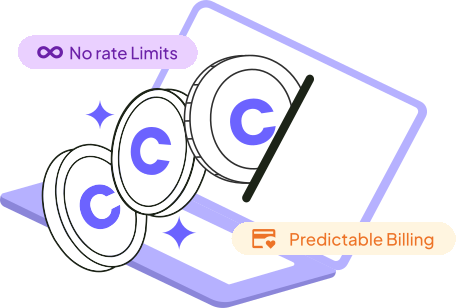
No. There are no rate limits.

Paid plans support lookup by IPv4, IPv6, or domain.

Yes. You can switch billing cadence from your account. The new billing cycle starts when the plan change is applied.

Your dashboard shows credits used, credits remaining, and historical usage trends so you can plan capacity.

Paid plans support extra API keys, which helps teams separate usage by service, environment, or product.

Subscribe Our Newsletter

Get the latest in geolocation tech, straight to your inbox.