



IP Geolocation API Pricing
Free to start, scale when you are ready.
No credit card required for the free plan
API Pricing
Developer
1,000 API Credits
Per day for life
- Best for: Apps that use up to 1,000 credits a day
- No overages on the free plan
- Production and commercial use allowed
Starter
Billed monthly
150K API Credits
Per month
- Best for: MVPs and early products
- Overage: $5 per 25K credits
Plus
Billed monthly
500K API Credits
Per month
- Best for: Teams that want the best value
- Overage: $5 per 40K credits
- Most teams start here
Pro
Billed monthly
1M API Credits
Per month
- Best for: High-traffic products
- Overage: $5 per 50K credits
Business
Billed monthly
2M API Credits
Per month
- Best for: Platforms and multi-app usage
- Overage: $5 per 65K credits
Premium
Billed monthly
5M API Credits
Per month
- Best for: Large-scale usage
- Overage: $5 per 85K credits
Enterprise
Custom volume of credits
- Best for: Custom requirements and enterprise onboarding
- Custom overage pricing based on usage
Compare Plan Features
Free includes the essentials. Paid unlocks higher limits and more data. Standalone APIs are listed below for dedicated use cases. Enterprise adds custom volume pricing and contracts.
Features | FreeStart Free | PaidPick a Plan | EnterpriseTalk to Sales |
|---|---|---|---|
IP Geolocation API (Unified Endpoint) | |||
| Location By IP | Available in Free plan | Available in Paid plan | Available in Enterprise plan |
| Country Metadata | Available in Free plan | Available in Paid plan | Available in Enterprise plan |
| Currency | Available in Free plan | Available in Paid plan | Available in Enterprise plan |
| ASN (Coupled with IP Geolocation API) | Available in Free plan | Available in Paid plan | Available in Enterprise plan |
| Time Zone (Coupled with IP Geolocation API) | Available in Free plan | Available in Paid plan | Available in Enterprise plan |
| Location By Domain | Not available in Free plan | Available in Paid plan | Available in Enterprise plan |
| Hostname Info | Not available in Free plan | Available in Paid plan | Available in Enterprise plan |
| Company | Not available in Free plan | Available in Paid plan | Available in Enterprise plan |
| IP Abuse Contact Details (Coupled with IP Geolocation API) | Not available in Free plan | Available in Paid plan | Available in Enterprise plan |
| Connection Type | Not available in Free plan | Available in Paid plan | Available in Enterprise plan |
| Routing Info | Not available in Free plan | Available in Paid plan | Available in Enterprise plan |
| Security (Coupled with IP Geolocation API) | Not available in Free plan | Available in Paid plan | Available in Enterprise plan |
| User Agent (Coupled with IP Geolocation API) | Not available in Free plan | Available in Paid plan | Available in Enterprise plan |
| Bulk Lookup | Not available in Free plan | Available in Paid plan | Available in Enterprise plan |
| Geolocation In Multiple Languages | Not available in Free plan | Available in Paid plan | Available in Enterprise plan |
| Extra Request Origins/API Keys | Not available in Free plan | Available in Paid plan | Available in Enterprise plan |
IP Geolocation API (Unified Endpoint)
Free vs Paid Response Examples
Compare these examples to see which data fields you need before you choose a plan.
Free plan includes
- IP location essentials
- Country metadata
- ASN basics and organization
- Currency and coupled time zone data
- Standalone Time Zone, Astronomy, and User Agent APIs
Paid plan includes
- Everything in Free
- Lookup by domain and hostname info
- Route and connection type
- Bulk lookup and multi-language geolocation
- Locality, accuracy radius, and confidence
- Full ASN details and company enrichment
- Standalone ASN, Abuse Contact, and IP Security APIs
- Real-Time Proxy & VPN Detection (client-side script)
- Request origin data and extra API keys
- Couple Security, VPN, Proxy, and Tor detection with IP Geolocation API
- Couple Abuse Contact details with IP Geolocation API
ip: "165.227.0.0",location: {continent_code: "NA",continent_name: "North America",country_code2: "US",country_code3: "USA",country_name: "United States",country_name_official: "United States of America",country_capital: "Washington, D.C.",state_prov: "California",state_code: "US-CA",district: "Alameda",city: "Fremont",zipcode: "94538",latitude: "37.55148",longitude: "-121.98330",is_eu: false,country_flag: "https://ipgeolocation.io/static/flags/us_64.png",geoname_id: "5403130",country_emoji: "🇺🇸"country_metadata: {calling_code: "+1",tld: ".us",languages: en-US,es-US,haw,frcurrency: {code: "USD",name: "US Dollar",symbol: "$"asn: {as_number: "AS14061",organization: "DigitalOcean, LLC",country: "US"time_zone: {name: "America/Los_Angeles",offset: -8,offset_with_dst: -7,current_time: "2026-10-29 03:33:57.483-0700",current_time_unix: 1793270037.483,current_tz_abbreviation: "PDT",current_tz_full_name: "Pacific Daylight Time",standard_tz_abbreviation: "PST",standard_tz_full_name: "Pacific Standard Time",is_dst: true,dst_savings: 1,dst_exists: true,dst_tz_abbreviation: "PDT",dst_tz_full_name: "Pacific Daylight Time",dst_start: {utc_time: "2026-03-08 TIME 10:00",duration: "+1.00H",gap: true,date_time_after: "2026-03-08 TIME 03:00",date_time_before: "2026-03-08 TIME 02:00",overlap: falsedst_end: {utc_time: "2026-11-01 TIME 09:00",duration: "-1.00H",gap: false,date_time_after: "2026-11-01 TIME 01:00",date_time_before: "2026-11-01 TIME 02:00",overlap: trueip: "165.227.0.0",hostname: "165.227.0.0",location: {continent_code: "NA",continent_name: "North America",country_code2: "US",country_code3: "USA",country_name: "United States",country_name_official: "United States of America",country_capital: "Washington, D.C.",state_prov: "California",state_code: "US-CA",district: "Alameda",city: "Fremont",locality: "Fremont",accuracy_radius: "11.266",confidence: "medium",dma_code: "807",zipcode: "94538",latitude: "37.55148",longitude: "-121.98330",is_eu: false,country_flag: "https://ipgeolocation.io/static/flags/us_64.png",geoname_id: "5403130",country_emoji: "🇺🇸"country_metadata: {calling_code: "+1",tld: ".us",languages: en-US,es-US,haw,frnetwork: {connection_type: "",route: "165.227.0.0/20",is_anycast: false,is_cdn: false,cdn_provider_name: ""currency: {code: "USD",name: "US Dollar",symbol: "$"asn: {as_number: "AS14061",organization: "DigitalOcean, LLC",country: "US",type: "HOSTING",domain: "digitalocean.com",date_allocated: "2012-09-25",rir: "ARIN"company: {name: "DigitalOcean, LLC",type: "HOSTING",domain: "digitalocean.com"security: {threat_score: 5,is_tor: false,is_proxy: false,proxy_provider_names: {},proxy_confidence_score: 0,proxy_last_seen: "",proxy_days_seen_30d: 0,proxy_days_seen_7d: 0,proxy_provider_count_30d: 0,is_residential_proxy: false,is_vpn: false,vpn_provider_names: {},vpn_confidence_score: 0,vpn_last_seen: "",is_relay: false,relay_provider_name: "",is_anonymous: false,is_known_attacker: false,is_bot: false,bot_confidence_score: 0,bot_operator_name: "",bot_type: "",is_known_good_bot: false,bot_last_seen: "",is_spam: false,is_cloud_provider: true,cloud_provider_name: "DigitalOcean, LLC",is_corporate_gateway: false,corporate_gateway_type: "",corporate_gateway_provider_name: ""abuse: {route: "165.227.0.0/16",country: "US",name: "DigitalOcean Abuse",organization: "DigitalOcean, LLC",kind: "group",address: "105 Edgeview Drive, Suite 425, Broomfield, CO, 80021, United States",emails: abuse@digitalocean.com,phone_numbers: +16468274366time_zone: {name: "America/Los_Angeles",offset: -8,offset_with_dst: -7,current_time: "2026-10-29 03:33:57.450-0700",current_time_unix: 1793270037.45,current_tz_abbreviation: "PDT",current_tz_full_name: "Pacific Daylight Time",standard_tz_abbreviation: "PST",standard_tz_full_name: "Pacific Standard Time",is_dst: true,dst_savings: 1,dst_exists: true,dst_tz_abbreviation: "PDT",dst_tz_full_name: "Pacific Daylight Time",dst_start: {utc_time: "2026-03-08 TIME 10:00",duration: "+1.00H",gap: true,date_time_after: "2026-03-08 TIME 03:00",date_time_before: "2026-03-08 TIME 02:00",overlap: falsedst_end: {utc_time: "2026-11-01 TIME 09:00",duration: "-1.00H",gap: false,date_time_after: "2026-11-01 TIME 01:00",date_time_before: "2026-11-01 TIME 02:00",overlap: trueuser_agent: {user_agent_string: "Mozilla/5.0 (Macintosh; Intel Mac OS X 10_15_7) AppleWebKit/537.36 (KHTML, like Gecko) Chrome/144.0.0.0 Safari/537.36",name: "Chrome",type: "Browser",version: "144",version_major: "144",device: {name: "Apple Macintosh",type: "Desktop",brand: "Apple",cpu: "Intel"engine: {name: "Blink",type: "Browser",version: "144",version_major: "144"operating_system: {name: "Mac OS",type: "Desktop",version: ">=10.15.7",version_major: ">=10.15",build: "??"Calculate Your Plan
Select the modules your app needs, enter your expected traffic, and get an instant plan recommendation.
Set your rate with confidence
Location & IP intelligence
Location Details, Geo Accuracy, Hostname, Currency, Network, ASN & Company Details, DMA Code, Time Zone & User-Agent Parsing
Detect and identify potential risks
Threat Score, VPN, Proxy, Bot, Tor, Relay & Spam Detection, Corporate Gateway, Cloud/Hosting Provider & Security Details
Live visitor & session detection
Public IP, Country, VPN & Proxy Detection, VPN/Proxy Score, Confidence Score & Visitor’s Actual IP and Country
Abuse & network contacts
Abuse Emails, Phone Numbers, Physical Address, Network Range, Organization, & Country name
ⓘ Modules can be combined to access data across multiple modules. Free plan: Location module is limited to the fields available in the Free plan.
Usage estimate
Monthly requests
150K
Total Credits needed / month
150K
Location
Recommended
Starter
$19/month
Billed monthly
150K
API Credits / month
Best for: MVPs and early products
Overage: $5 per 25K credits
API Keys: 2 (incl. 1 extra)
Why Developers Choose Us
Built for real world traffic. Fast lookups, consistent responses, and data you can trust when it matters.
Same endpoints and response shape across plans. When you scale, you get higher limits and more data modules, not breaking changes.
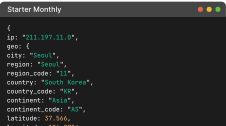
Global edge servers keep latency low across regions, backed by a 99.99% uptime SLA. Teams also get responsive support over live chat, email, and phone.
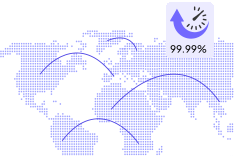
Proprietary crawlers run 24/7 across the globe, backed by active measurements, so lookups reflect what is happening now.

Each result is formed from independent signals
and cross-checked
for consistency.
Data pipelines process terabytes of data and trillions of records daily, so decisions are based on current internet activity.
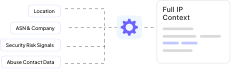
When signals disagree, resolution is weighted toward the strongest evidence. This improves edge-case quality and reduces false alerts.

Put IP Data to Work
Turn IP context into fraud checks, geo rules, personalization, and faster incident response.
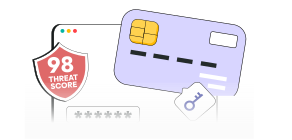
Fraud Prevention and Risk Scoring
Score signups, logins, and payments using IP location, ASN, network type, and security signals. Block high-risk traffic and reduce chargebacks without hurting good users.
- Login risk checks
- Payment screening
- Account takeover prevention
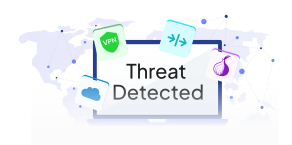
VPN, Proxy, and Tor Detection
Detect VPNs, proxies, residential proxies, and Tor to stop evasion, multi-accounting, scraping, and policy abuse. Use threat score and anonymity signals to enforce.
- Prevent multi-accounting
- Stop scraping and abuse
- Enforce geo restrictions
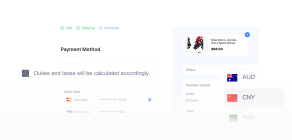
Geo Personalization and Localization
Personalize content by city, region, and country. Auto-select language, currency, and time zone to improve conversions and reduce drop-offs.
- Local pricing and currency
- Local time display
- Language selection

Geo Compliance and Access Control
Apply country and region rules for content, licensing, and policy restrictions. Use location context to meet compliance requirements without complex infrastructure.
- Country and region blocking
- Content licensing rules
- Regulatory compliance
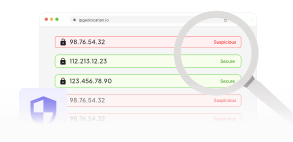
Security Operations and Incident Response
Investigate suspicious IPs with ASN, company, network, and abuse contact data. Speed up triage and improve reporting quality with a complete IP profile.
- IP investigation and triage
- ASN and network context
- Faster incident reporting
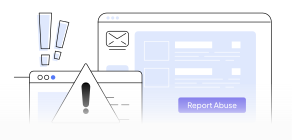
Abuse Reporting and Network Intelligence
Get abuse contacts and network routing context to report malicious traffic faster. Reduce time spent hunting registry data and generate cleaner reports.
- Abuse contact lookup
- Network routing context
- Cleaner abuse reports
Credits at a glance
Monthly plans reset credits every month. Annual plans reset every year.
Use credits across all endpoints during your billing period.
Paid plans mainly differ by billing-period credits and per-credit cost.
If you exceed your billing-period credits, overage bills the extra usage at your plan rate, up to your plan's cap. Overage is on by default on all paid plans, and you can turn it off anytime in your dashboard. With overage off, or once the cap is reached, requests receive a 429 response.
Only successful requests (HTTP 200) are charged. Every successful response includes X-Credits-Charged so you can see exactly what was billed.
Ready to get started? Add IP Geolocation API to your stack today
Enrich every request with precise geolocation and real-time threat intelligence, delivered on a global edge with a 99.99% uptime SLA. Start free and scale when you're ready.

Pricing and API FAQs
The free Developer plan gives you 1,000 credits a day for life, with no credit card. A standard IP lookup uses 1 credit, and the allowance resets at 00:00 UTC. When you reach 1,000 credits, the API returns 429 until the next reset. The free plan never charges overage.
No. Every plan, including the free Developer plan, gets its lookup results from the same database, so the data you get on the free plan is as accurate as on a paid plan. For the same IP, the fields both plans return have the same values. Paid plans add more data, such as accuracy radius, company, network, and security data.
Yes. Contact our support team or use the live chat to request a free trial of a paid plan. The trial gives you full access to paid data, including security data, so you can check accuracy and test your integration before you choose a plan.
A standard unified IP lookup uses 1 credit. Security in the unified response adds 2 credits, and Abuse Contact in the unified response adds 1 credit. Real-Time Proxy & VPN Detection is billed per call rather than per module, and coupling it with IP Security costs more per call.
Use add-ons when you need a full unified response in one call. Use standalone APIs when you only need one data module, such as Security, Abuse Contact, Time Zone, or User Agent. Real-Time Proxy & VPN Detection is a third delivery model: a client-side script that runs live network tests in the browser instead of a server-side lookup.
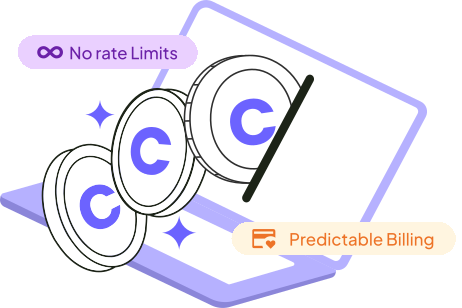
No. There are no per-second or per-minute rate limits on any plan, including the free Developer plan. The only limit is your credits: 1,000 a day on the free plan. Overage is on by default on all paid plans, so requests continue past your monthly or annual credits up to your plan's cap unless you turn it off.
Paid plans support lookup by IPv4, IPv6, or domain.
Yes. You can switch billing cadence from your account. The new billing cycle starts when the plan change is applied.
Your dashboard shows credits used, credits remaining, and historical usage trends so you can plan capacity.
Paid plans support extra API keys, which helps teams separate usage by service, environment, or product.
Yes. You can use the free Developer plan in production and for commercial purposes, as long as you stay within 1,000 credits a day and follow our Terms of Service. Call the API from your server to keep your API key private, because Request Origin (CORS) for browser calls is available on paid plans.
Upgrade to any paid plan from your account. Endpoints and response format are the same on every plan, so your code does not change. Starter costs $19 a month for 150,000 credits, and every paid plan includes the same data. Paid plans differ in included credits, overage rate and cap, and how many extra API keys or Request Origins you can add (Starter 1, Plus 2, Pro 2, Business 3, Premium 3).
Paid monthly plans reset every month. Paid annual plans reset every year. Credits do not roll over to the next billing period.
It is billed per call and draws from the same credit balance as your API requests, so it needs a paid plan. Coupling it with IP Security using include=security costs more per call than running it standalone. Our Credits Usage Guide lists the exact cost of each. To try it first, run the live detection demo for free. A free trial is also available. Contact our support team to arrange one.
Yes. Starter, Plus, Pro, Business, and Premium include the same feature set, including Real-Time Proxy & VPN Detection. They differ in included credits, overage rate and cap, and how many extra API keys or Request Origins you can add (Starter 1, Plus 2, Pro 2, Business 3, Premium 3).
Requests keep being served through overage, which is on by default on all paid plans and billed in blocks up to your plan's cap. You can turn it off anytime with the Allow Surcharge Usage toggle on your dashboard. The API returns 429 Too Many Requests when your credits run out with overage off, or when you reach the cap.
Free: core geolocation + time zone + currency + country metadata + basic ASN.
Paid: adds company/network + extended ASN + optional modules like User Agent, Security, and Abuse (Security/Abuse add extra credits), plus Real-Time Proxy & VPN Detection, billed per call.
Yes. You can change plans from your account as your usage changes. Endpoints and response format are the same on every plan, so changing plans needs no code changes.
Yes. Both IPv4 and IPv6 are supported.
Yes. Enterprise includes custom volume pricing, onboarding, invoicing, and contract terms tailored to your deployment.