

IPGeolocation.io's IP geolocation API provides location, timezone, currency, and ASN data for any IPv4 or IPv6 address. In this quickstart tutorial, you will walk through how to use the IP geolocation API, from creating your account to making your first IP lookup request with curl, Python, or JavaScript. The whole process wouldn't take more than ten minutes.
TL;DR
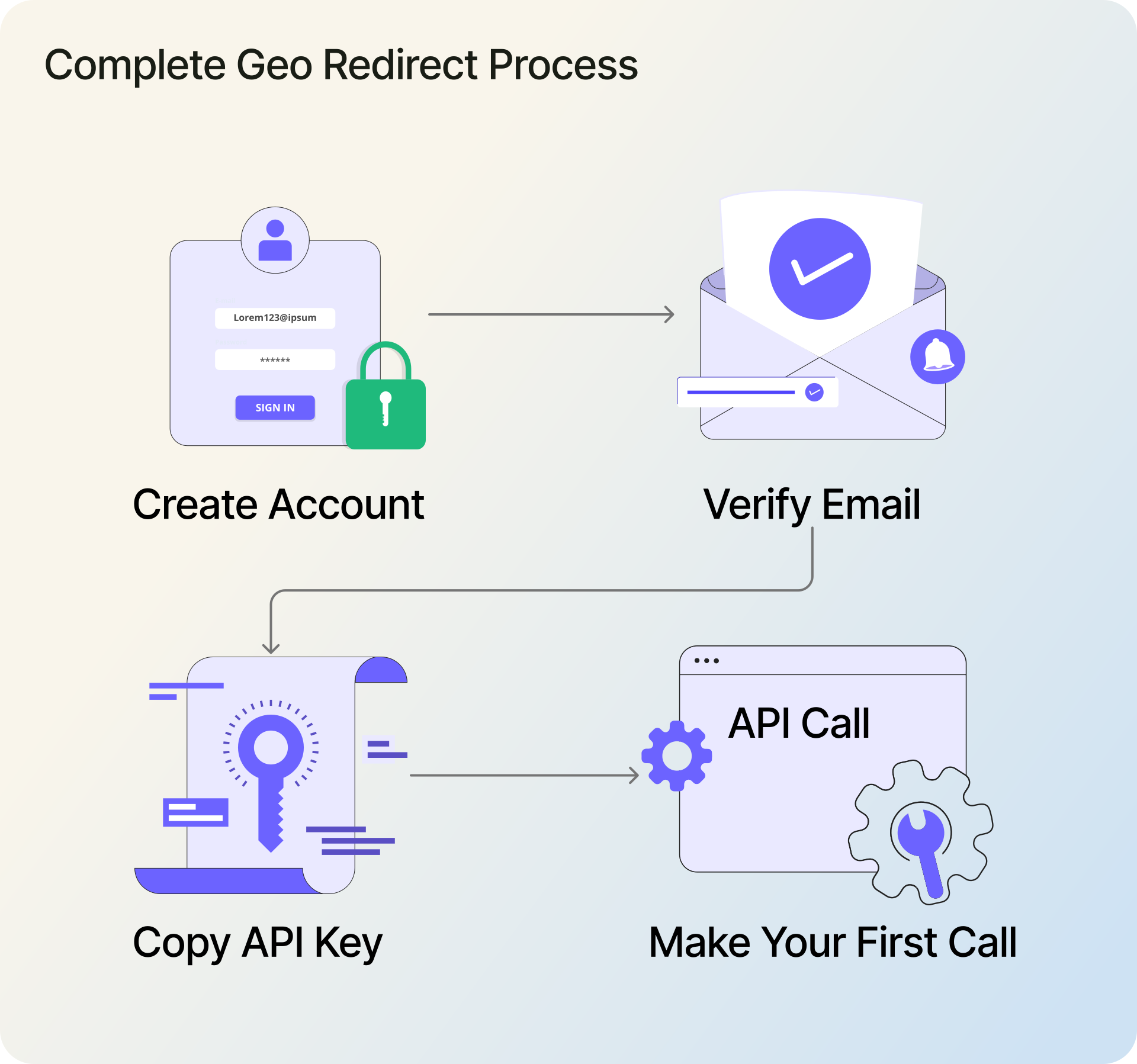
- Sign up free at IPGeolocation.io (using email, Google, or GitHub)
- Copy your API key from the dashboard after email verification
- Call API
https://api.ipgeolocation.io/v3/ipgeo?apiKey=YOUR_KEY - Free plan: 1,000 lookups per day, no credit card required
- Official SDKs for Python, Java, Go, JavaScript, and TypeScript
The free tier provides country, city, coordinates, postal code, ASN, currency, and timezone data. Paid plan (starting at $19/month for 150,000 credits) adds security threat detection, company enrichment, and bulk lookups.
What the IP Geolocation API Returns
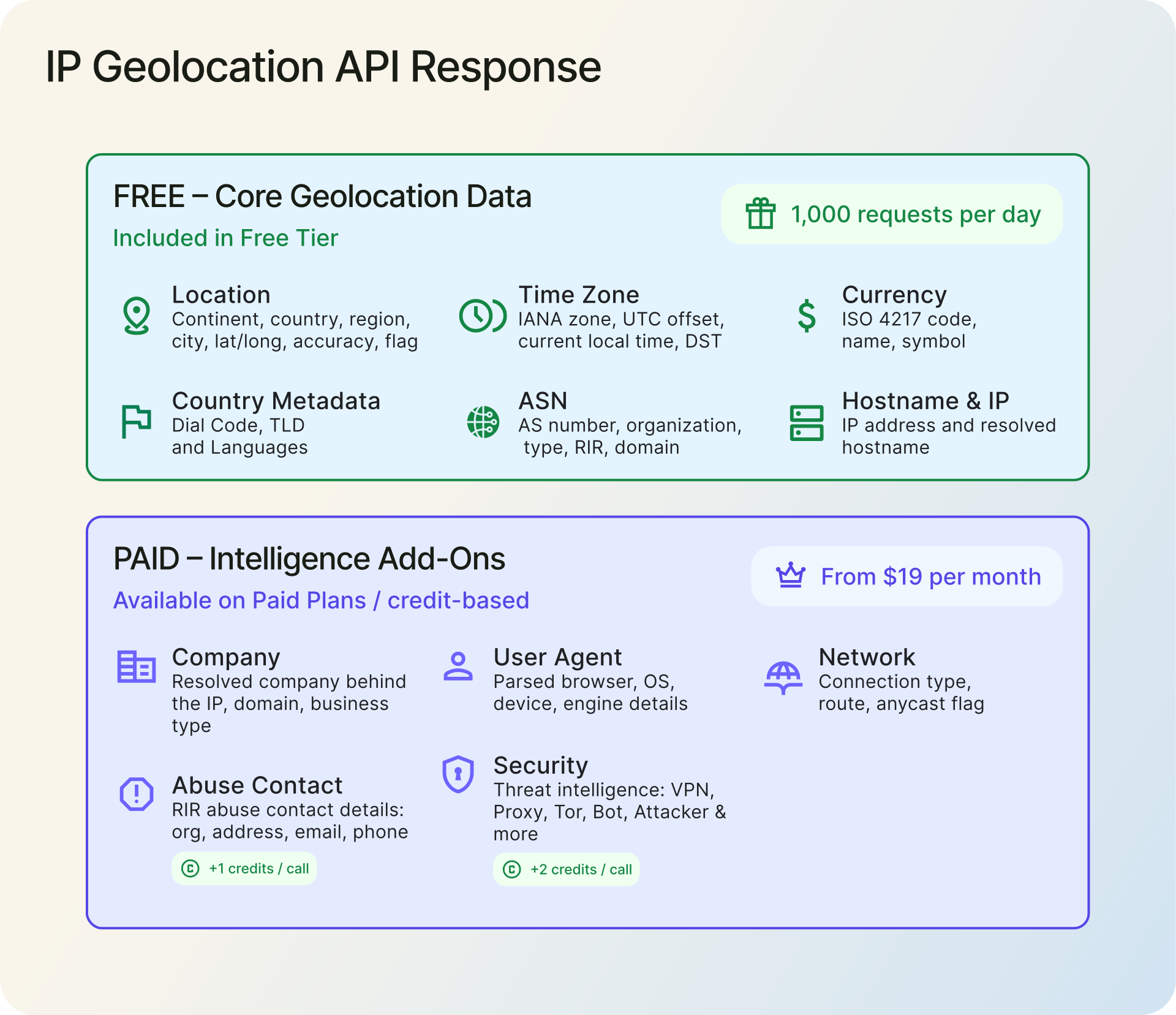
When you query an IP address, the IP Geolocation API gives you the IP's geographic location (country, state, city, latitude, longitude, postal code), ASN details (AS Number, organization, network type), country's local currency, and timezone details. On the free plan, the API provides all of these fields at no cost, for up to 1,000 requests per day.
Paid plans unlock additional features: company name, network routing info, and a security module that flags VPNs, proxies, Tor nodes, and bots with a threat score from 0 to 100. For background on how this data is collected and used, see What Is IP Geolocation? on the IPGeolocation.io guides.
Sign Up and Get Your API Key
Head to the IPGeolocation.io signup page. You have three options.
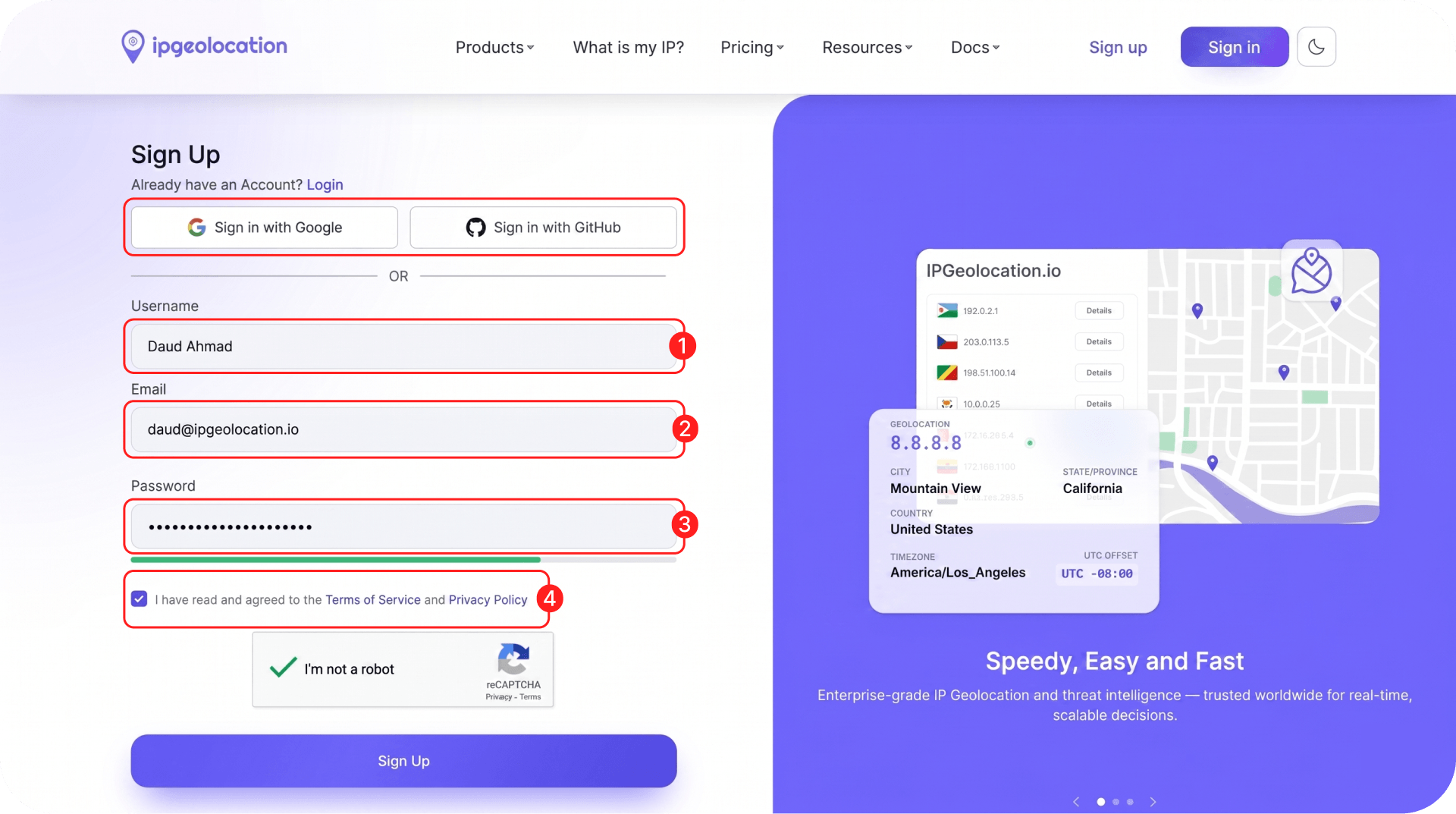
1. Email and Password
- Enter your full name (Username), a valid email address, and a password.
- Check the privacy policy box and click Sign Up.
- Now, open the verification email from IPGeolocation.io and click the Verify Email Address button. If the button does not work, copy the verification URL and paste it into your browser to verify your account.
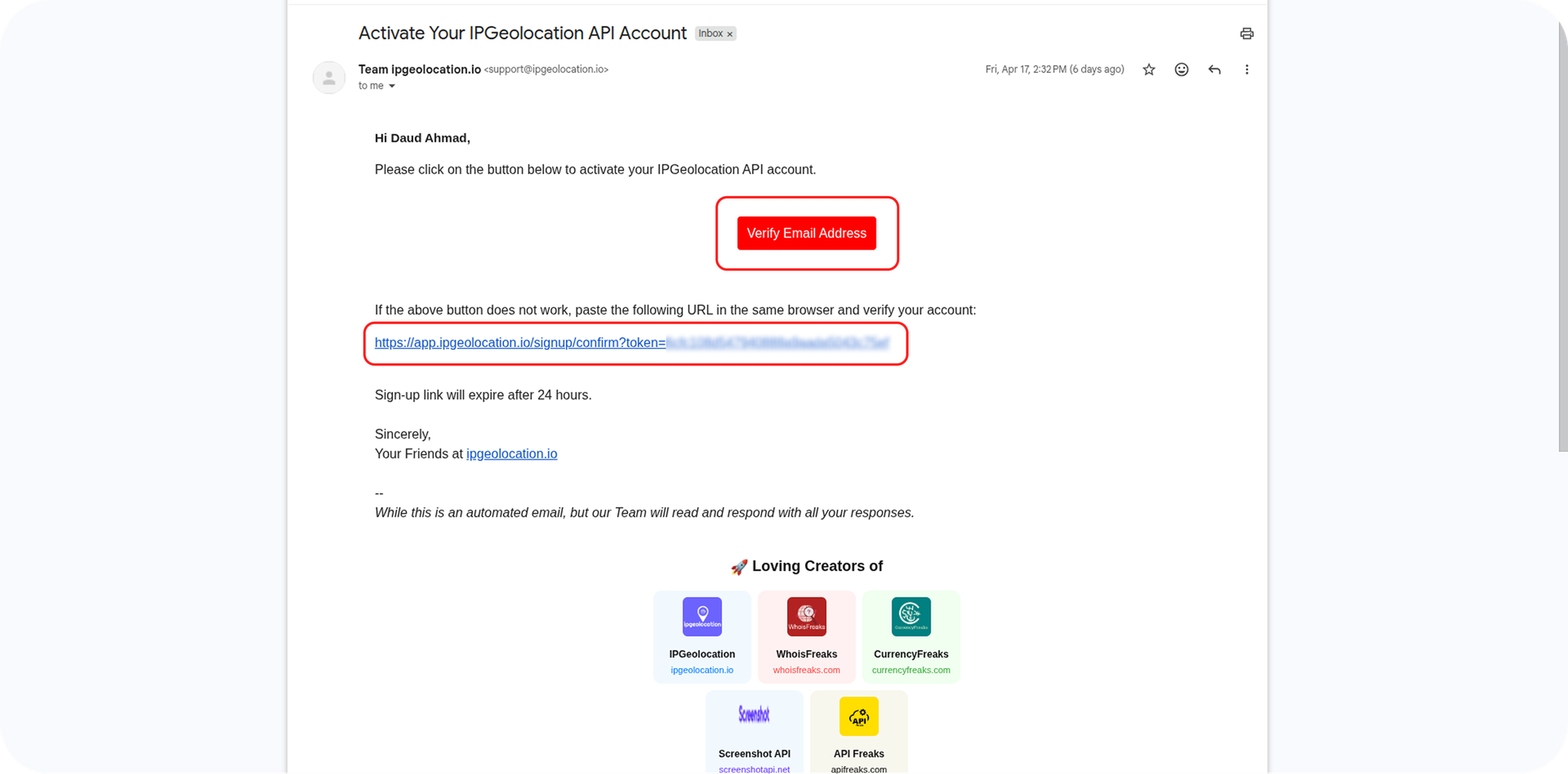
- Once the Verify Email Address link is hit, you will be redirected to the dashboard, where you can log in with your email and password.
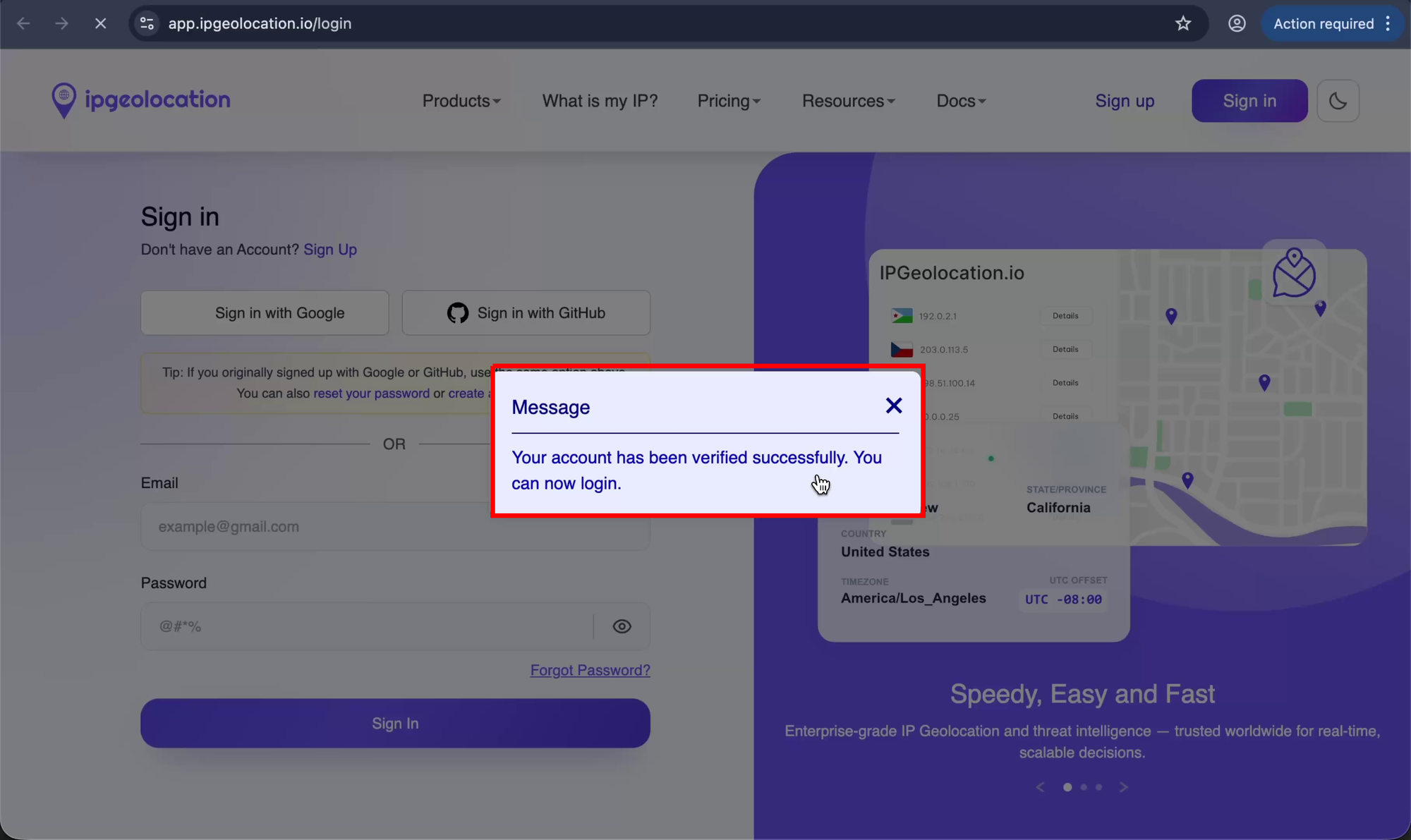
Note: The verification link expires after 24 hours. If your link has expired, reply to the same email to get a new one.
2. Google or GitHub
Alternatively, click the Sign in with Google or Sign in with GitHub button on the signup form and authorize your account. Both options skip the email verification step and drop you straight into the dashboard.
3. Copying Your API Key
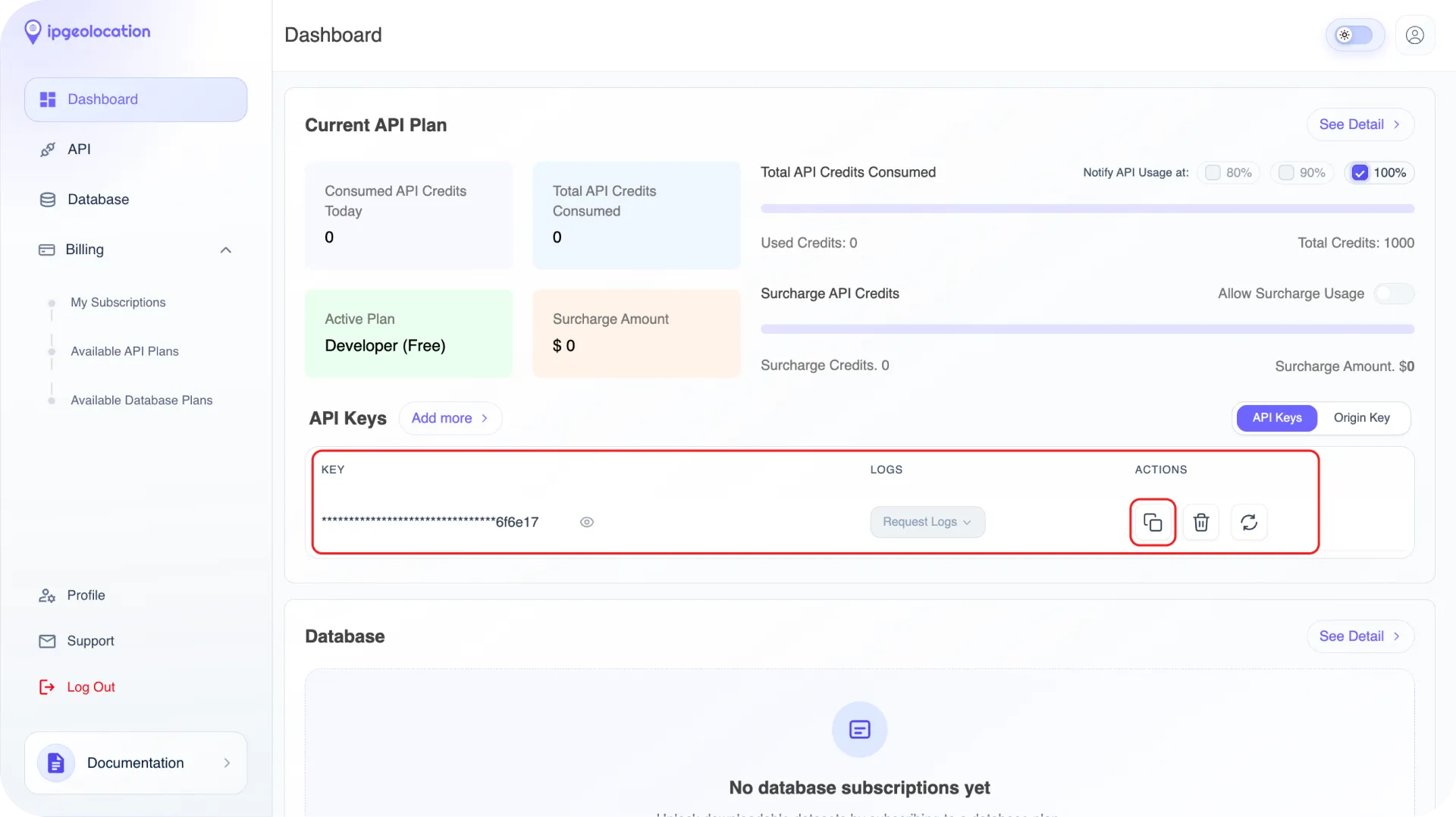
Once you're in the dashboard, your API key is displayed in the API Keys section. Click the copy button highlighted in the image and save the key somewhere secure.
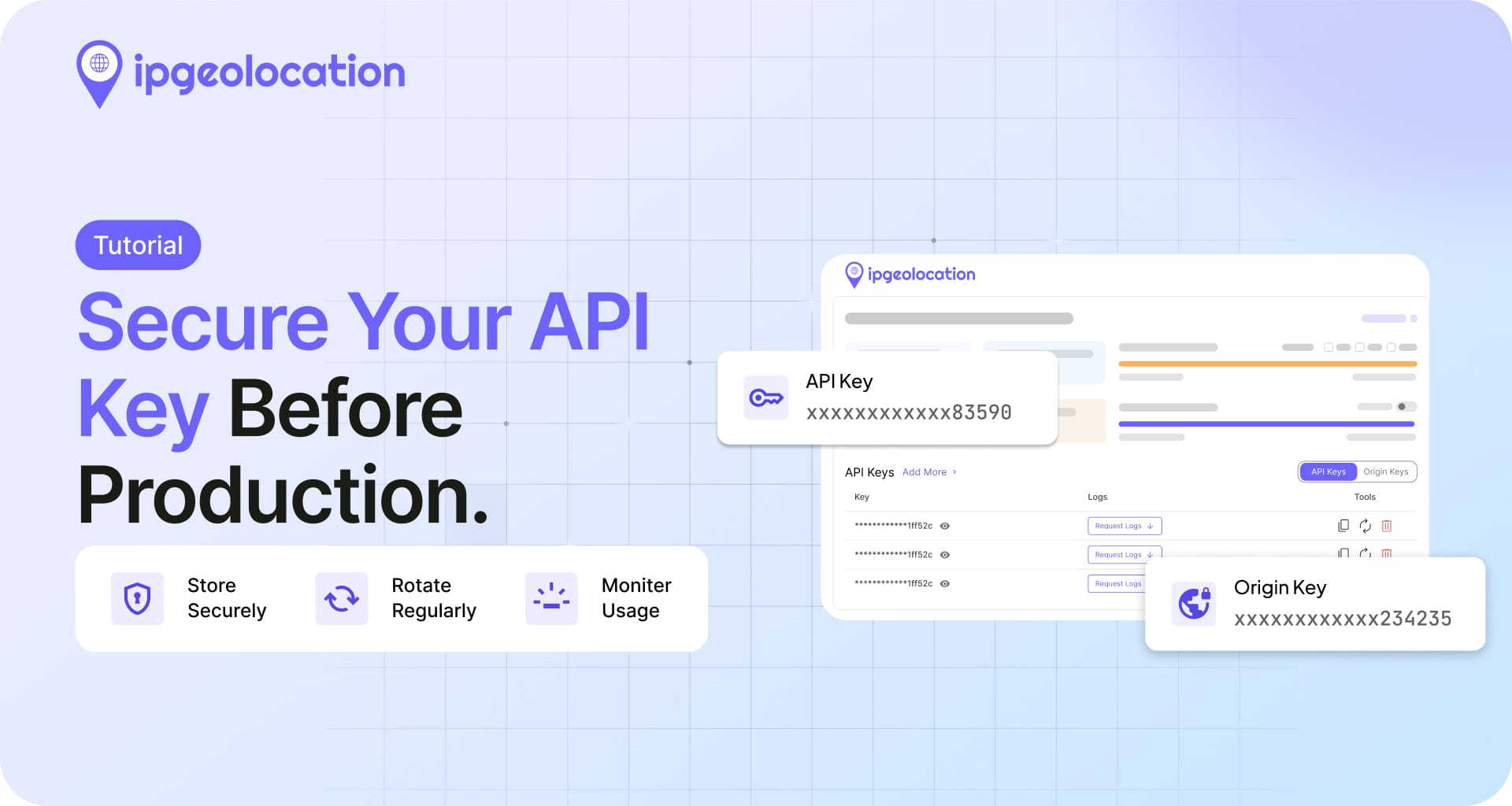
A quick note on key management: store it as an environment variable (IPGEO_API_KEY or similar) in your project rather than hardcoding it into source files. Never commit API keys to version control. If you're using a .env file, add it to your .gitignore before your first commit.
The free plan gives you 1,000 API credits per day with no credit card required. Each standard lookup costs 1 credit. If you need more volume, paid plans start at $19/month for 150,000 monthly credits.
Make Your First Request
The base endpoint is https://api.ipgeolocation.io/v3/ipgeo. Pass your API key as the apiKey query parameter. If you skip the ip parameter, the API returns data for the caller's own IP address.
1. curl
curl "https://api.ipgeolocation.io/v3/ipgeo?apiKey=YOUR_API_KEY&ip=8.8.8.8"
Replace YOUR_API_KEY with the key from your dashboard. This IP location lookup returns a JSON object with geographic, ASN, currency, and timezone data for Google's public DNS server.
2. Python
import requests

API_KEY = "YOUR_API_KEY"
response = requests.get(
    f"https://api.ipgeolocation.io/v3/ipgeo?apiKey={API_KEY}&ip=8.8.8.8"
)
data = response.json()

print(data["location"]["city"])        # Mountain View
print(data["location"]["country_name"])  # United States
print(data["time_zone"]["name"])       # America/Los_Angeles
The location object holds all the geographic fields. The Python SDK wraps this with typed models and async support if you prefer a client library over raw HTTP.
3. JavaScript (Node.js)
const API_KEY = "YOUR_API_KEY";

const res = await fetch(
  `https://api.ipgeolocation.io/v3/ipgeo?apiKey=${API_KEY}&ip=8.8.8.8`
);
const data = await res.json();

console.log(data.location.city);        // Mountain View
console.log(data.location.country_name); // United States
console.log(data.time_zone.name);       // America/Los_Angeles
This works in Node.js 18+ with the built-in fetch API. For older Node versions, use the node-fetch package or the official JavaScript SDK.
Reading the Response
The free plan returns six top-level objects: ip, location, country_metadata, currency, asn, and time_zone. The image below shows what's included on the free plan versus the paid add-ons:
Here's a full response for IP 8.8.8.8, with the paid modules included, so you can see exactly what each object looks like:
{
  "ip": "8.8.8.8",
  "hostname": "dns.google",
  "location": {
    "district": "Santa Clara",
    "city": "Mountain View",
    "locality": "Mountain View",
    "zipcode": "94043-1351",
    "latitude": "37.42240",
    "longitude": "-122.08421",
    "continent_code": "NA",
    "continent_name": "North America",
    "country_code2": "US",
    "country_code3": "USA",
    "country_name": "United States",
    "country_name_official": "United States of America",
    "country_capital": "Washington, D.C.",
    "state_prov": "California",
    "state_code": "US-CA",
    "accuracy_radius": "25.246",
    "confidence": "low",
    "dma_code": "807",
    "is_eu": false,
    "country_flag": "https://ipgeolocation.io/static/flags/us_64.png",
    "geoname_id": "6301403",
    "country_emoji": "🇺🇸"
  },
  "country_metadata": {
    "tld": ".us",
    "languages": [
      "en-US",
      "es-US",
      "haw",
      "fr"
    ],
    "calling_code": "+1"
  },
  "network": {
    "route": "8.8.8.0/24",
    "connection_type": "",
    "is_anycast": true
  },
  "currency": {
    "code": "USD",
    "name": "US Dollar",
    "symbol": "$"
  },
  "asn": {
    "organization": "Google LLC",
    "country": "US",
    "type": "BUSINESS",
    "domain": "google.com",
    "rir": "ARIN",
    "as_number": "AS15169",
    "date_allocated": "2000-03-30"
  },
  "company": {
    "name": "Google LLC",
    "type": "HOSTING",
    "domain": "google.com"
  },
  "security": {
    "threat_score": 0,
    "is_tor": false,
    "is_proxy": false,
    "proxy_provider_names": [],
    "proxy_confidence_score": 0,
    "proxy_last_seen": "",
    "is_residential_proxy": false,
    "is_vpn": false,
    "vpn_provider_names": [],
    "vpn_confidence_score": 0,
    "vpn_last_seen": "",
    "is_relay": false,
    "relay_provider_name": "",
    "is_anonymous": false,
    "is_known_attacker": false,
    "is_spam": false,
    "is_bot": false,
    "is_cloud_provider": false,
    "cloud_provider_name": ""
  },
  "abuse": {
    "route": "8.8.8.0/24",
    "country": "US",
    "name": "Abuse",
    "organization": "Abuse",
    "kind": "group",
    "address": "1600 Amphitheatre Parkway, Mountain View, CA, 94043, United States",
    "emails": [
      "network-abuse@google.com"
    ],
    "phone_numbers": [
      "+16502530000"
    ]
  },
  "time_zone": {
    "name": "America/Los_Angeles",
    "offset": -8,
    "offset_with_dst": -7,
    "current_time": "2026-04-27 14:08:38.878-0700",
    "current_time_unix": 1777324118.878,
    "current_tz_abbreviation": "PDT",
    "current_tz_full_name": "Pacific Daylight Time",
    "standard_tz_abbreviation": "PST",
    "standard_tz_full_name": "Pacific Standard Time",
    "is_dst": true,
    "dst_savings": 1,
    "dst_exists": true,
    "dst_tz_abbreviation": "PDT",
    "dst_tz_full_name": "Pacific Daylight Time",
    "dst_start": {
      "utc_time": "2026-03-08 TIME 10:00",
      "duration": "+1.00H",
      "gap": true,
      "date_time_after": "2026-03-08 TIME 03:00",
      "date_time_before": "2026-03-08 TIME 02:00",
      "overlap": false
    },
    "dst_end": {
      "utc_time": "2026-11-01 TIME 09:00",
      "duration": "-1.00H",
      "gap": false,
      "date_time_after": "2026-11-01 TIME 01:00",
      "date_time_before": "2026-11-01 TIME 02:00",
      "overlap": true
    }
  },
  "user_agent": {
    "user_agent_string": "Mozilla/5.0 (X11; Linux x86_64) AppleWebKit/537.36 (KHTML, like Gecko) Chrome/147.0.0.0 Safari/537.36",
    "name": "Chrome",
    "type": "Browser",
    "version": "147",
    "version_major": "147",
    "device": {
      "name": "Linux Desktop",
      "type": "Desktop",
      "brand": "Unknown",
      "cpu": "Intel x86_64"
    },
    "engine": {
      "name": "Blink",
      "type": "Browser",
      "version": "147",
      "version_major": "147"
    },
    "operating_system": {
      "name": "Linux",
      "type": "Desktop",
      "version": "??",
      "build": "??",
      "version_major": "??"
    }
  }
}
location contains country, state, city, latitude, longitude, postal code, and EU membership status. This is the object you'll use most often for geo-targeting, analytics, and access control. country_metadata provides the calling code, top-level domain, and spoken languages for the country. currency returns the local currency code, name, and symbol, which is useful for displaying localized pricing. asn includes the ISP name, AS number, organization, and network type. time_zone gives you the timezone name, UTC offset, current local time, and DST status with transition dates.
On paid plans, the response also includes network (connection type, route, anycast status), company (organization name, type, domain), security (threat score from 0-100 plus boolean flags for VPN, proxy, Tor, bot, and spam), and abuse (reporting contact info for the IP's network). Request these with the include parameter, for example include=security,abuse. Each added module costs extra credits (security adds 2, abuse adds 1). The full API reference documents every available field and parameter.
What's Next
You have a working API call. Where you go from here depends on what you're building.
Scale up: If 1,000 daily lookups isn't enough, check the pricing page for plans with 150K to 5M monthly credits. Paid plans also unlock bulk lookups (up to 50,000 IPs per request), security threat detection, and company enrichment.
Integrate with an SDK: Official libraries handle authentication, error parsing, and typed responses for you. Grab the one for your stack: Python, Java, Go, JavaScript, or TypeScript.
Explore use cases: See how other teams use IP geolocation for fraud detection, content localization, and analytics in 10 IP Geolocation Use Cases for Businesses and Developers.
Go deeper: The API documentation covers response filtering with fields and excludes, error codes, rate limits, and the security module in detail.
Frequently Asked Questions
Yes. The free plan provides 1,000 API credits per day with no credit card and no expiration. It returns location, ASN, currency, and timezone data. Paid plans start at $19/month for 150,000 credits and add security detection, company data, and bulk lookups.
No. Create a free account with your email, Google, or GitHub. No payment method is required. You only need a credit card if you choose to upgrade to a paid plan later.
Under a minute. After email verification (or instant access via Google/GitHub login), your API key appears on the dashboard immediately. Copy it and start making requests right away.
The REST API works with any language that can send HTTP requests. IPGeolocation.io also provides official SDKs for Python, Java, Go, JavaScript, TypeScript, Ruby, C#/.NET, and PHP.
Start Building
Sign up for a free account, copy your API key, and make your first call. The free tier is enough to build and test with. When you're ready to go to production, the paid plans scale from there.