

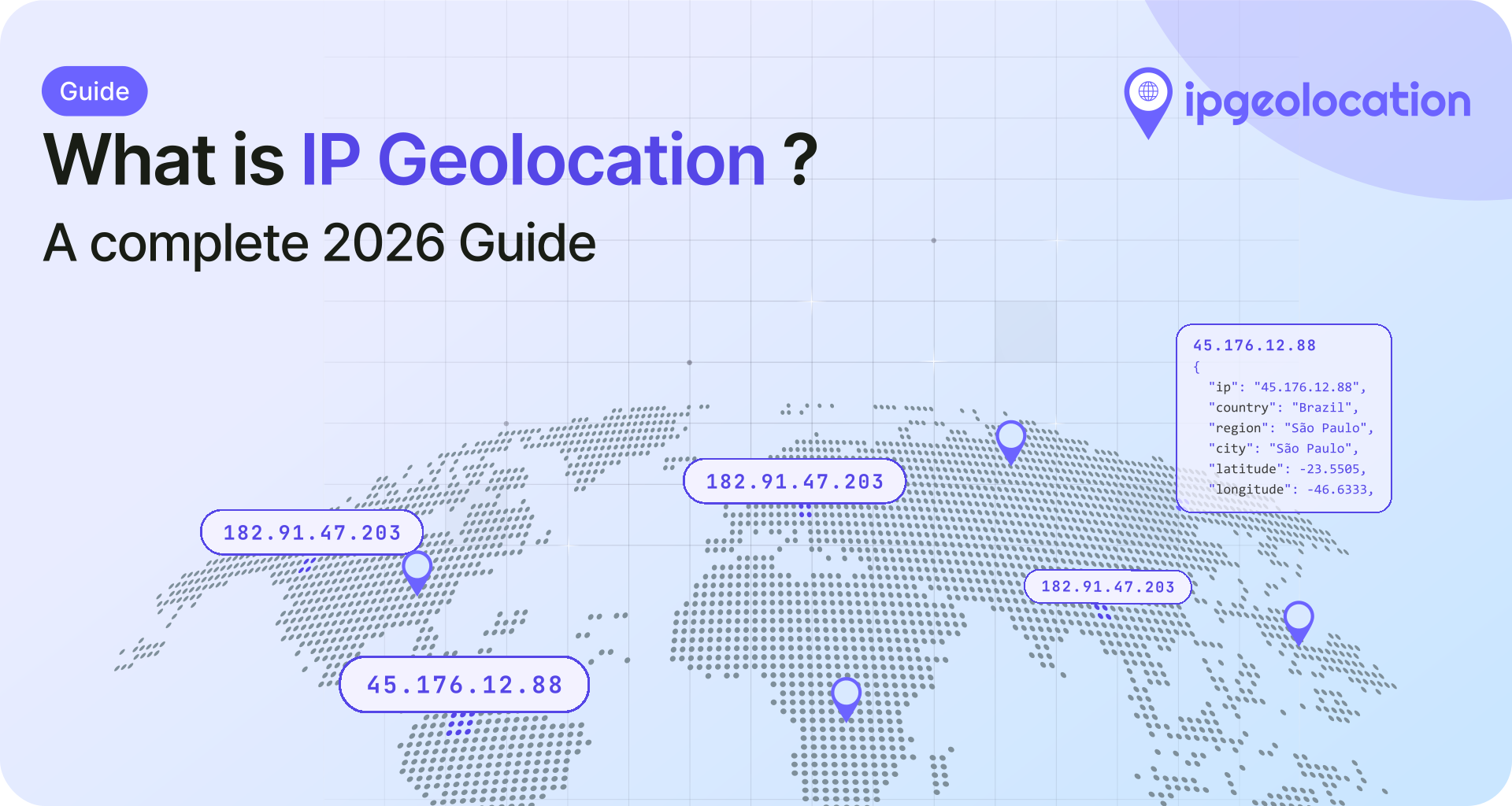
IP geolocation is the process of mapping an IP address to a physical location. Given any IPv4 or IPv6 address, it returns geographic data: country, region, city, postal code, latitude and longitude, timezone, and often ISP or network details. If you've ever visited a website that auto-detected your country or showed local pricing without asking, IP geolocation is likely how it knew.
It is not GPS. It will not pinpoint a house or a person. But for server-side location detection that requires no user permission and works across every device and browser, nothing else fills the same role. The accuracy varies by level, and this guide covers exactly where it's reliable, where it falls short, and how to use it well.
TL;DR
- IP geolocation maps IP addresses to geographic locations (country, city, ISP, timezone) without requiring device permissions
- Country-level accuracy is generally the strongest layer; city-level accuracy varies widely by provider, region, and ISP
- Common use cases: content localization, fraud detection, regulatory compliance, analytics, and ad targeting
- Data is delivered through real-time APIs or downloadable databases (CSV and MMDB as standard, with JSON, Parquet, or custom formats free on request)
- VPNs, proxies, and mobile carrier networks are the biggest accuracy disruptors, with VPN use now mainstream across most markets
If you're evaluating whether IP geolocation fits your use case, the accuracy section and the API vs. database comparison later in this guide are the most relevant starting points.
How IP Geolocation Works
1. Where the Data Comes From
No single source provides the complete picture. IP geolocation databases are assembled from several layers of data, each contributing different pieces.
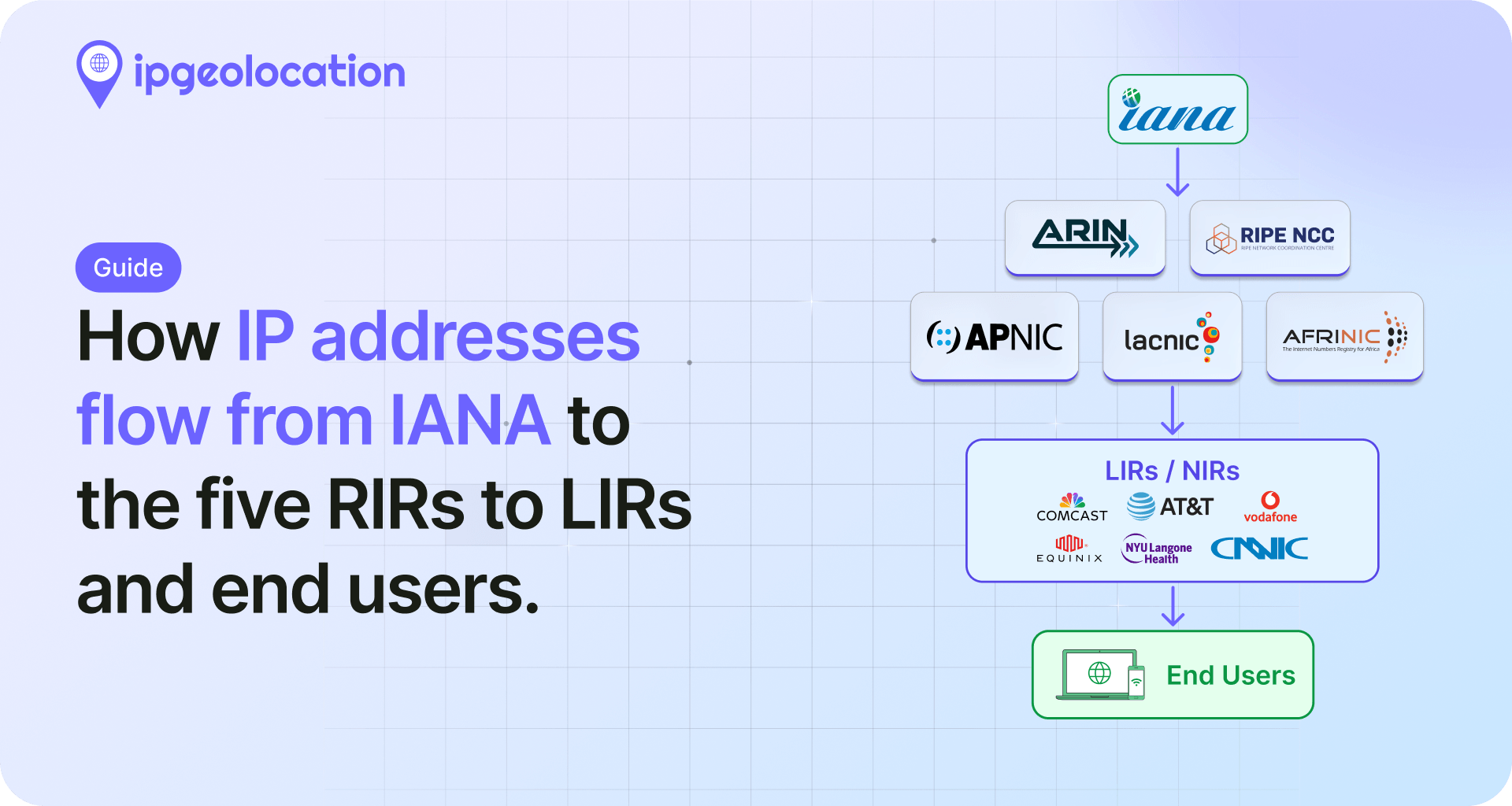
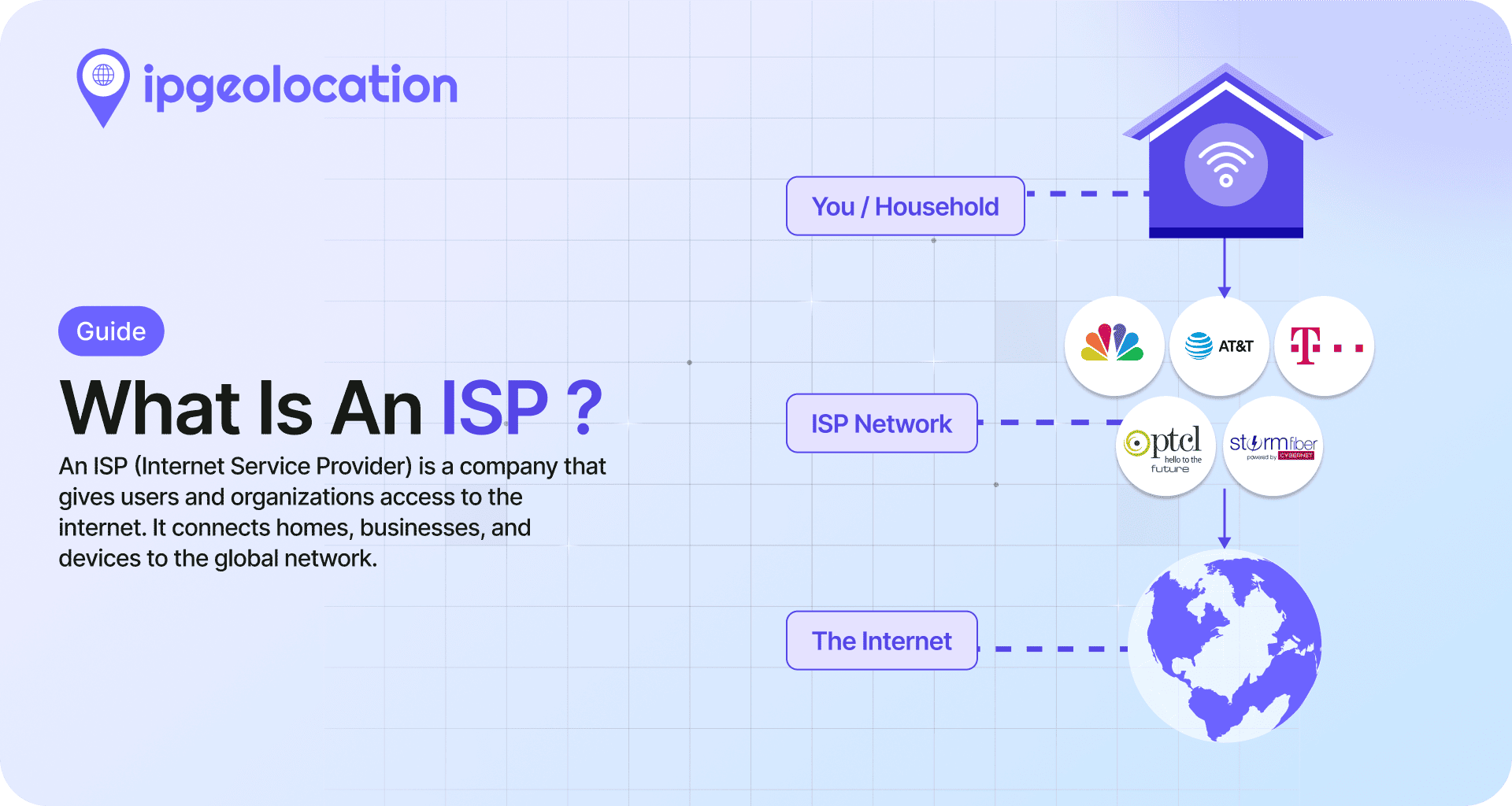
The foundation starts with Regional Internet Registries (RIRs). Five organizations, including ARIN (North America), RIPE NCC (Europe/Middle East), and APNIC (Asia-Pacific), manage the global allocation of IP address blocks to ISPs and organizations. When ARIN assigns a /16 block to Comcast, that allocation record becomes a starting point for geographic mapping.
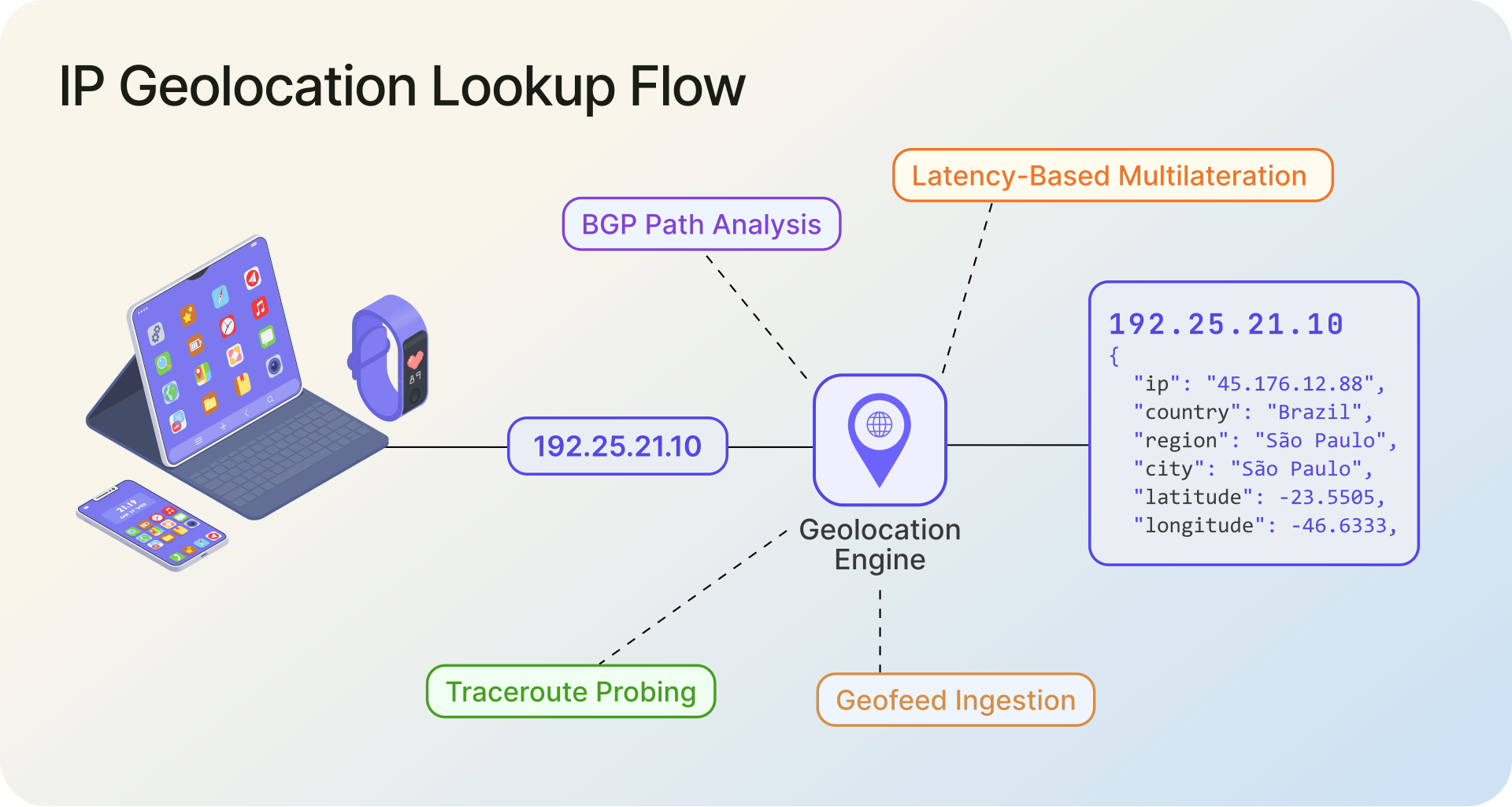
BGP routing data adds another layer. Border Gateway Protocol announcements reveal how IP prefixes are routed across networks, which helps map address blocks to specific network operators and their physical points of presence. Active network measurement fills in the gaps. Providers run traceroute probes and latency-based triangulation against millions of IP addresses to estimate their physical locations. A probe from New York reaching an IP in 2ms versus 80ms tells you something meaningful about where that address terminates.
Geofeeds and user-submitted corrections describe where addresses are actually deployed, rather than where they were registered. Under RFC 8805, an ISP or organization can publish location data for its own prefixes as a geofeed, which providers ingest to fix cases where allocation records and real usage have drifted apart. Good providers do not trust a geofeed on sight; they check it against active measurements first, since self-published feeds go stale or get copied wrong. Adoption is growing but still far from universal.
The best IP geolocation providers do not just combine these sources, they weight them by reliability and verify the result against active network measurements before serving it, and they update daily across both IPv4 and IPv6. For a full breakdown of how ipgeolocation.io builds and verifies its location data, layer by layer, see How IP Geolocation Data Is Built, Not Guessed.
2. The Lookup Process
Once the database exists, the actual lookup is fast. An application sends an IP address to an API endpoint or queries a local database file. The system matches the IP against its stored ranges, identifies the assigned block, and returns the associated geographic and network metadata.
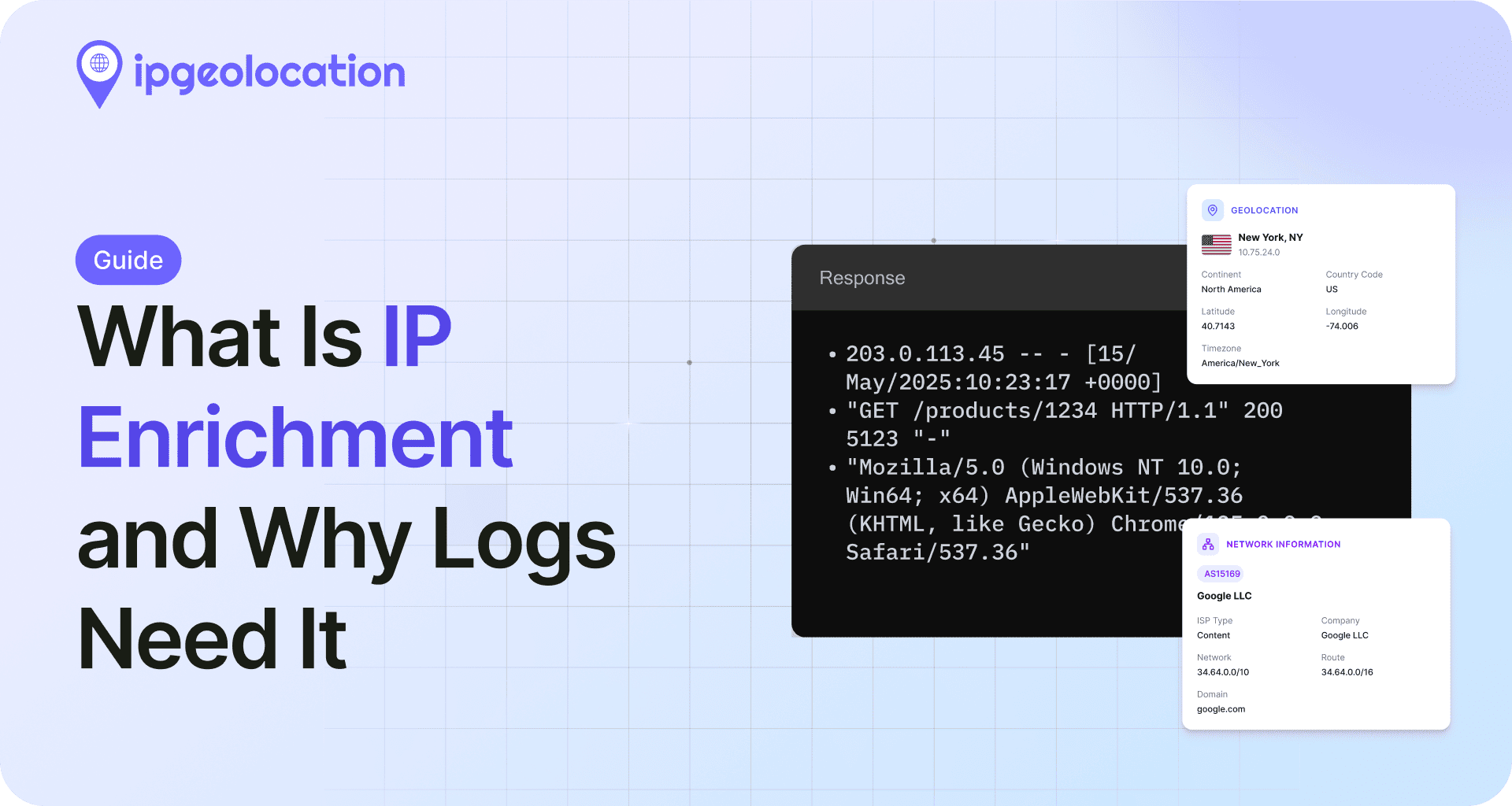
A typical IP Location API response includes fields like country, state, city, postal code, coordinates, timezone, ISP, ASN, connection type, and sometimes a confidence score or accuracy radius. Response times for API lookups run under 40ms on average. Local database lookups in MMDB format are even faster, often completing in microseconds since there is no network round-trip.
The important thing to understand: the lookup resolves to where the IP block is registered or where the ISP's infrastructure is located. It does not resolve to where the user is sitting. That distinction explains most of the accuracy questions people have.
How Accurate Is IP Geolocation?
This is the question everyone asks, and the honest answer is: it depends on the level of precision you need.
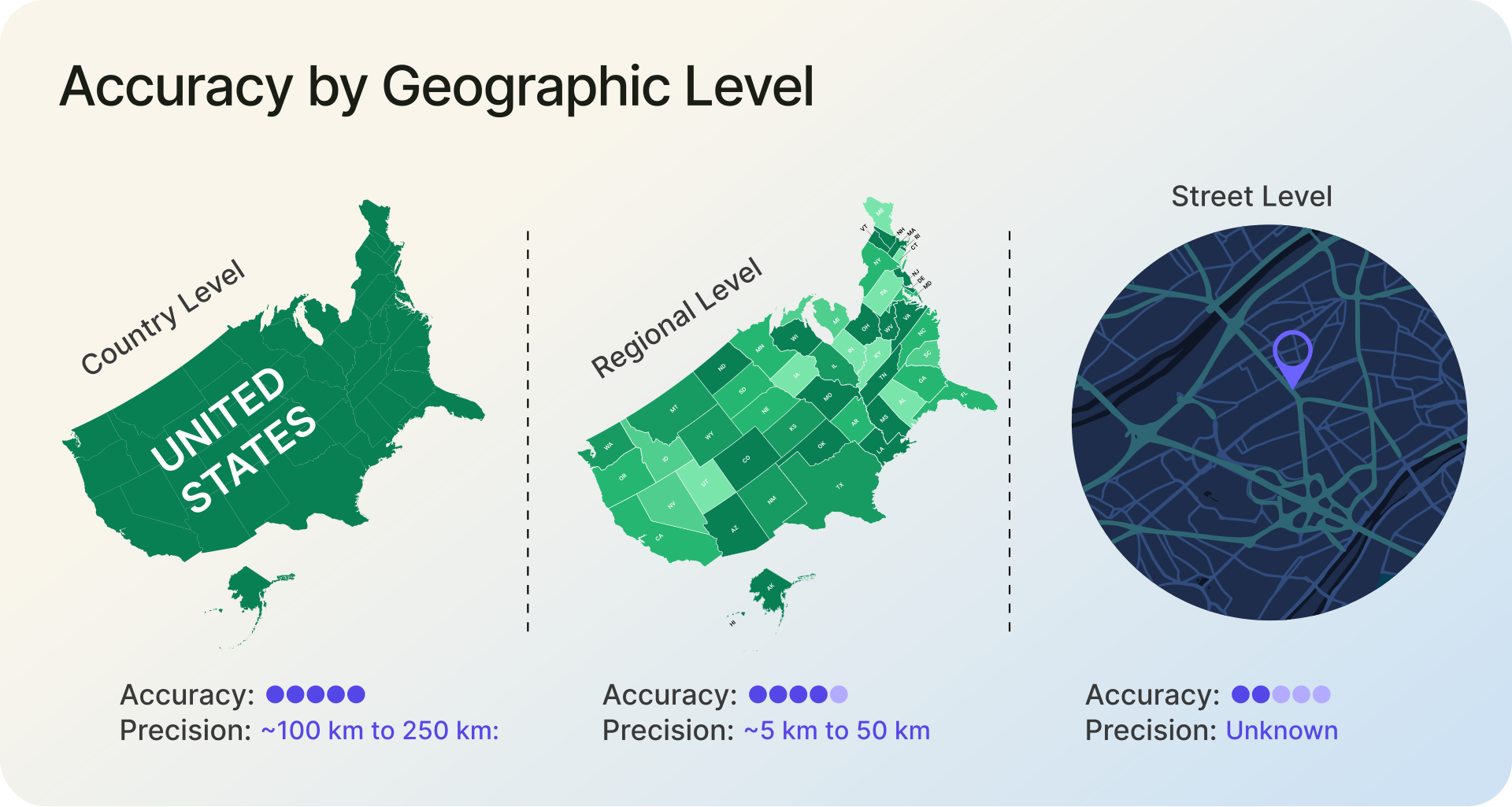
1. Accuracy by Geographic Level
Country level: generally the most reliable. Leading providers report country-level accuracy above 99% for their own datasets. Across the ipgeolocation.io dataset, country-level accuracy is 99%+, though real-world results still vary with network type and data freshness. For use cases like currency selection, language defaults, or jurisdiction detection, country-level accuracy is strong enough to rely on in production.
Region/state level: strong but variable. Across the ipgeolocation.io dataset, region-level accuracy is 90%+, though it varies by country. In the US, state-level detection is fairly reliable for broadband connections. It weakens at borders and in regions where a single ISP routes traffic through a centralized hub several states away.
City level: useful as an estimate, not a guarantee. Across the ipgeolocation.io dataset, city-level accuracy is 85%+, best read as accuracy within a radius rather than an exact pin. It varies by country, ISP, routing architecture, and connection type. Users in dense metro areas tend to geolocate accurately. Suburban and rural users often resolve to the nearest metropolitan area because that is where the ISP's point of presence sits.
Postal code and street level: unreliable. IP geolocation was never designed for this. Anyone claiming street-level accuracy from IP data alone is overselling. If you need sub-city precision, you need GPS, Wi-Fi positioning, or explicit user consent for browser geolocation.
For how these numbers are produced and which industry accuracy claims don't hold up, see how we build and verify our location data, layer by layer. On paid plans, ipgeolocation.io returns a per-result accuracy_radius and confidence value with every lookup, so you can judge precision per request instead of relying on a single global percentage.
2. What Affects Accuracy
Several factors account for most accuracy problems in real-world deployments.
ISP routing architecture matters more than people realize. A regional ISP serving a three-state area might route all traffic through a single data center. Every user on that network geolocates to one city, regardless of where they actually are. This is especially common in the US, where large ISPs serve wide geographic areas from centralized points of presence.
Mobile networks create similar issues at a larger scale. Carriers route mobile traffic through regional gateways, so a user on LTE in a small town might geolocate to a city 100 miles away. As a general rule, mobile IPs are noticeably less accurate at the city level compared to fixed broadband connections.
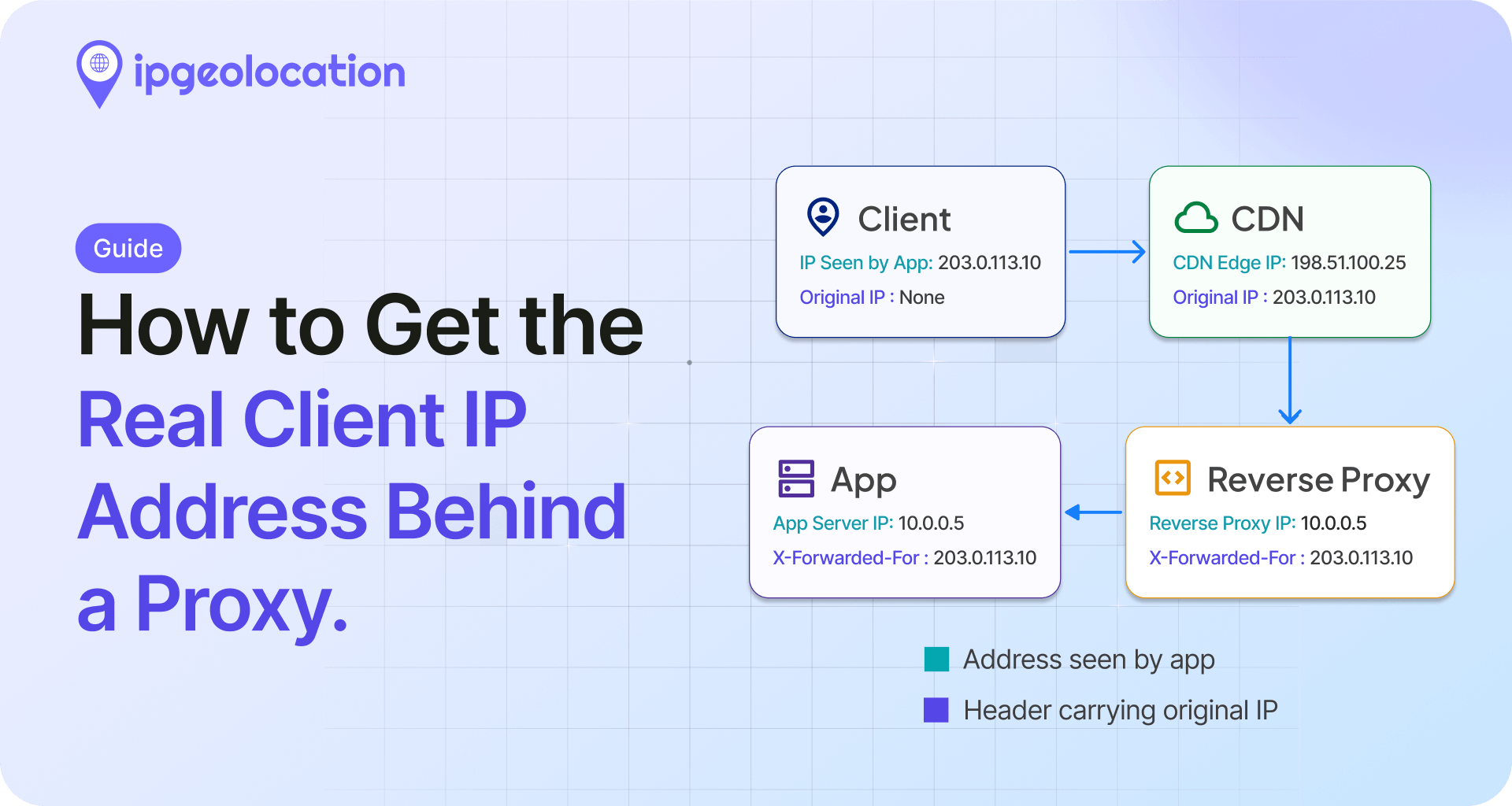
VPNs and proxies are the biggest disruptor. When a user connects through a VPN, their traffic exits from the VPN provider's server, which could be in a different city, country, or continent. Nearly half of Americans use a VPN, according to Security.org's 2026 VPN research, with usage rates higher still in markets like Indonesia (55%) and India (43%). That means a meaningful share of your traffic may geolocate to a VPN endpoint rather than the user's actual location. This is why VPN and proxy fraud prevention has become a critical companion to basic geolocation.
IPv6 adoption is growing but uneven. APNIC's measurements record global IPv6 capability at over 40%, and the Asia-Pacific region passed 50% in 2025. IP geolocation databases have less historical data for IPv6 blocks compared to IPv4, and accuracy for IPv6 addresses still lags behind IPv4 in some regions, particularly in developing markets. When evaluating a provider, check their IPv6 support specifically.
Carrier-grade NAT (CGNAT) hides thousands of users behind a single public IP address. Under RFC 6598, ISPs can share one IP across many subscribers, which means geolocation resolves to the NAT gateway's location, not any individual user's. This is increasingly common as IPv4 address space runs out, and it affects both accuracy and the ability to distinguish individual users by IP.
Anycast routing adds another wrinkle. CDNs and DNS providers use anycast to serve the same IP address from multiple physical locations, with routing deciding which server handles a given request. If you geolocate an anycast IP, you may get a registration address or a "representative" location rather than the site that actually served the user.
Dynamic IP reassignment means addresses change owners. Corporate networks with centralized egress points create another blind spot: 10,000 employees in 40 offices might all exit through one data center in Virginia.
What IP Geolocation Cannot Tell You
Worth stating clearly, because this is where most misunderstandings start.
It cannot reveal a street address. IP geolocation maps to a network registration or an ISP point of presence, not to a building or household. No legitimate IP geolocation provider claims otherwise.
It cannot identify a person. An IP address is not an identity. Dozens or thousands of people can share a single public IP through home routers, CGNAT, corporate gateways, or public Wi-Fi. The EU's Court of Justice has specifically noted in Breyer (C-582/14) that a dynamic IP address does not, on its own, reveal the identity of a natural person.
It cannot provide real-time device tracking. Even when geolocation returns a city, the user's device could be anywhere that connects to the network presenting that IP. Someone using a corporate VPN from a hotel in Tokyo will geolocate to wherever the VPN exits, not to Tokyo. IP geolocation tells you where the network is, not where the person is.
If your use case needs any of those three things, you need a fundamentally different technology (GPS, device sensors, or explicit user disclosure), not a better geolocation database.
Common Use Cases
IP geolocation shows up in more places than most people expect. Here's a breakdown of where it creates real business value, based on the patterns we see across top IP geolocation use cases in production today.
1. Content Localization and Personalization
This is the highest-volume use case. When a visitor lands on your site, their IP tells you their likely country and often their city. That is enough to auto-select language, display the right currency, show local pricing, and surface region-specific content. Displaying prices in a visitor's local currency, for example, removes a friction point that visibly affects conversion rates in most e-commerce contexts.
The trade-off is clear: IP geolocation gives you a good default without asking the user for anything. It runs server-side, requires no cookies or permissions, and works on the very first page load.
2. Fraud Detection and Risk Scoring
Payment processors and financial platforms use IP geolocation as one input in their fraud scoring models. The most common check: does the IP country match the billing address country? A mismatch does not automatically mean fraud, but it raises the risk score and triggers additional verification steps.
More advanced implementations check for impossible travel (a login from London at 2pm and another from Tokyo at 2:15pm), flag known data center IPs, and use security databases to detect VPNs, proxies, Tor exit nodes, and bots.
The Security Pro databases from ipgeolocation.io, for example, cover threat intelligence such as threat score, Tor detection, proxy/VPN/relay classification, anonymous usage, known-attacker signals, bot and spam indicators, and cloud-provider ownership, with daily updates. Residential proxy and IP Hosting coverage is also offered separately within the Security tier. For e-commerce platforms processing international transactions, combining basic geolocation with this kind of security layer has become table stakes rather than a nice-to-have.
3. Regulatory Compliance and Access Control
Streaming platforms, gaming companies, and any business dealing with content licensing rely on IP geolocation for geo-blocking. Netflix, for example, serves different content libraries in different countries based on licensing agreements. Geo-restriction is common enough that most users have encountered it, whether through content unavailability messages or region-locked features.
IP geolocation also helps businesses decide which regional privacy notices, consent flows, or compliance controls to apply. An IP resolving to the EU may trigger GDPR-related handling; one resolving to California may surface CCPA notices. Legal obligations ultimately depend on the applicable law and processing activity, not IP location alone, but geolocation provides a practical first signal for routing users into the right compliance experience.
4. Analytics and Advertising
Google Analytics has used IP geolocation for geographic traffic reports since its earliest versions. Ad platforms use it to serve location-targeted ads. Marketing teams use it to measure campaign performance by region. Geographic targeting is one of the most common ad-targeting options across major platforms, and IP geolocation is the underlying mechanism that makes it work server-side.
IP Geolocation vs. GPS and Other Methods
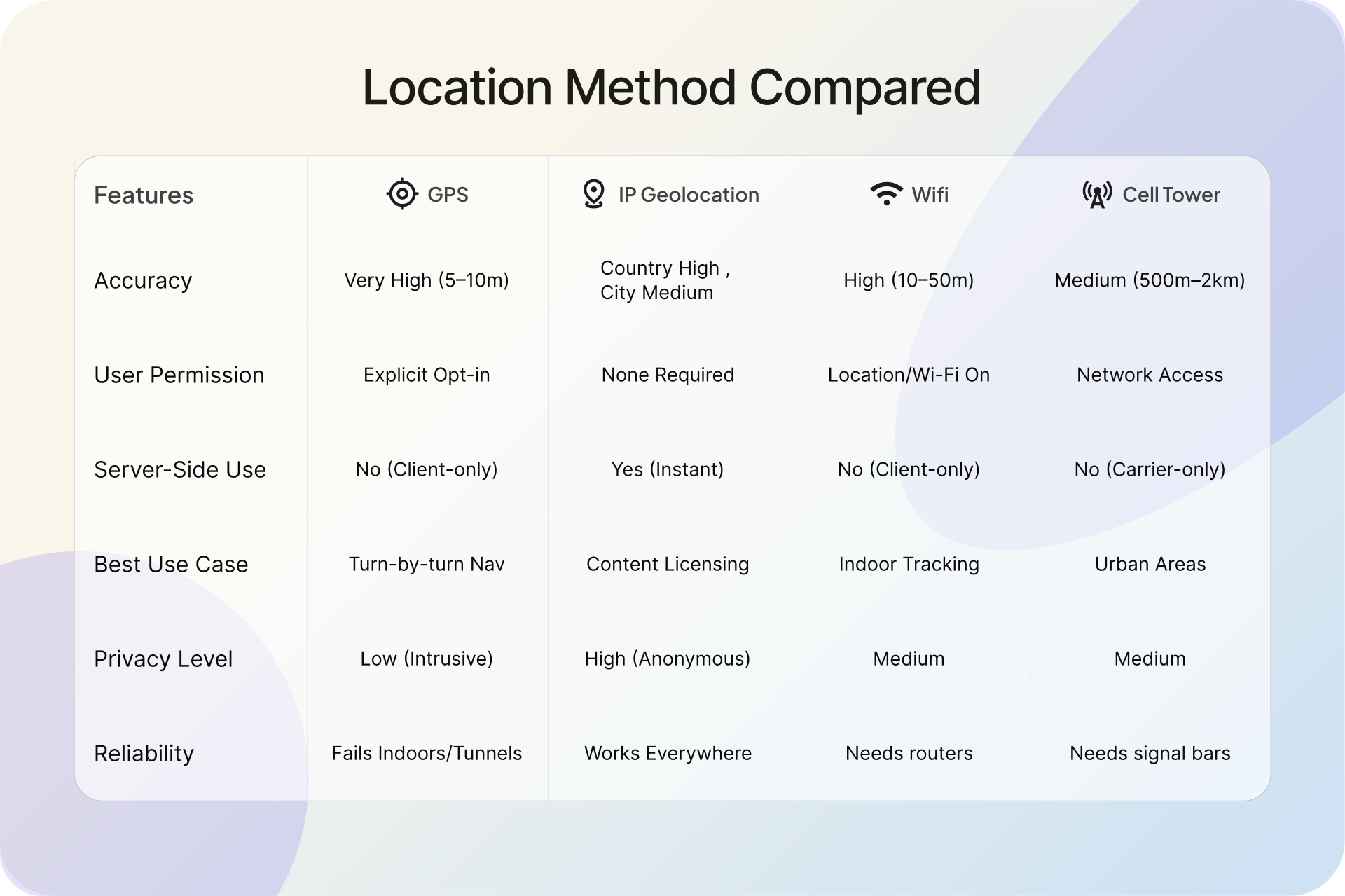
IP geolocation is one of several location technologies, and choosing the right one depends on what you're building.
| Method | Accuracy | Permission Required | Server-Side | Best For |
|---|---|---|---|---|
| GPS | 3-5 meters | Yes (device) | No | Navigation, precise tracking |
| Wi-Fi positioning | 15-40 meters | Yes (browser) | No | Indoor positioning, mobile apps |
| IP geolocation | City level (varies) | No | Yes | Web analytics, localization, fraud |
| Cell tower | 100m-several km | Yes (carrier) | No | Emergency services, carrier apps |
The key advantage of IP geolocation is that it works without any client-side cooperation. No permission prompt, no JavaScript API, no app install. The server sees the IP address on every request. That makes it the only option for first-page-load personalization, bot detection, and any scenario where you need location data before the user interacts with your site.
GPS is obviously more precise, but it only works on devices with GPS hardware, requires explicit user permission, and is not available on the server side. For many web applications, IP geolocation and GPS serve different purposes rather than competing directly.
API vs. Database: Choosing the Right Approach
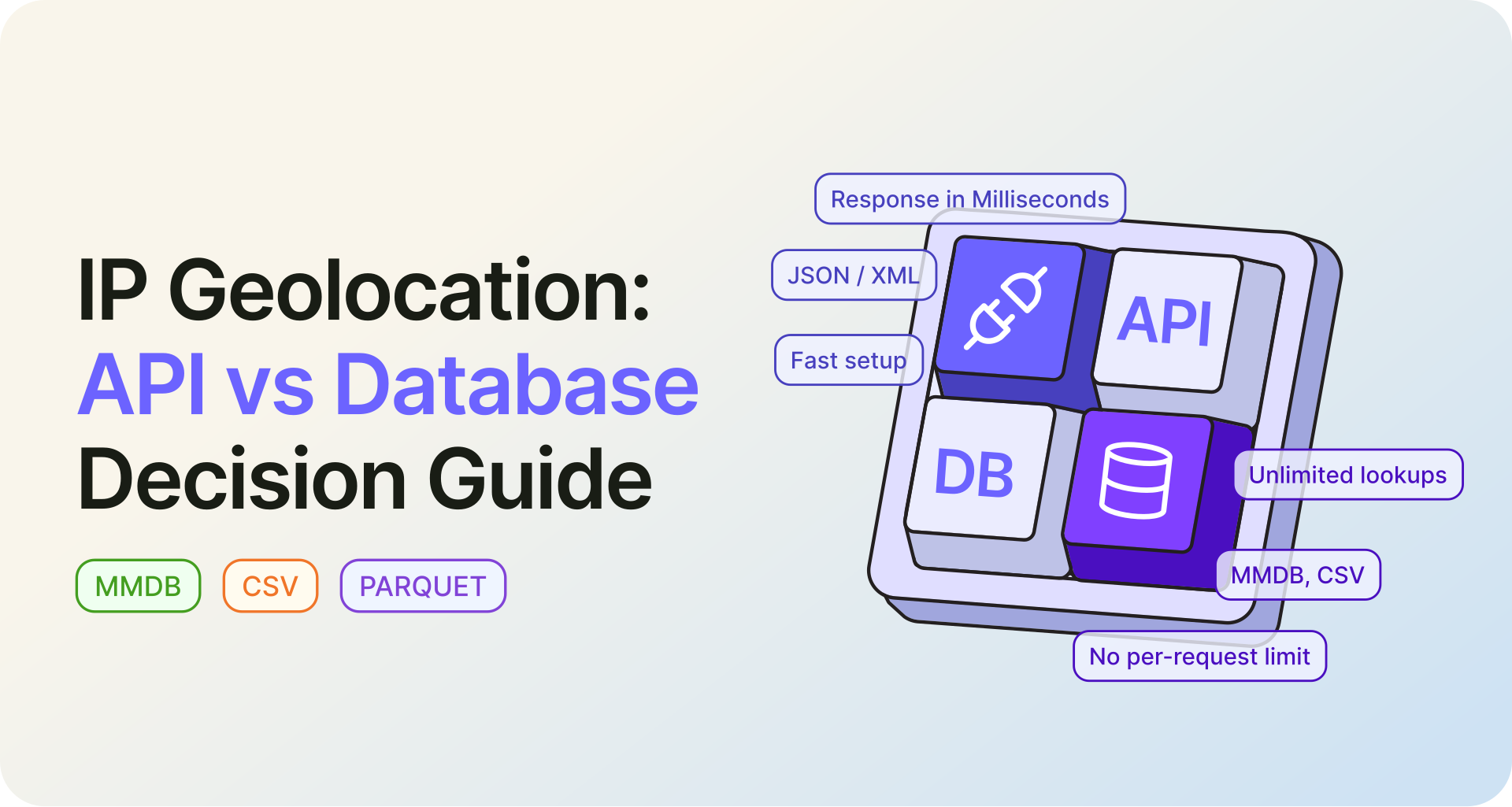
IP geolocation data is delivered in two forms, and the choice between them is a real architectural decision.
1. When an API Makes Sense
An API is the right fit when you need always-current data with minimal infrastructure. You send an IP, you get back a JSON response with location and metadata. No database files to download, update, or store. For applications handling fewer than a few hundred thousand lookups per day, an API keeps things simple.
The IP Location API at ipgeolocation.io returns a structured response that can include location, ASN, company, network, timezone, abuse contact, and security data depending on the endpoint and plan. Bulk lookups support up to 50,000 IPs in a single request. The free plan includes IP location essentials, country metadata, ASN basics and organization, and currency with coupled time zone data.
2. When a Local Database Makes Sense
If you're running millions of lookups per day, or latency matters at the microsecond level, a local database is the better path. Geo Standard databases are available in CSV and MMDB, with JSON, Parquet, or any custom format free on request, and file sizes varying by dataset. Local databases also make sense for air-gapped environments, edge computing nodes, or any deployment where you cannot depend on network calls. You control the update cycle, and lookups never leave your infrastructure.
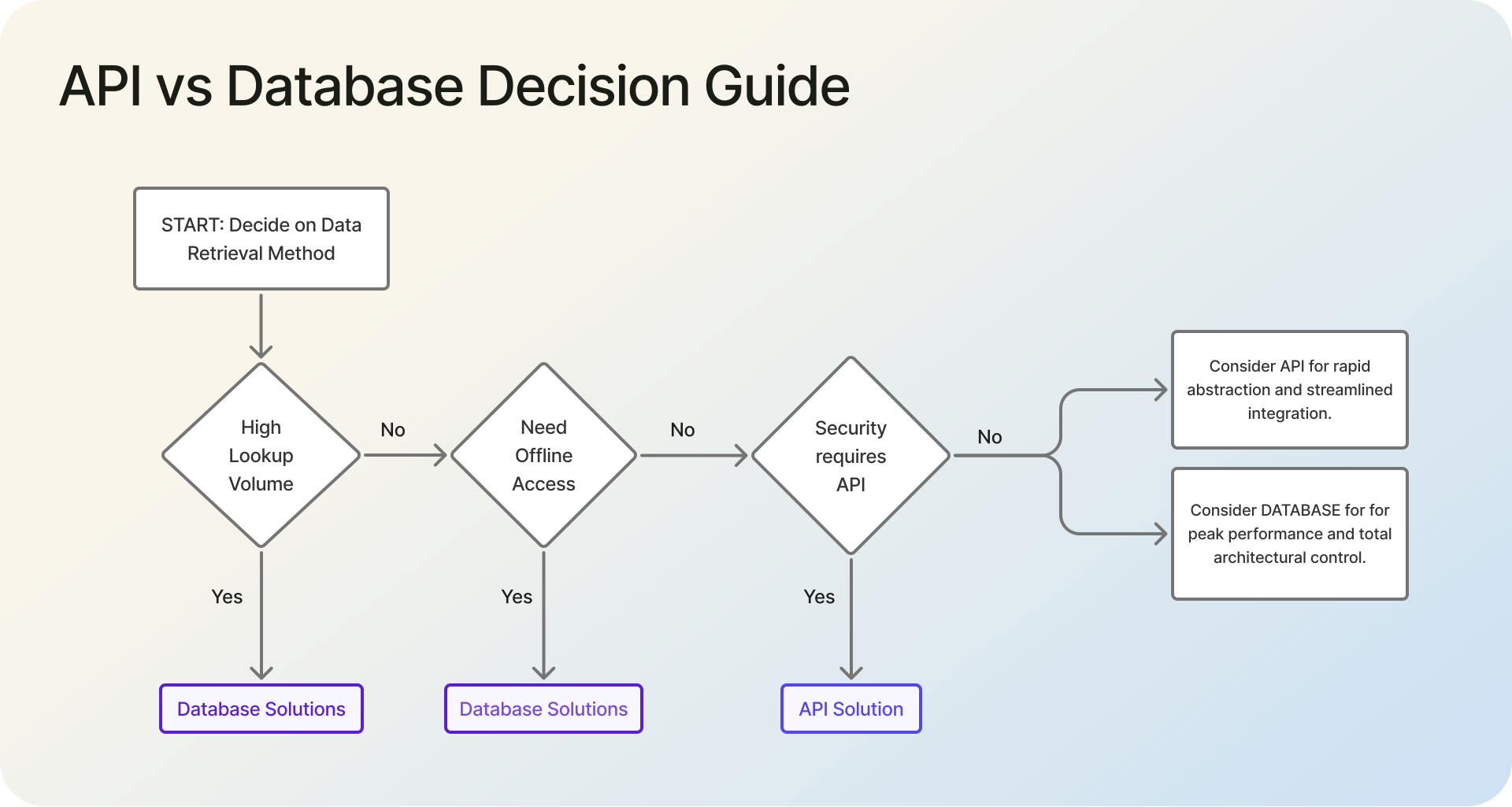
For a deeper breakdown of when to use an API versus a local database, see our guide on IP geolocation API vs. database.
3. What to Evaluate in a Provider
Not all IP geolocation providers are equal, and the differences matter more than marketing pages suggest.
Check IPv6 coverage specifically. With global IPv6 capability already over 40% and growing, a provider with weak IPv6 data will have blind spots across a significant portion of your users. Ask about update frequency: daily updates are the standard for any serious provider, and anything less frequent means you are working with stale data during IP reassignment windows.
Look at the response fields. Basic providers return country and city. Better providers include ASN, ISP, connection type, and timezone. The best include security signals like VPN detection, proxy classification, and threat scoring. If fraud or compliance is part of your use case, that security layer is not optional. For a deeper framework, see our guide on How to evaluate a VPN and proxy detection API.
See the database documentation for field-level details, or check pricing to compare what's included at each tier.
Privacy, Legal, and Ethical Considerations
IP geolocation occupies an interesting middle ground in the privacy landscape. It is less invasive than GPS tracking or device fingerprinting, but it is still processing an identifier tied to a user's network connection.
Under GDPR, IP addresses are treated as online identifiers (Recital 30) and can constitute personal data in context. That means IP geolocation lookups on EU users may fall under GDPR's data processing rules depending on how the data is collected and used. You need a legal basis for processing, and you need to disclose it in your privacy policy. The GDPR and data privacy implications are worth understanding before deploying any IP-based system that serves European visitors.
In the US, California's CCPA explicitly treats IP addresses as personal information. Several other states, including Texas, Tennessee, and Oregon, have enacted similar privacy laws. The trend is clear: more jurisdictions are bringing IP addresses under formal privacy protections, and any business using IP geolocation should track these developments.
The practical guidance: use IP geolocation for aggregate analytics and experience personalization rather than individual tracking. Do not store raw IP addresses longer than necessary. Do not attempt to identify individuals from their IP. And be aware that a growing number of your users are deliberately masking their IP through VPNs, which is their right.
One honest observation: the industry sometimes talks about IP geolocation as if it's a perfect signal. It is not. It is a useful, scalable, low-friction approximation of location. The businesses that use it most effectively are the ones that understand its limits and design their systems to handle ambiguity gracefully.
Frequently Asked Questions
IP geolocation is used to detect a visitor's approximate location from their IP address. The most common applications are content localization (language, currency, pricing), fraud detection (flagging geographic mismatches), regulatory compliance (applying the right privacy laws), geo-blocking (content licensing), and geographic analytics for marketing and advertising.
No. IP geolocation typically identifies your city or metro area, not your street address or building. Country-level detection is the most reliable layer, while city-level accuracy varies widely depending on your ISP, connection type, and region. It resolves to your ISP's network infrastructure, not your physical device. For precise location, GPS or Wi-Fi positioning is needed.
You cannot disable IP geolocation directly because it is a server-side lookup tied to your IP address. However, you can mask your real IP by using a VPN, proxy server, or Tor browser. These tools route your traffic through a different location, causing geolocation lookups to return the VPN server's location instead of yours.
An IP address alone cannot identify you personally or reveal your exact home address. It typically resolves to your ISP's regional infrastructure, showing a city or metro area. Law enforcement can request subscriber details from ISPs with a legal order, but ordinary websites or individuals cannot trace an IP address to a specific person.
City-level IP geolocation accuracy is typically 85%+, depending on the provider, country, ISP, and connection type. Accuracy is usually strongest in dense urban areas with major ISP coverage, while suburban, rural, and mobile network users may sometimes resolve to a nearby city or metro hub rather than their exact location.
IP geolocation works server-side using IP address databases and requires no user permission. It provides city-level approximation. GPS works client-side using satellite signals, requires device permission, and is accurate to 3-5 meters. IP geolocation is ideal for web applications needing location without user interaction. GPS suits navigation and precision tracking.
What to Do Next
If you are building content localization or regional analytics, start with the IP Geolocation API free tier to test against your own traffic. If you need high-volume lookups or offline access, evaluate the Geo Standard databases. For fraud prevention or compliance work that requires VPN and proxy detection, the Security Pro databases add the threat intelligence layer. And for a deeper look at where this technology is heading, read our piece on the future of IP geolocation.