

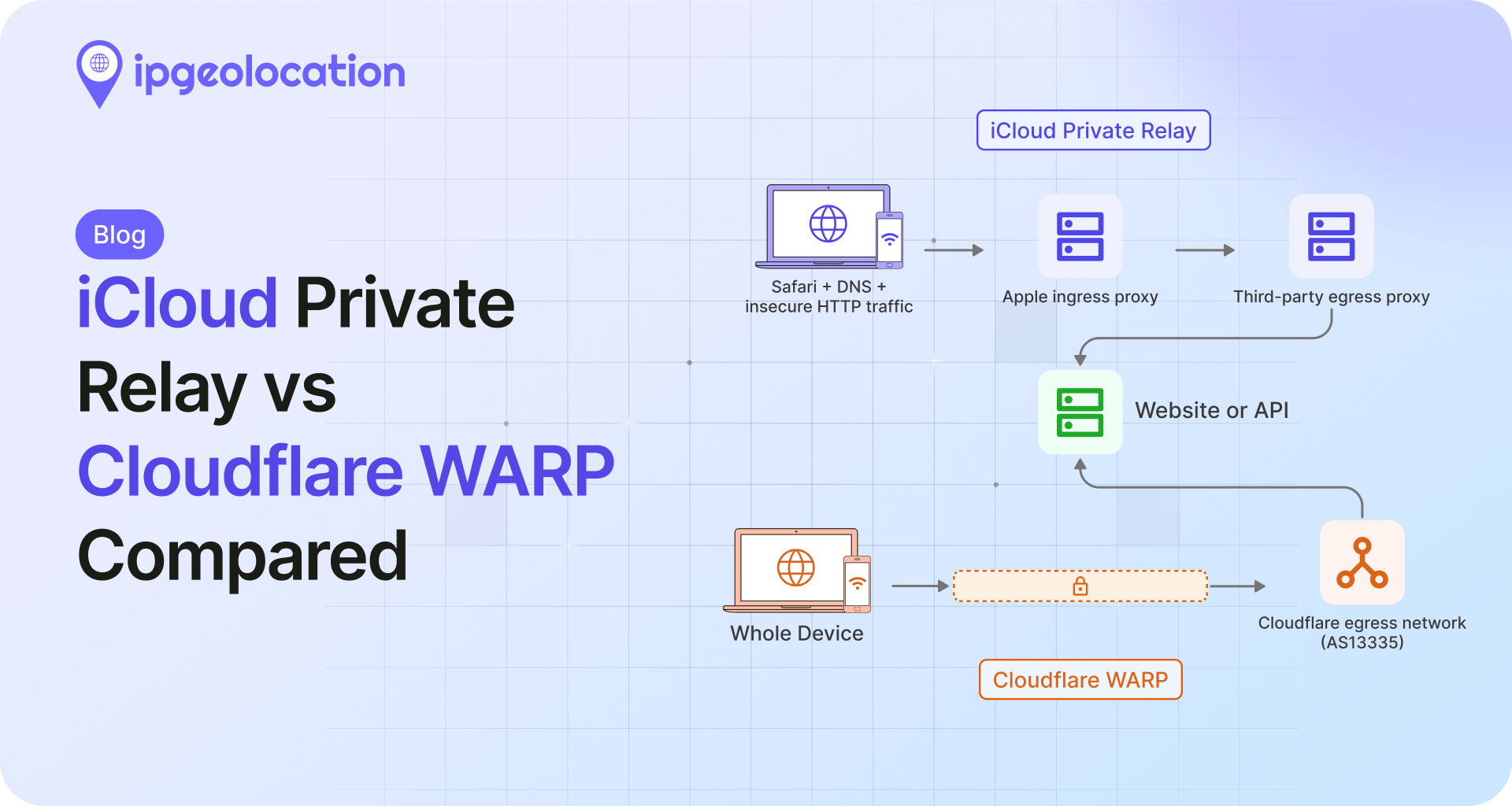
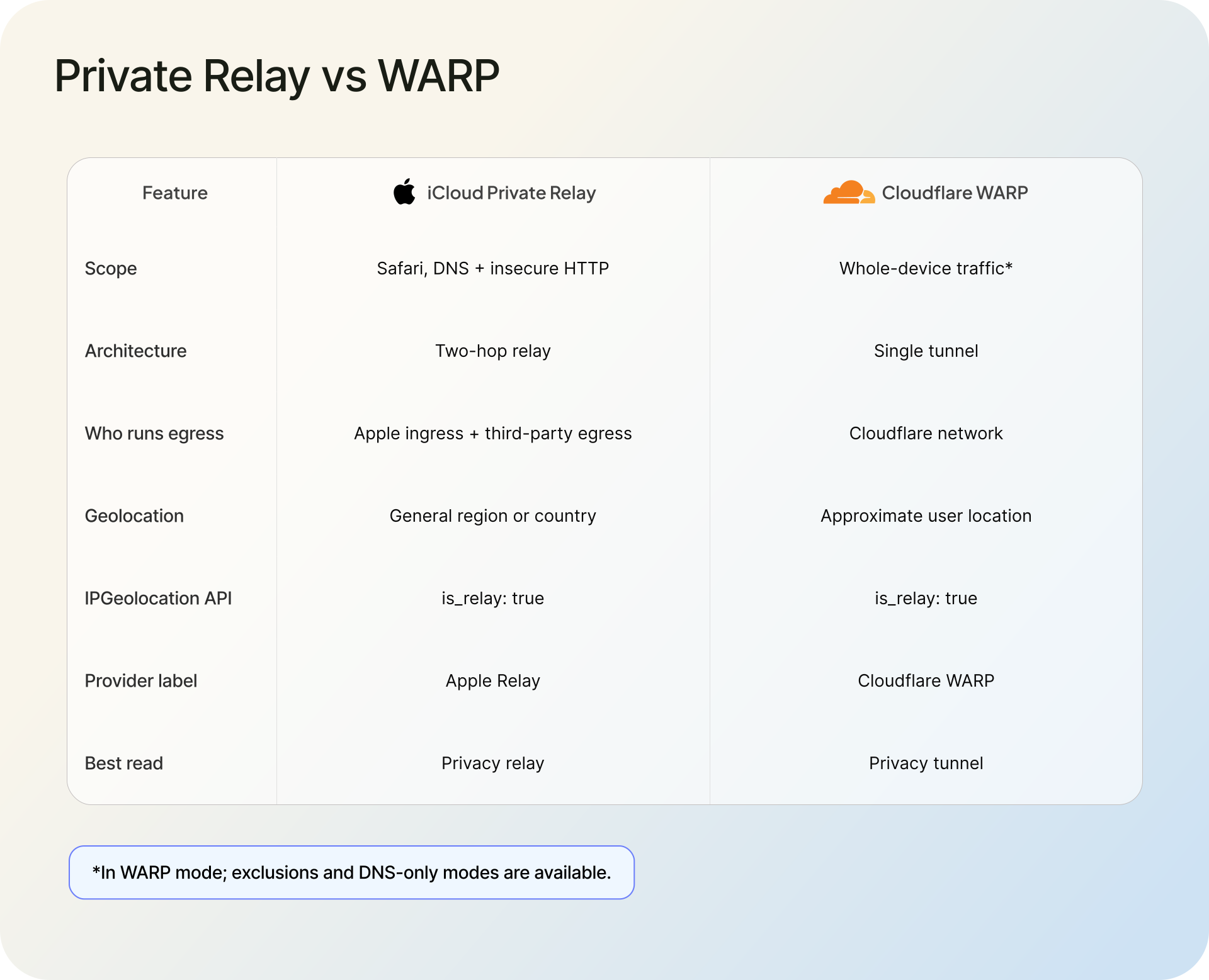
iCloud Private Relay and Cloudflare WARP both hide a visitor's real IP address, but they are built for different jobs and hide it in different ways. Private Relay protects Safari browsing, DNS queries, and unencrypted HTTP app traffic through a two-hop relay system. WARP is a whole-device tunnel through Cloudflare's network. Both keep the user near their real region, and, as you will see below, our detection API flags both as relays.
If you run a website, an app, or a fraud pipeline, you meet both of these in your logs, not in an app store. This piece looks at each one from the receiving end: what it is, what the exit IP tells you, what it does to geolocation, and how each shows up when you run the IP through the IP Geolocation API.
TL;DR
iCloud Private Relay and Cloudflare WARP replace the visitor’s original IP with a relay exit IP that roughly preserves the visitor’s region. Private Relay uses Apple’s exit partners, including Cloudflare; WARP uses Cloudflare’s own network. Our Proxy & VPN Detection API identifies both as relays. They mostly differ in scope and who operates them, not in what they do to your geolocation.
- iCloud Private Relay: Apple's two-hop service for Safari (iCloud+ only). Its egress runs on Apple's partners, including Cloudflare. A relay egress IP returns
is_relay: trueandrelay_provider_name: "Apple Relay". - Cloudflare WARP: a free, whole-device tunnel to Cloudflare (AS13335). It geolocates its exit IPs near the user, and they come back as
is_relay: truewithrelay_provider_name: "Cloudflare WARP"in our API. - The practical read: both keep the user near their real region, and our API flags each as a relay, so treat them as low-risk privacy relays rather than threats to block.
iCloud Private Relay vs Cloudflare WARP at a glance
The two get compared because they look similar from the user's side: turn it on, and your IP stops being yours. Under the hood, they are not the same thing. Private Relay is a narrow privacy feature bolted onto Safari; WARP is a general-purpose tunnel for the whole device. That difference decides everything an operator cares about, from which traffic is affected to what the exit IP says.
| ICloud Private Relay | Cloudflare WARP | |
|---|---|---|
| Made by | Apple (iCloud+ subscribers) | Cloudflare (1.1.1.1 with WARP) |
| What it covers | Safari browsing, DNS queries, and unencrypted HTTP app traffic | The entire device |
| Architecture | Two relays: Apple ingress, partner egress | Single encrypted tunnel to Cloudflare |
| Exit IP belongs to | A relay pool run by Apple's partners (Cloudflare and others) | Cloudflare's egress pool on AS13335 |
| Apparent location | Near the user's own city or region | Near the user's own region (Cloudflare GeoExit) |
| Is it a VPN? | No, a two-hop relay | Whole-device tunnel Cloudflare calls its "consumer VPN" |
| Cost | Included with iCloud+ | Free, with a paid WARP+ tier |
| In our detection API | is_relay: true, "Apple Relay" |
is_relay: true, "Cloudflare WARP" |
What is iCloud Private Relay?
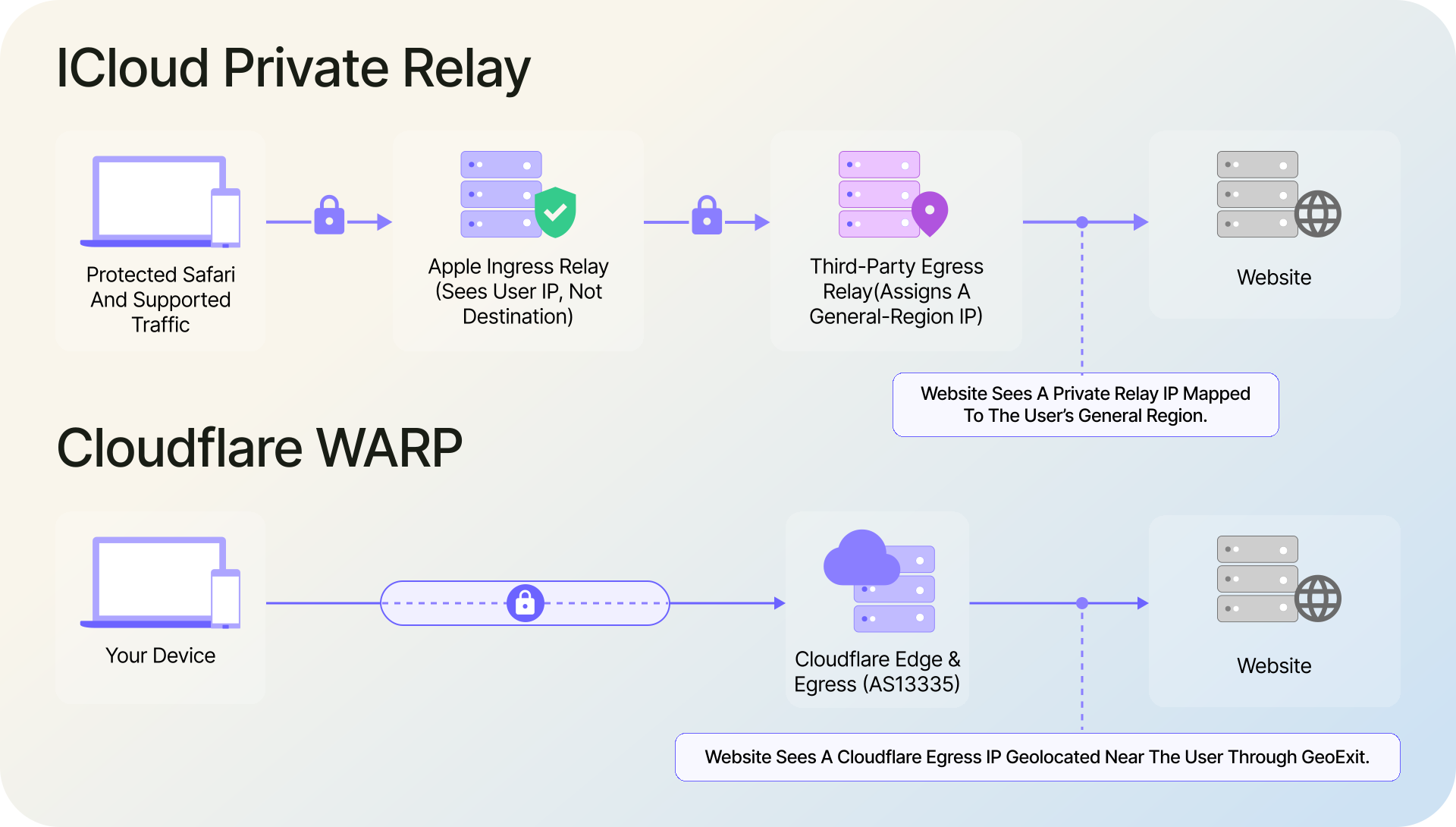
iCloud Private Relay is Apple's privacy feature for iCloud+ subscribers, available since iOS 15, iPadOS 15, and macOS Monterey. When it is on, Safari traffic leaves the device encrypted and passes through two separate relays before it reaches the site. The first relay, run by Apple, sees the user's IP but not the destination. The second relay, run by a partner such as Cloudflare, sees the destination but not the user's IP. As Cloudflare puts it, the design ensures "no single party handling user data has complete information on both who the user is and what they are trying to access."
It is not a VPN. You cannot pick a country; it covers Safari browsing, DNS queries, and unencrypted HTTP app traffic, and it is engineered to keep you near your real location rather than move you somewhere else. That last point is the one that matters most for geolocation, and it is where Private Relay and WARP part ways.
What is Cloudflare WARP?
Cloudflare WARP is the tunnel behind the free 1.1.1.1 app. Private Relay covers selected traffic; WARP routes traffic from across the device through Cloudflare’s network. WARP "sits between your device and the Internet" and carries traffic from the whole device to Cloudflare's network, then out to the destination. Cloudflare markets it for speed and privacy; in its own words on the Private Relay post, WARP is "our consumer VPN," and traffic from it egresses from Cloudflare's autonomous system, AS13335.
So is Cloudflare WARP a VPN? Functionally, close enough. It is an always-on tunnel that hides your IP behind Cloudflare and encrypts your traffic to their edge. It is free, and it does not let you choose an exit country the way a commercial VPN does. Instead, Cloudflare runs WARP's exit as a pool of its own IPs, geolocated to sit near you. That egress design is why, for detection, WARP behaves more like a privacy relay than a location-hopping VPN. The enterprise product, Cloudflare One Client, is a separate tool with its own egress rules.
How each one affects IP geolocation
Both change the IP a server sees. The surprise is that both are built to keep you roughly where you are, so neither wrecks your geolocation the way a country-hopping VPN would.
1. Private Relay preserves your rough location
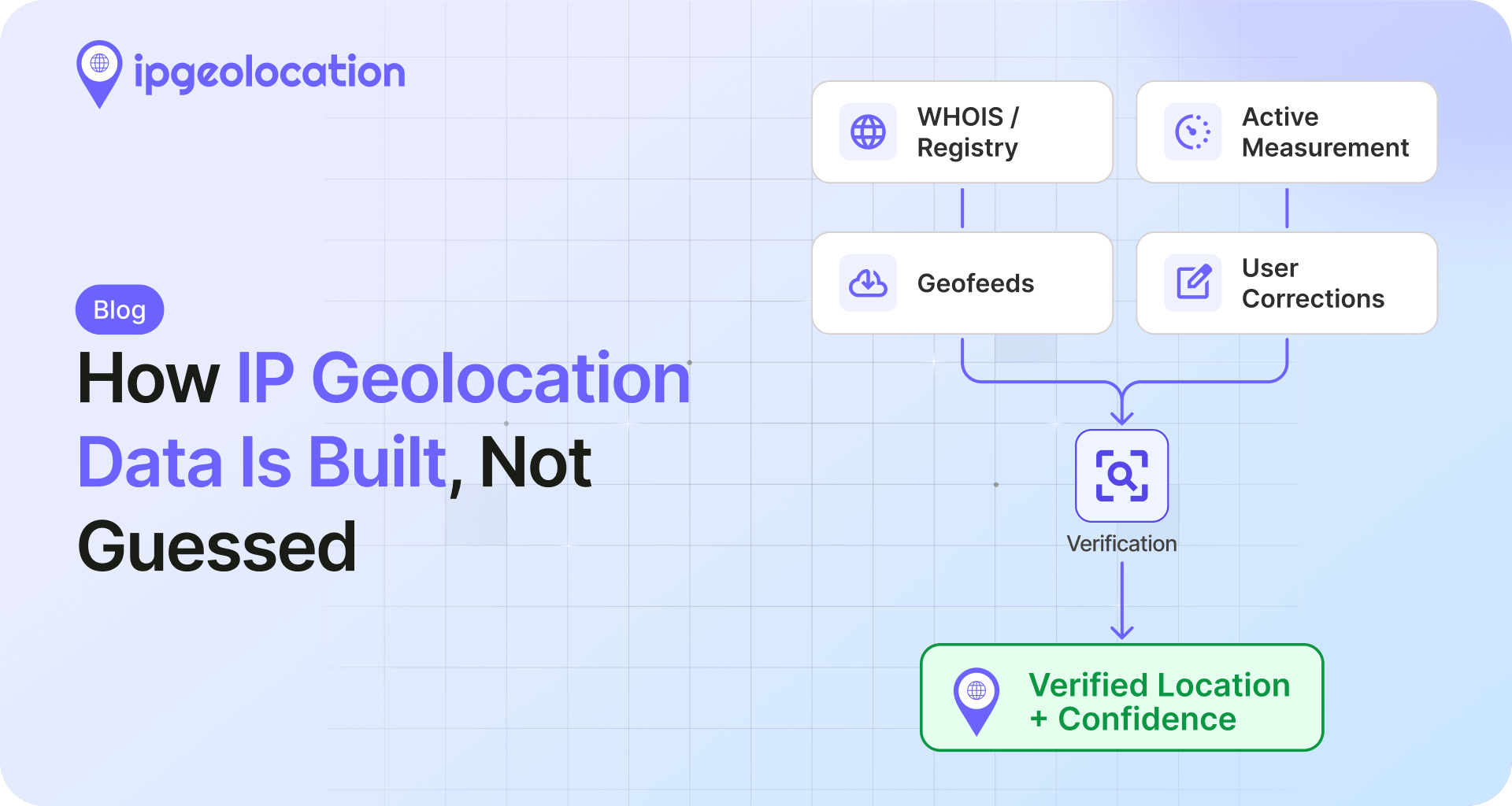
Apple built Private Relay so that geolocation still mostly works. Apple's relays turn the user's IP into a coarse "geohash," and the egress relays hand out IPs that are registered with geolocation providers to match a specific city or region. Cloudflare states plainly that "Private Relay is designed to preserve IP address to geolocation mapping accuracy, even while preventing tracking and fingerprinting." By default a Private Relay user is placed near their real city; in Settings they can switch to a coarser "Use Country and Time Zone" option instead of "Maintain General Location." Apple's own network guidance says the relay IPs "map to the region a user is in, without divulging the user's exact location or identity."
The catch for you is freshness. Those egress IPs only geolocate correctly if your data is current, which is why Apple and Cloudflare push geolocation providers to keep their mappings up to date. A stale database will place Private Relay users in the wrong city. Keeping an accurate feed is exactly how we build our geolocation data, and it is the difference between "near the user" and "somewhere random."
2. WARP also keeps you near your region
WARP used to exit from whatever Cloudflare data center traffic happened to route through, which could misplace a user by a country or more. Cloudflare closed that gap with GeoExit: it allocates egress IPs per metro and registers them with geolocation providers, so a WARP user resolves to their approximate location. In Cloudflare's own words, WARP now "replaces your original IP address with one that consistently and accurately represents your approximate location." The result for you is close to Private Relay: a Cloudflare-owned IP that geolocates near the real user, and it is only as accurate as your database's current mapping of those ranges.
The short version: both land the user near home. The real difference is scope and who runs the exit, not the map pin.
How Private Relay and WARP show up in detection data
If you enrich IPs with an intelligence API, both services resolve to the same headline: a relay. Exit IPs like these rotate constantly, and the wider set of anonymizers you actually care about (commercial VPNs, residential proxies, Tor) shifts faster than any list you could keep by hand, so real detection means a live lookup against data that stays current. Here is what each looks like from the Proxy & VPN Detection API, the same detection data we describe in our own methodology.
1. Detecting iCloud Private Relay
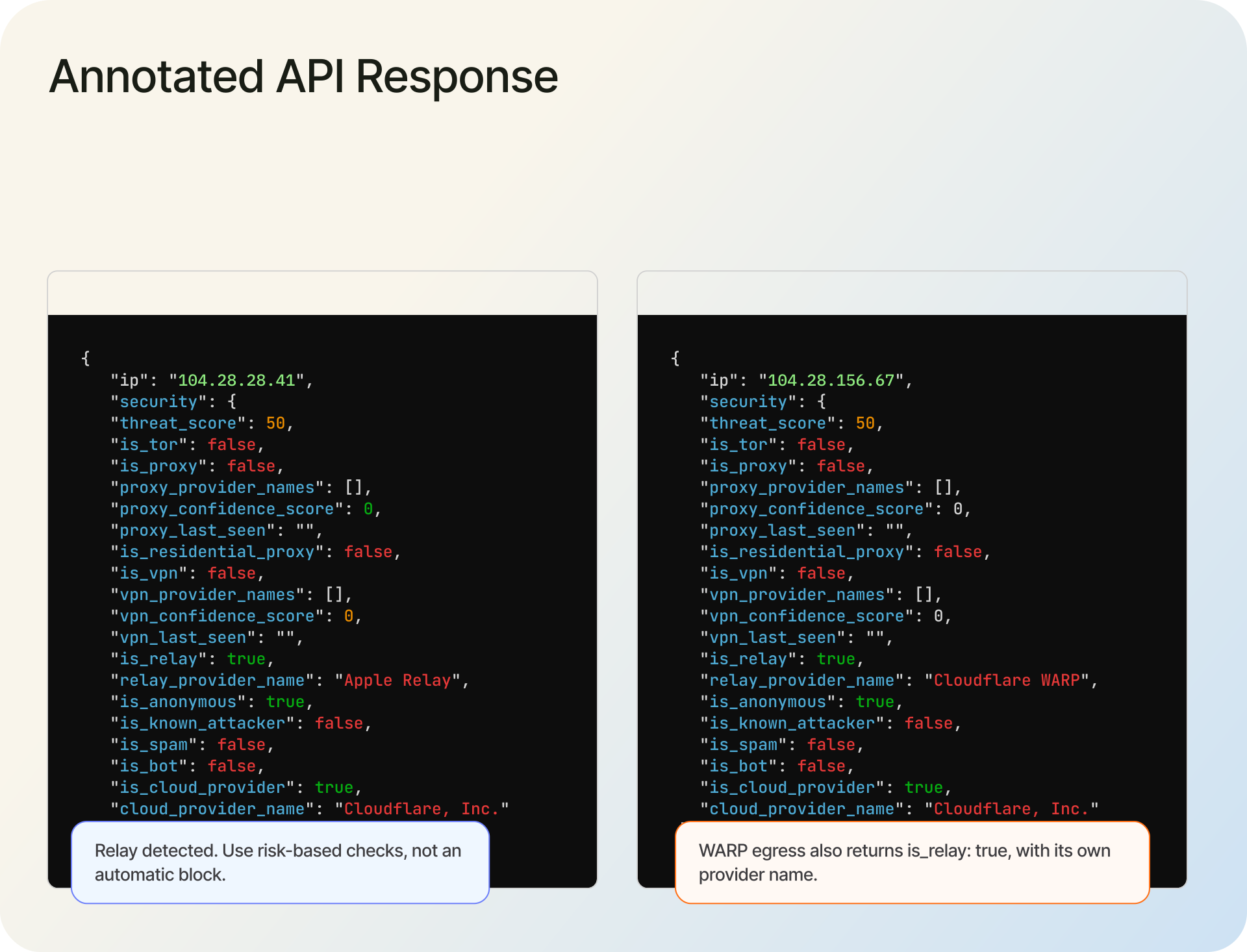
Private Relay's exit IPs change often, so the reliable signal is a live lookup, not a list you try to keep current by hand. Our API does the classification for you: a lookup of an Apple relay egress IP returns the relay flags directly:
curl -X GET 'https://api.ipgeolocation.io/v3/security?apiKey=API_KEY&ip=104.28.28.41'
{
  "ip": "104.28.28.41",
  "security": {
    "threat_score": 50,
    "is_tor": false,
    "is_proxy": false,
    "proxy_provider_names": [],
    "proxy_confidence_score": 0,
    "proxy_last_seen": "",
    "is_residential_proxy": false,
    "is_vpn": false,
    "vpn_provider_names": [],
    "vpn_confidence_score": 0,
    "vpn_last_seen": "",
    "is_relay": true,
    "relay_provider_name": "Apple Relay",
    "is_anonymous": true,
    "is_known_attacker": false,
    "is_bot": false,
    "is_spam": false,
    "is_cloud_provider": true,
    "cloud_provider_name": "Cloudflare, Inc."
  }
}
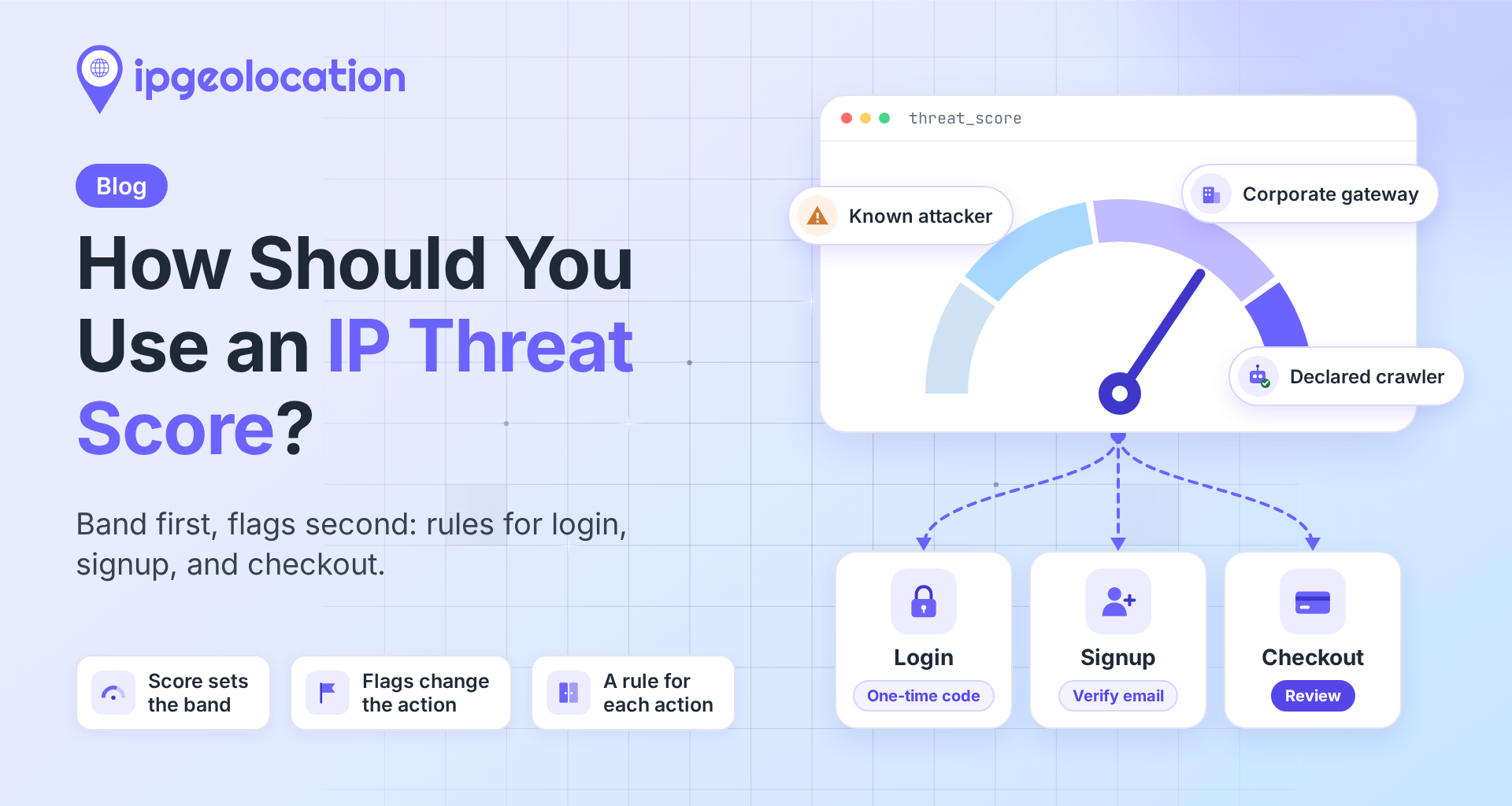
The is_relay flag and the relay_provider_name of "Apple Relay" tell you exactly what you are looking at. Apple points operators the same way: its network guidance says to recognize Private Relay by how a geo IP provider categorizes the address, naming the Organization field ("iCloud Private Relay") and an is_relay field as the signals to check, which is exactly what our API returns. Note the threat_score of 50: on our 0 to 100 scale that sits in the "elevated, add friction" band, not the "block" band, which is the right instinct for a service used mostly by ordinary Apple users.
2. Detecting Cloudflare WARP
WARP's exit IPs rotate the same way, and our API classifies them as a relay. A lookup of a WARP egress IP returns the same is_relay flag as Private Relay, with its own provider name:
{
  "ip": "104.29.70.0",
  "security": {
    "threat_score": 50,
    "is_vpn": false,
    "is_relay": true,
    "relay_provider_name": "Cloudflare WARP",
    "is_anonymous": true,
    "is_cloud_provider": true,
    "cloud_provider_name": "Cloudflare, Inc."
  }
}
(Response trimmed to the relevant fields.) The relay_provider_name comes back as "Cloudflare WARP," and the threat_score of 50 lands in the same "elevated, add friction" band as Private Relay's 45, so you can hold both to the same policy. The is_cloud_provider flag and the ASN (Cloudflare's AS13335) corroborate the source. Classifications shift as providers rotate ranges, so keep your data current and treat any single lookup as a snapshot.
Should you block Private Relay or WARP?
Short answer: almost never outright. Both services are used overwhelmingly by regular people who value their privacy, not by attackers. Apple even validates Private Relay at the device and account level and suggests operators can allowlist it. Hard-blocking either one to stop a handful of abusers is the kind of trade that quietly costs you real customers while barely inconveniencing anyone determined.
A flag is a reason to look closer, never a reason to block on its own. Let low-risk traffic through, add friction (a verification step, a CAPTCHA, step-up auth) when a relay or anonymizer flag shows up alongside other risk signals at a sensitive moment such as signup, login, or checkout, and reserve hard blocks for genuinely high-risk combinations. Because you first need the real client IP before you can score it, make sure you are reading the visitor's IP correctly behind your proxy or CDN, then decide what to do with what you find.
FAQ
In practice, it works like one. Cloudflare markets the consumer WARP client as its "consumer VPN," and it tunnels your whole device to Cloudflare while hiding your IP. Because Cloudflare runs WARP's exit as a location-preserving egress pool, though, our detection API classifies those egress IPs as a relay, the same bucket as iCloud Private Relay.
Yes. With Private Relay on, websites see a relay IP instead of your real one, and no single party sees both your identity and the sites you visit. Private Relay protects Safari browsing, DNS queries, and unencrypted HTTP app traffic. It does not tunnel all traffic from the device.
Not usefully together. Both want to control how your device reaches the internet, and running a full-device tunnel like WARP generally supersedes or conflicts with Private Relay's Safari routing. Most people pick one. If you run WARP, it handles all traffic; Private Relay is the narrower option for Safari browsing, DNS queries, and unencrypted HTTP app traffic.
Not by much. Both are designed to keep you near your real city or region: Private Relay through a reduced-precision geohash, WARP through Cloudflare's GeoExit. Geolocation stays roughly accurate for both, as long as your IP database has Apple's and Cloudflare's current egress mappings.
Run the IP through a detection API. Our Proxy & VPN Detection API returns is_relay: true for each, with the provider name in relay_provider_name (for example, "Apple Relay" or "Cloudflare WARP"). Because these exit IPs rotate, a live lookup is more reliable than trying to keep your own list.
Test an IP yourself
Run any address through the Proxy & VPN Detection API to see the relay, VPN, proxy, and cloud flags, along with the provider name and threat score. The detection data is a paid feature, and a premium trial is available on request, so you can check how Private Relay and WARP land in your own traffic before you commit.