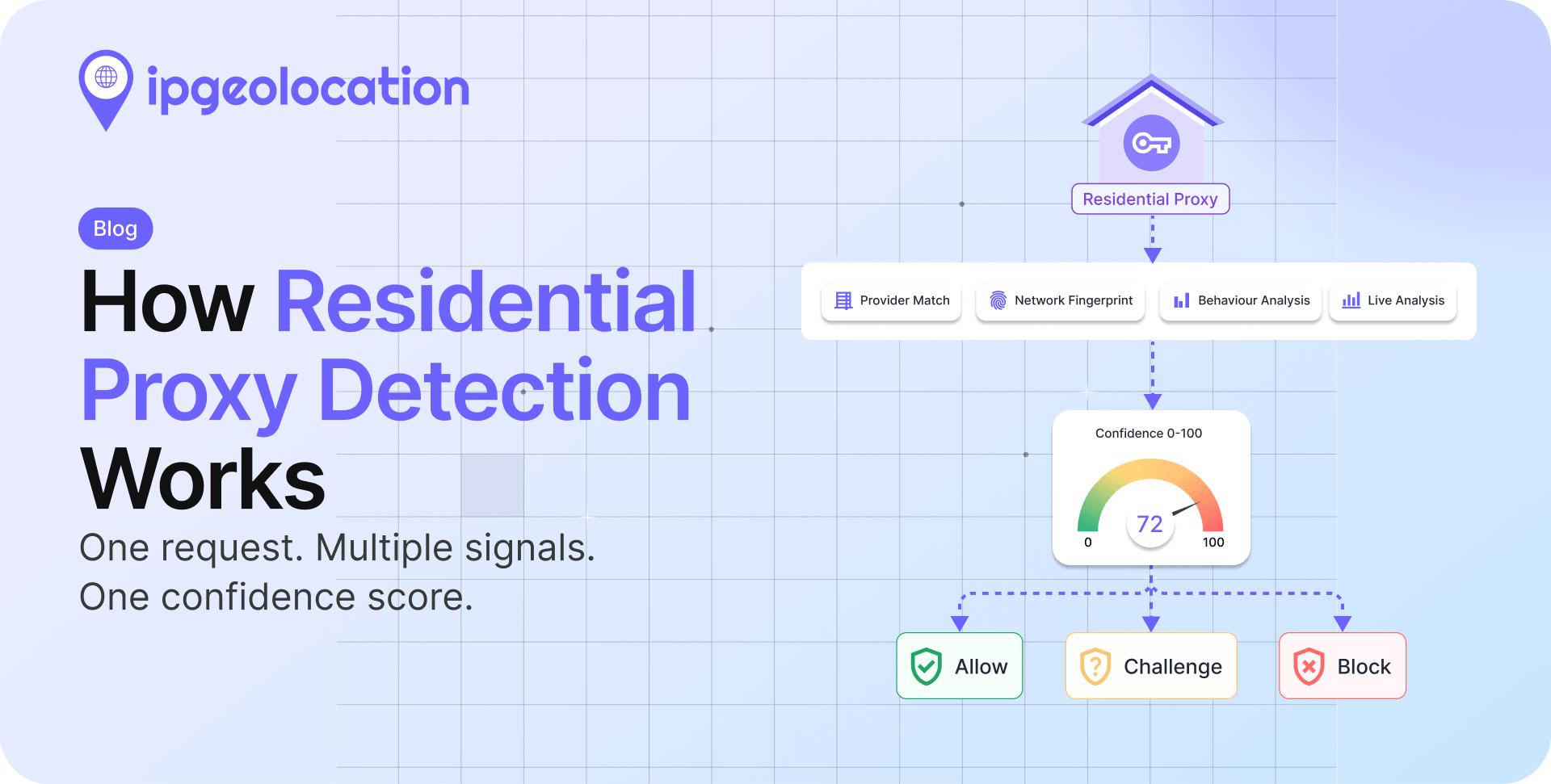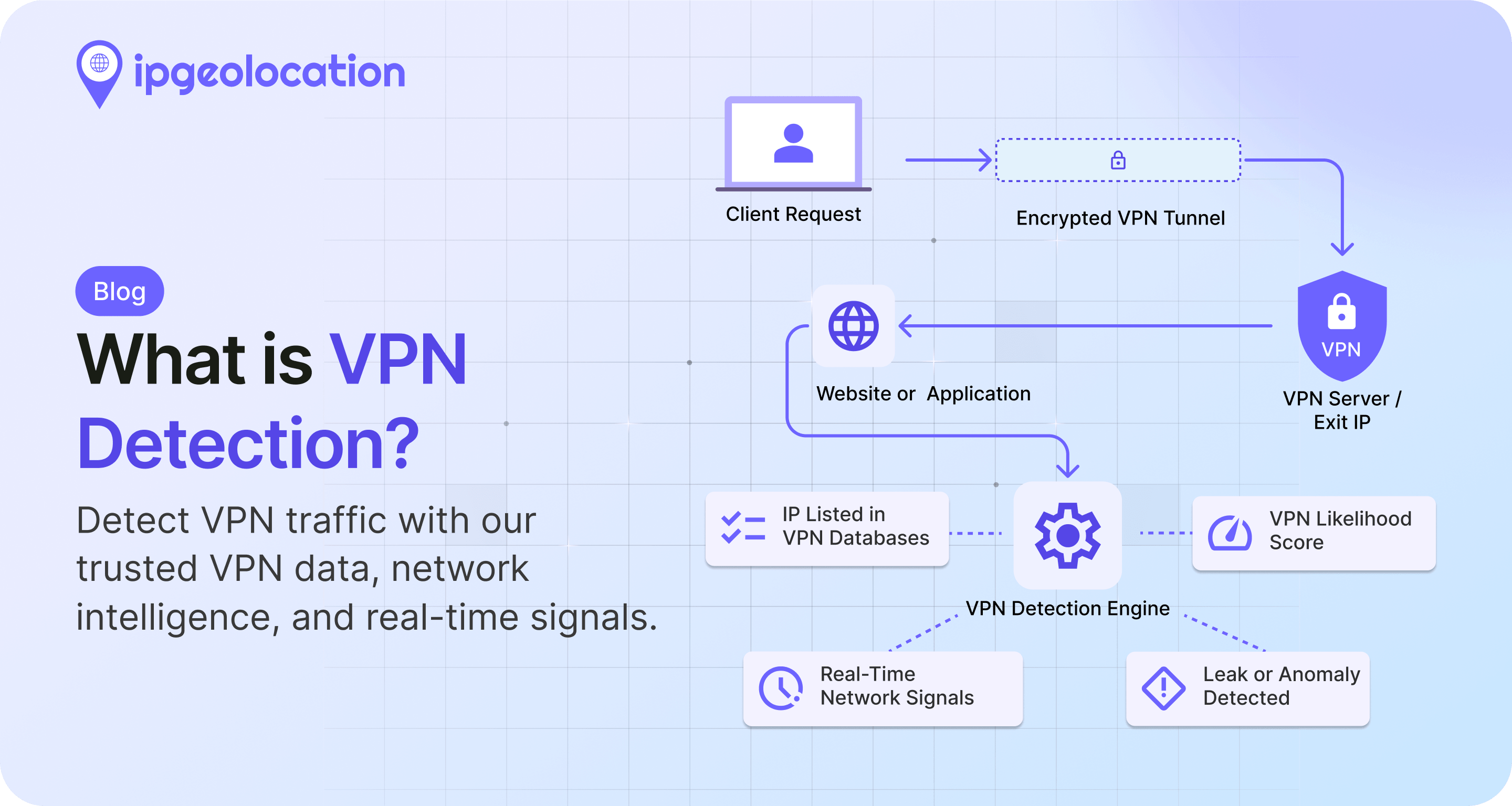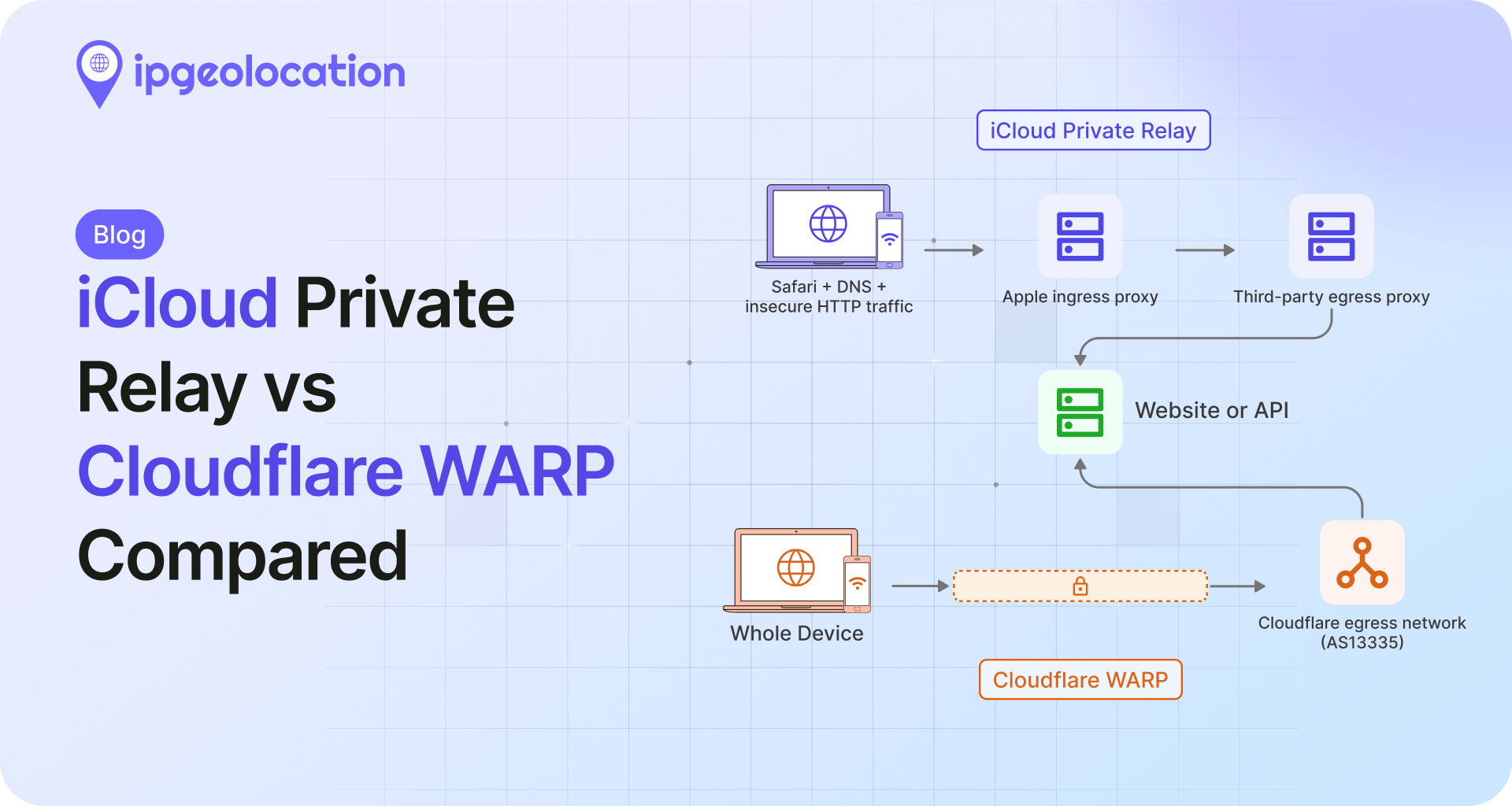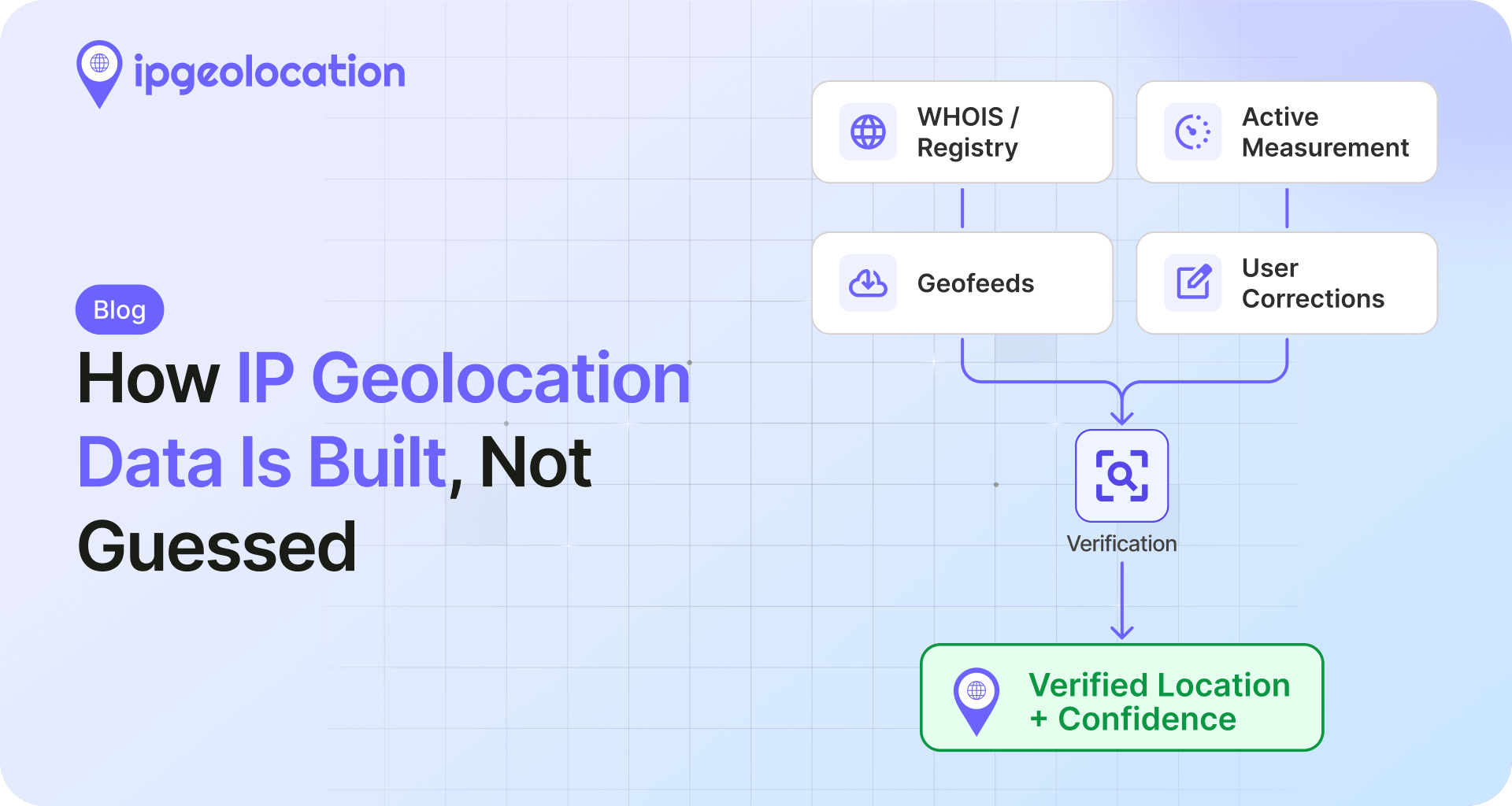


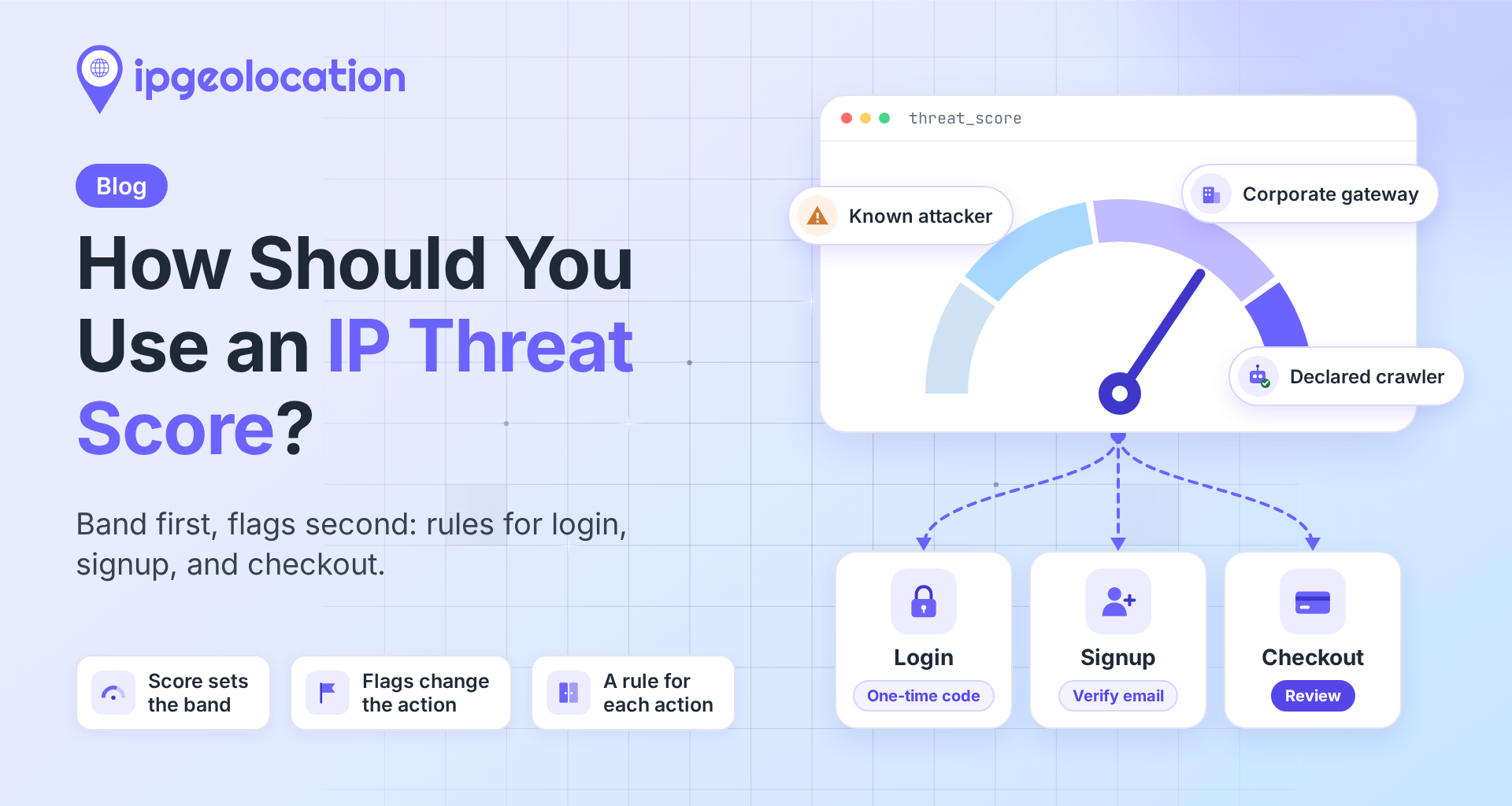
An IP threat score is one number that sums up the risk signals on an IP address, such as VPN or proxy use, Tor, bot activity, and a record of attacks or spam. IPGeolocation.io returns it as threat_score, from 0 to 100, in every IP Security API lookup, along with the flags that explain it.
A common first setup is one cutoff for the whole app, say 75, and one number can't fit every page. At 75, an address that scores 60 can change the bank account on a payout without a second look, while a Tor user who only wanted to read a help article is shut out. A cloud server that scored 5 sails through checkout too: cloud servers are normal traffic for an API, but real shoppers rarely buy from one. The fix is a simple split of jobs: the score decides how much friction each action gets, and the flags decide the exceptions.
TL;DR
IPGeolocation.io's threat score runs from 0 to 100, and its documentation maps four bands to actions: 1 to 19 means allow with standard controls, 20 to 44 means combine with other signals, 45 to 79 means add friction, and 80 to 100 means block, hard-challenge, or send to manual review.
- Give each action its own cutoffs: password resets and payouts should react from 20, and reading a page shouldn't react to the score at all.
- Some flags change the answer at any score: attack history at login, Tor at sensitive actions, spam at signup, and cloud hosting at signup and checkout.
- Corporate gateways, declared crawlers such as Googlebot, and privacy relays need their own rules, never a block on the score.
- Run the rules in shadow mode, logging what they would do, for at least two weeks before you enforce them.
What the threat score tells you, and what it leaves to you
The threat score tells you how much risk is on record for an address. Who is typing, and how much a wrong call costs on the page they're using, is up to your policy.
In IPGeolocation.io's response, the number arrives with the evidence behind it: VPN, proxy, residential proxy, Tor, and privacy relay detection with provider names, confidence scores, and last-seen dates where available; bot type and operator; attack and spam history; cloud hosting; and corporate gateway context. One /v3/security call returns all of it; what each threat signal means covers the flags one by one.
Higher means riskier, on this scale. Other systems run the other way. Cloudflare's bot score goes from 1, which means Cloudflare is quite certain a request was automated, to 99, quite certain it came from a human. If you're moving rules between tools, check the direction first.
The score describes the address, not the person. A VPN exit carries many people's traffic, and a clean home connection can still carry someone with a stolen password. The score adds to your login checks; it doesn't replace them.
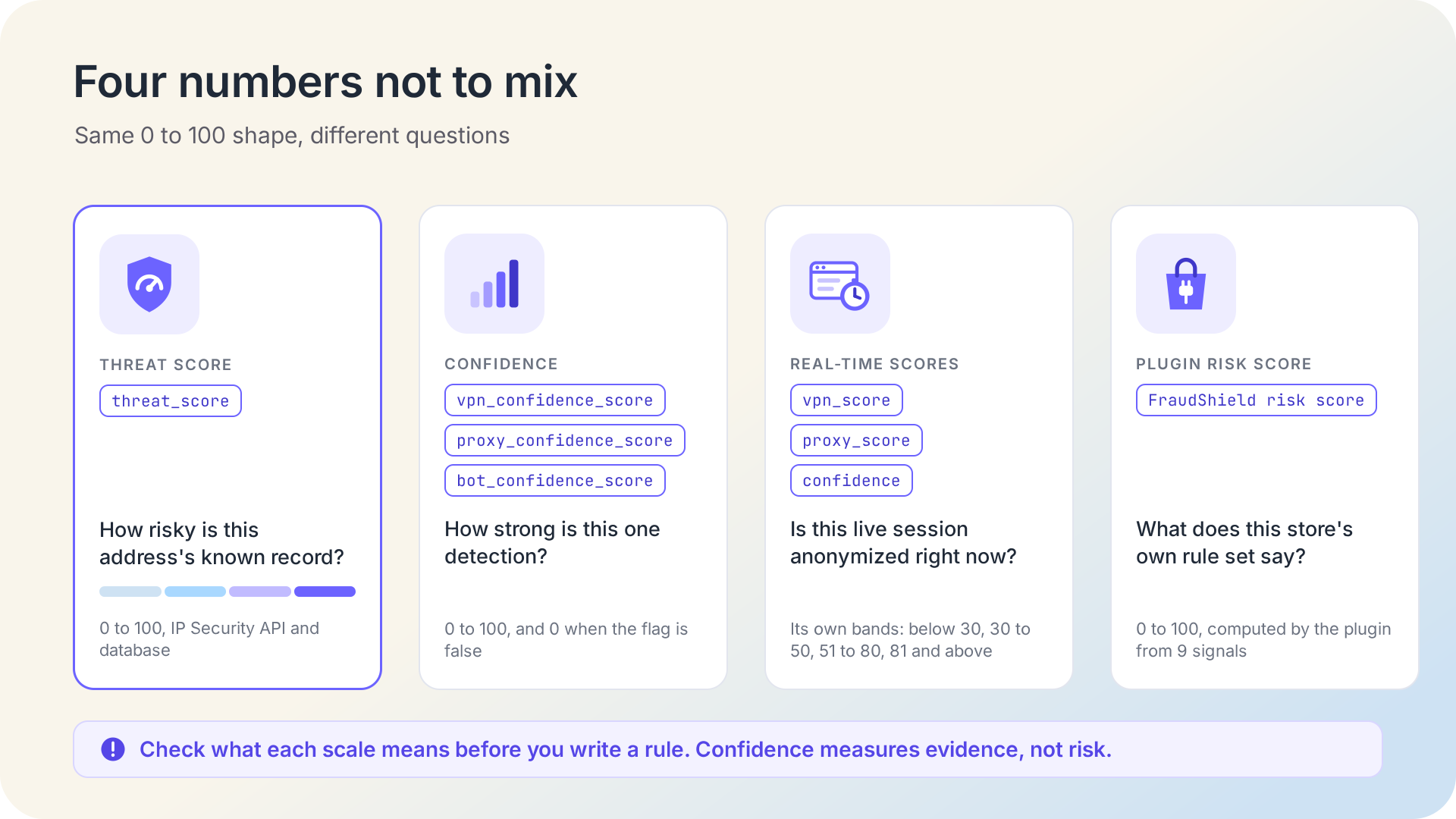
Four numbers look alike, and they answer different questions. threat_score rates the address's known record. The confidence scores (vpn_confidence_score, proxy_confidence_score, and bot_confidence_score) rate how strong one detection is, and each is 0 when its flag is false. Real-Time VPN and Proxy Detection returns vpn_score and proxy_score from testing the live connection, with bands of their own, and FraudShield for WooCommerce computes its own 0 to 100 risk score. Write each rule against the number that answers its question.
The four bands are your starting policy
IPGeolocation.io documents four bands for the score, and they make a sound default before you tune anything:
| Band | What usually lands there | Documented action |
|---|---|---|
| 1 to 19 | One minor sign, such as an address in a cloud provider's range | Allow with standard controls |
| 20 to 44 | VPN or proxy use with no attack or abuse signs, or a few lighter signs that add up | Combine with other signals before acting |
| 45 to 79 | Anonymity plus other abuse signs, such as bot activity or spam history | Add friction: a one-time code, a CAPTCHA, an email check, a rate limit, or a review queue |
| 80 to 100 | Several strong signals at once, such as VPN or proxy use with attack history | Block, hard-challenge, or send to manual review |
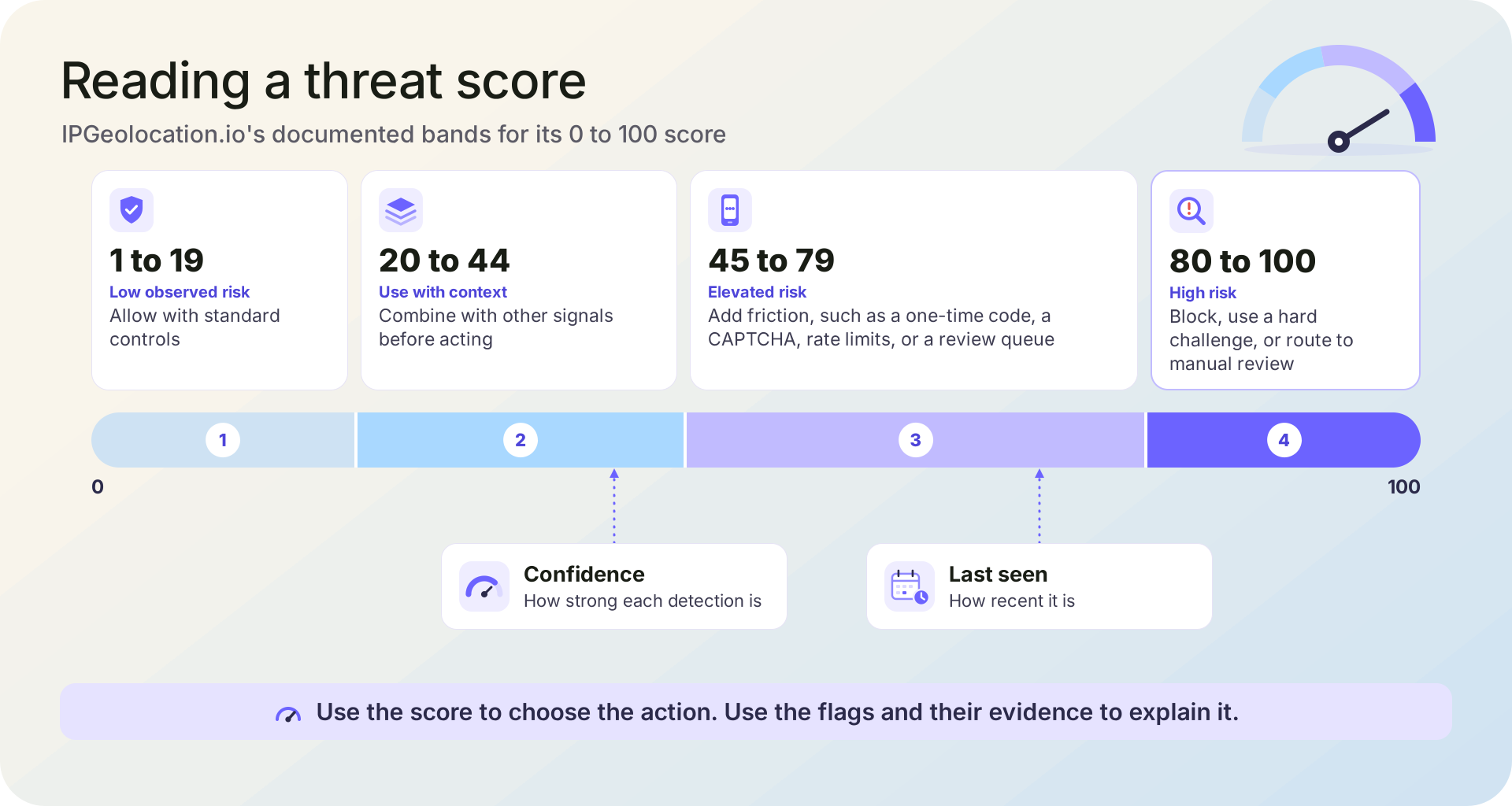
The bands come with a rule of thumb from the documentation: let threat_score choose the action, and let the confidence scores decide how far to take it. A score of 0 means our data holds no risk signal for the address at all.
Set a different cutoff for each action
There is no single score to block at, on IPGeolocation.io's scale or on any vendor's IP risk score. IPGeolocation.io marks 80 to 100 as the band to block or review, and some actions should react earlier than that, and some not at all, depending on what a wrong call costs.
Think about the two ways a rule can be wrong. A wrong allow lets a bad request through; a wrong challenge slows down a real person. On a help article, a wrong allow costs almost nothing and a wrong block loses a reader. On a payout, a wrong allow sends money you can't get back, and a short delay costs very little. So the cutoffs move with the stakes.
Two terms in this table need a definition. A step-up check is an extra check a real person can pass, such as a one-time code, a CAPTCHA, or an email link. The strongest response (block, hard challenge, or review) depends on the page: a hard challenge is a check that's hard to automate, such as a code sent to a phone already on the account, and review means a person looks at it before it goes through. These are the starting points we recommend, built on the documented bands:
| Action | Extra check from | Block or review from | If the lookup fails | Flags that add a check at any score |
|---|---|---|---|---|
| Reading pages | Never on the score | Never on the score | Allow | None |
| API and data endpoints | 80 (a tighter rate limit) | Never on the score alone | Allow | None |
| Signup | 45 | 80 | Allow, and verify the email | Tor, spam, cloud hosting |
| Login | 45 | 80 | Allow (the password still has to match) | Attack history, Tor |
| Checkout | 45 | 80 | Allow, and let your payment checks run | Tor, cloud hosting |
| Password reset and account recovery | 20 | 80 | Extra check | Attack history, Tor |
| Payouts, withdrawals, and changes to email or bank details | 20 | 45 (send to review) | Send to review | Attack history, Tor |
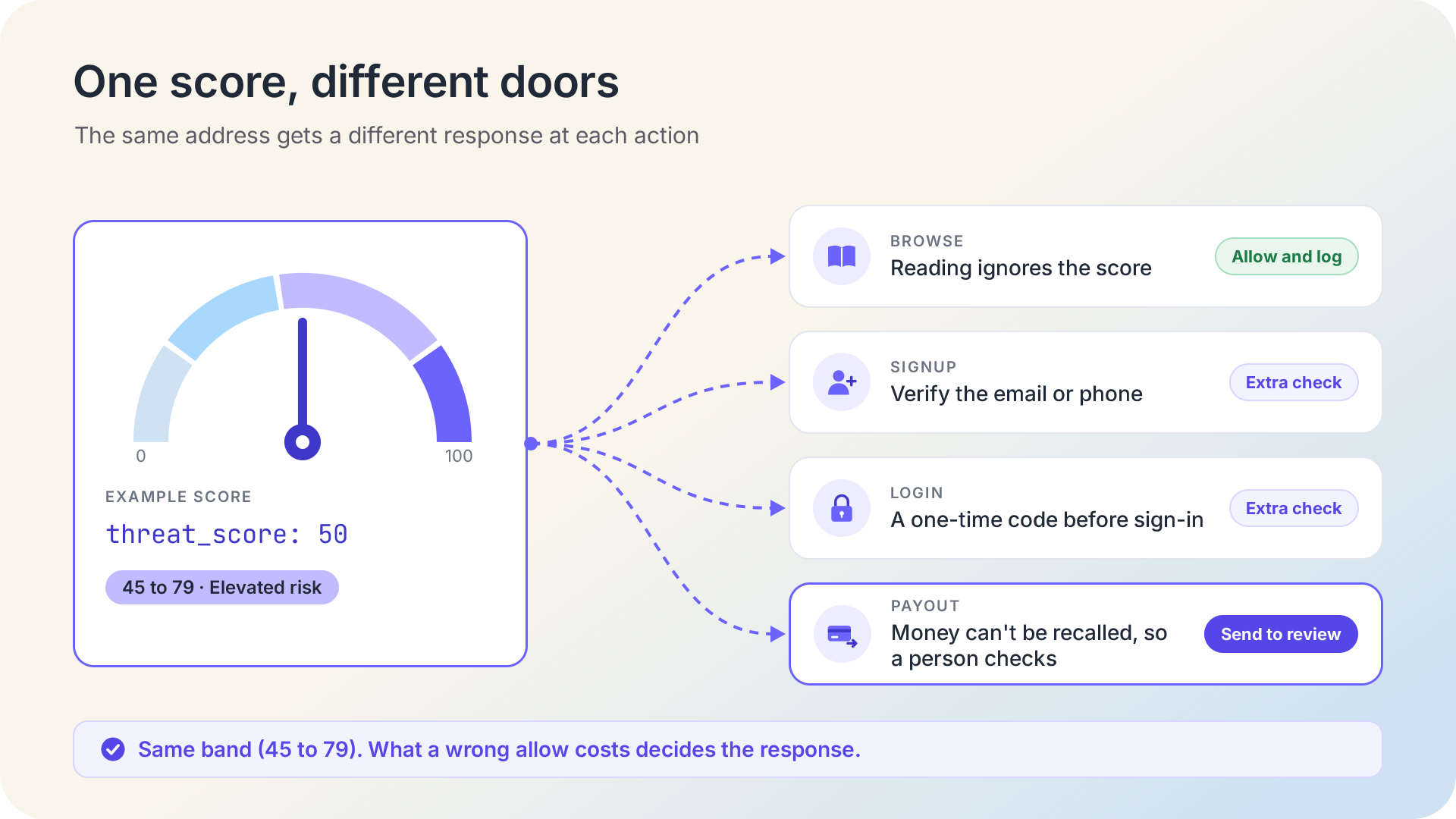
Password resets and payouts start at 20 because the 20 to 44 band is where the documentation says to combine the score with other signals, and on these actions, the extra check is that other signal. Payouts move to review from 45, where the documented friction band begins.
Two outside rulebooks point the same way. The OWASP Credential Stuffing Prevention Cheat Sheet says IP blocking "should not be used as the sole or primary defense" and recommends a graduated response, where the IP's classification raises or lowers the bar and blocks are temporary. NIST SP 800-63B-4 lets a login from an unexpected IP address range, such as a cloud service, trigger extra risk-based checks, and is clear that these signals don't replace an authentication factor.
Our view: below 80, ask for a check or send the request to review rather than blocking it outright, and don't block reading pages at all. A check that a real person can pass turns a wrong call into a short delay instead of a lost customer.
When a flag should change the answer
A flag should change the answer when it matters more for this one action than for traffic in general. The score is one number for every kind of request, while your login form, signup form, and payout screen each care about a narrower set of facts. The flags are those facts, already in the same response.
Flags that should add a check at any score:
- Attack history at login, password reset, and payouts.
is_known_attackermarks addresses with a record of attacks, and the attack bot typesexploit,credential_stuffing,brute_force, andwormalways come with it (see the bot type values). These are the actions attackers go after, so the flag earns a check on its own. - Tor at sensitive actions. On October 22, 2026, the address 185.220.101.44 was on the Tor Project's exit list, and IPGeolocation.io returned a threat score of 95 with
is_tor, attack history, scanner activity, and spam flags. Let Tor users read freely, and check them at login, signup, and payment. - Spam history at signup.
is_spamis the flag a signup page cares about most, and the same rule fits comment and contact forms. - Cloud hosting at signup and checkout. OWASP's cheat sheet suggests that requests from hosting providers could be required to solve a CAPTCHA. Our score keeps plain cloud addresses low, which suits the APIs and monitors that run there: the Google Cloud address 34.162.27.34 scored 5 the same day, with only
is_cloud_providerset. Your checkout rule reads that flag directly.
Flags that need a rule of their own:
- Corporate gateways. Large companies send staff web traffic through a security service such as Zscaler, so thousands of employees reach you from a few addresses. The Zscaler address 87.58.66.106 scored 5 with
is_corporate_gatewayset andis_anonymousfalse, because a gateway isn't hiding anyone; the gateway flag alone doesn't raise the score. Its location was Dubai, the gateway's location rather than the employee's. Never block these addresses: limit by account instead of by IP, don't merge accounts that share one, and skip location checks. If a gateway address carries attack history, check the person signing in, as the code does. - Declared crawlers. The address 66.249.66.1, inside a range Google publishes for its crawlers, scored 15 as a
search_enginebot run by Google, withis_known_good_botset. Apply your crawler policy on read-only pages instead of a challenge. That flag matters because declared bots are the minority: in IPGeolocation.io's security database built on October 19, 2026, 6.9% of the address ranges with bot activity belonged to declared, verifiable bots, counted as ranges with bothis_botandis_known_good_botset. Before you allow a crawler by name alone, verify a crawler that claims to be Googlebot. - Privacy relays.
is_relaymarks services such as iCloud Private Relay, which hide the user's address but keep a rough location. Give relay users a lighter rule than VPN traffic: the code caps a relay's score at 44, the top of the "combine with other signals" band, unless the address carries attack history. iCloud Private Relay and Cloudflare WARP explains how the two services differ.
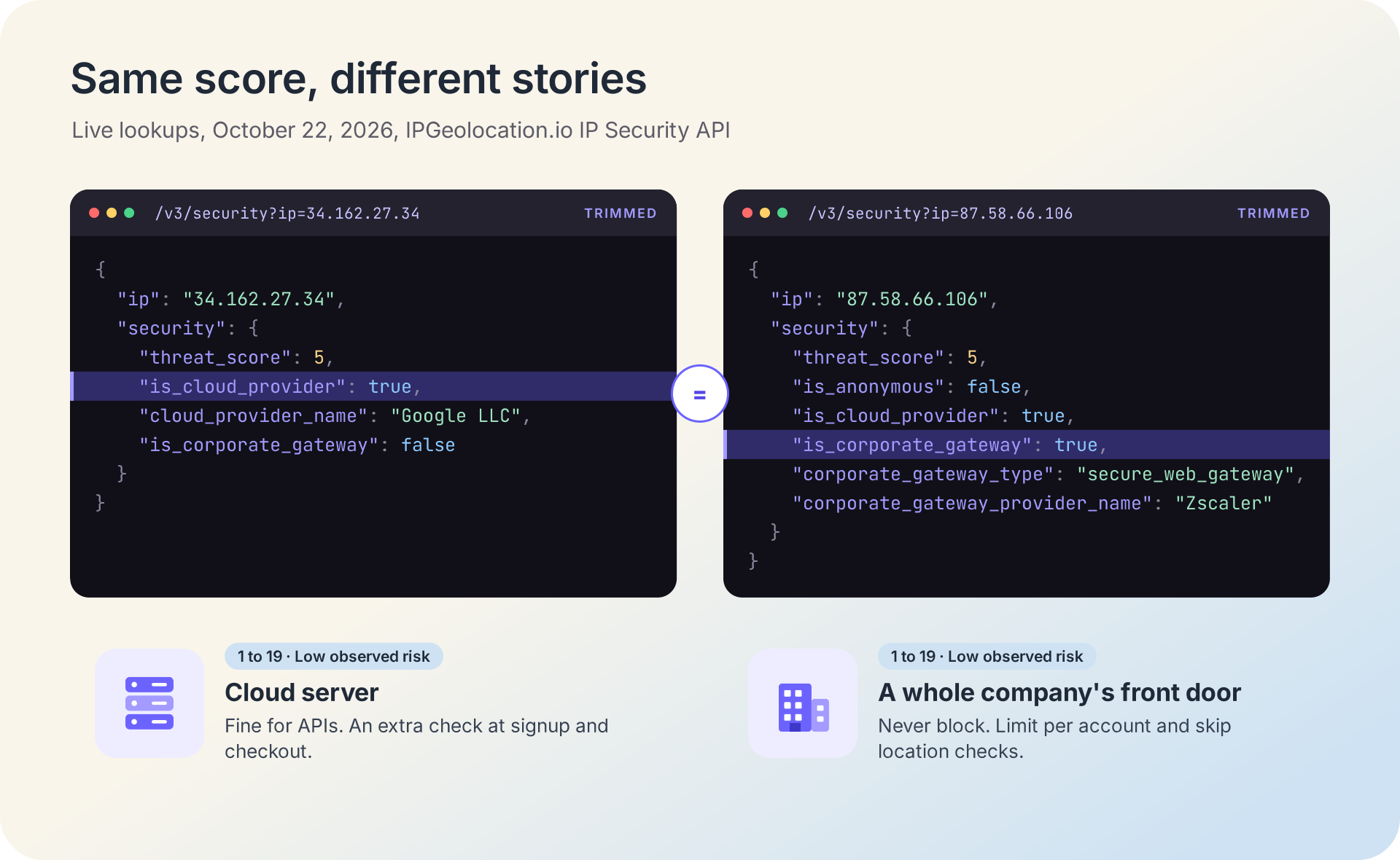
Both addresses that scored 5 are low risk, and the score says so. One is a cloud server with no business buying from a consumer shop; the other is a whole company's front door.
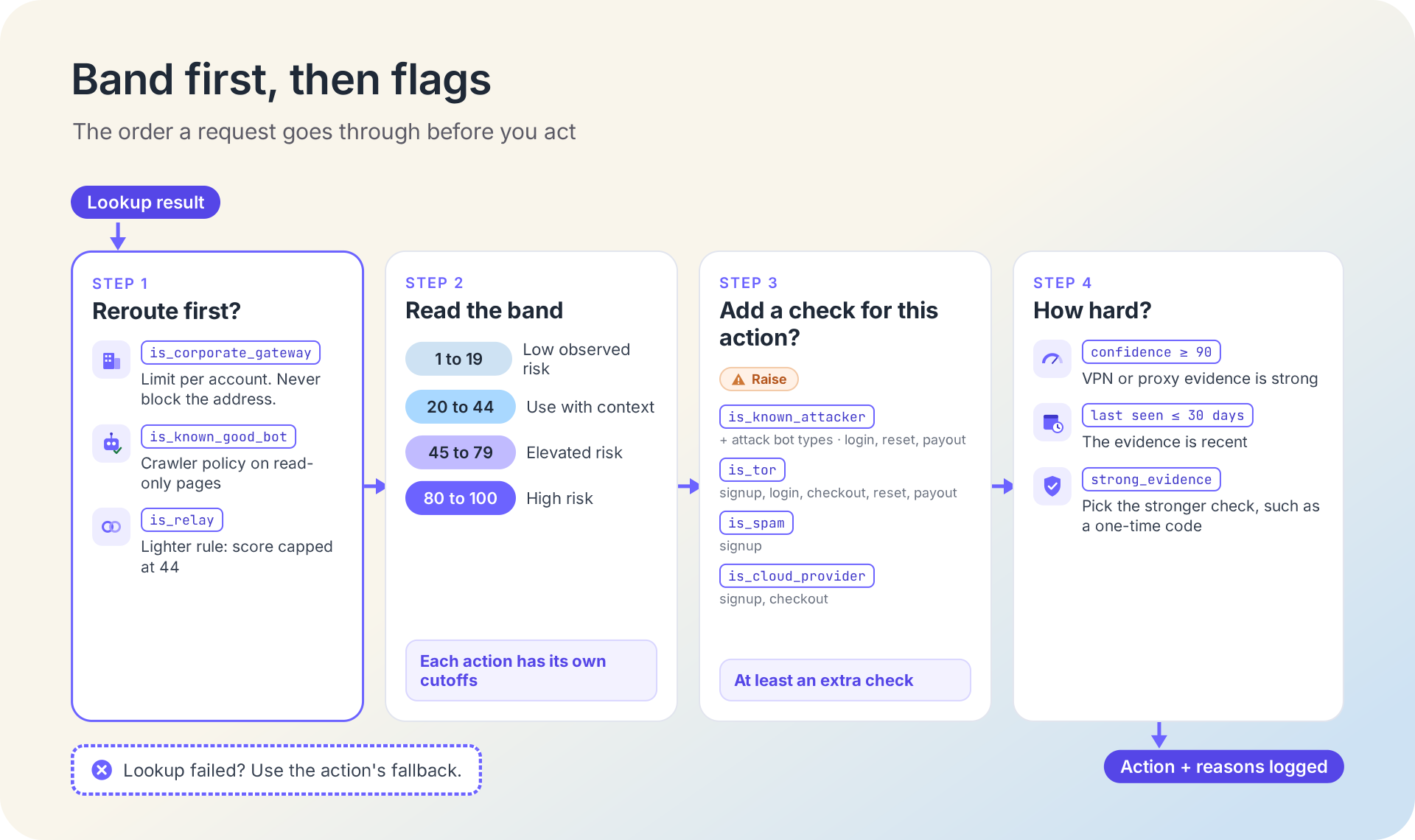
Use confidence and last-seen dates to decide how hard to push
Inside a band, the confidence scores and last-seen dates tell you how strong and how recent each detection is, so you can pick between a light check and a strong one.
In IPGeolocation.io's data, each confidence score runs from 0 to 100, and the matching dates (vpn_last_seen, proxy_last_seen, and bot_last_seen) say when the activity was last observed. A residential proxy exit from our documentation came back on October 22, 2026, with a proxy_confidence_score of 99 and a proxy_last_seen date of October 19, 2026: strong and recent. The Tor exit from the flags section carried scanner activity with a bot_confidence_score of 95, last seen September 14, 2026: strong, but more than 30 days old, though at a score of 95 the band already decides. The dates matter most for VPN and proxy detections in the middle bands.
A simple way to use them:
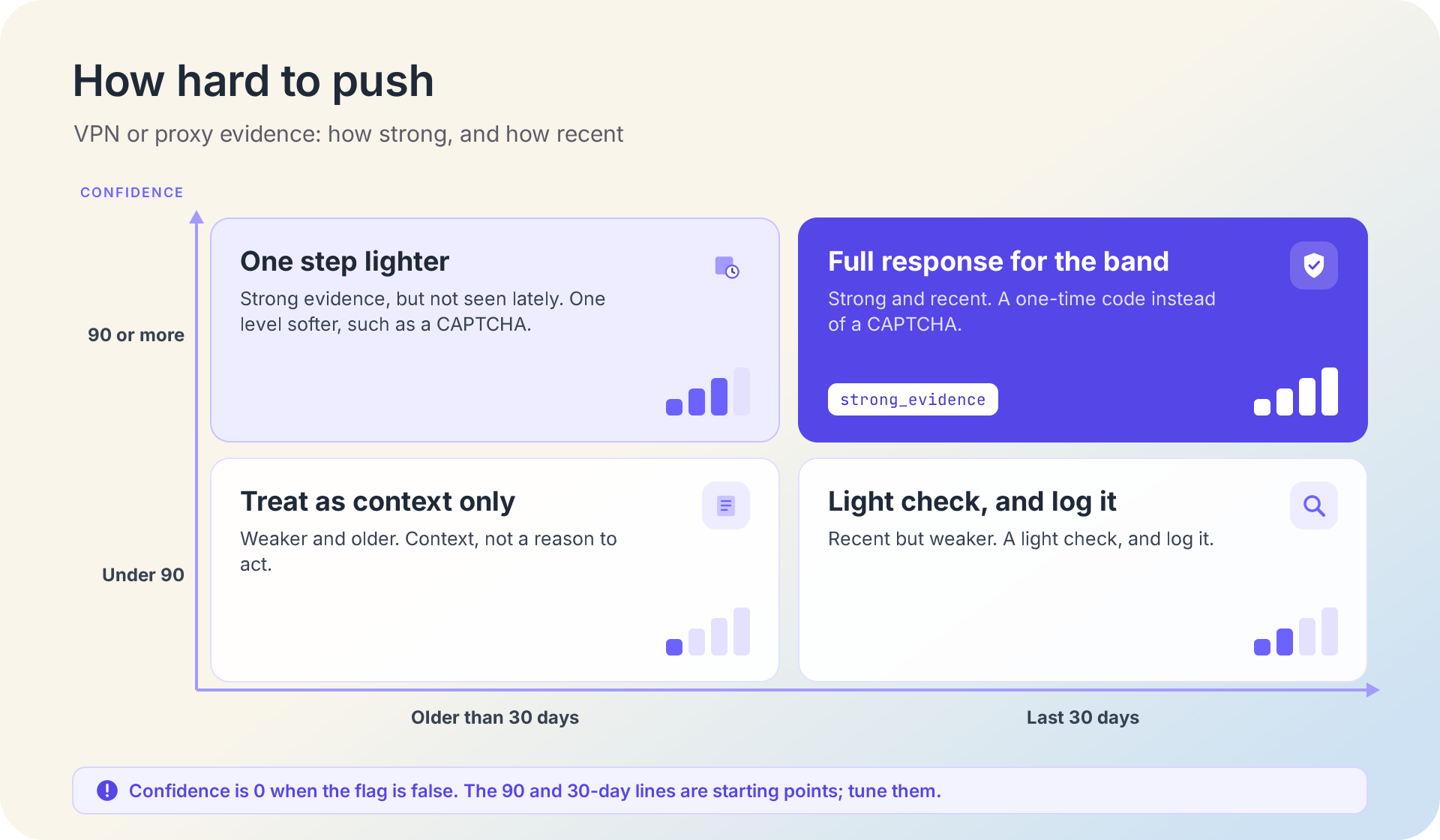
- Confidence of 90 or more, seen in the last 30 days: the band's full response, such as a one-time code instead of a CAPTCHA.
- Confidence of 90 or more, but older: one step lighter, such as a CAPTCHA.
- Lower confidence, seen in the last 30 days: a light check, and log it.
- Lower confidence and older: treat it as context, not a reason to act.
The 90 and 30-day lines are our starting points, so tune them like the cutoffs. The code marks the first case as strong_evidence, so your route can pick the stronger check.
Addresses change hands and VPN providers rotate their exits, so recent evidence deserves more weight than old evidence. Residential proxies need this most, because a real household keeps using the same address; residential proxy detection explains how those detections are built.
A threat score policy in Python
This code turns the per-action table into one function you can call from any route. Before you run it, check that:
- you have an IPGeolocation.io API key with access to security data, stored in the
IPGEOLOCATION_API_KEYenvironment variable (here's how to secure your API key before production); - you're on Python 3.10 or later, with the
requestslibrary installed (pip install requests).
python
"""Turn an IPGeolocation.io threat score into an action, with one rule set per action."""
import logging
import os
import time
from dataclasses import dataclass
from datetime import date, timedelta
from typing import Optional

import requests

log = logging.getLogger("threat_policy")

API_URL = "https://api.ipgeolocation.io/v3/security"
# Security data needs a paid-plan key (free keys get HTTP 401). Each lookup costs 2 credits.
API_KEY = os.environ.get("IPGEOLOCATION_API_KEY")
# Start in shadow mode: log every decision, act on none, until you set THREAT_POLICY_MODE=enforce.
SHADOW_MODE = os.environ.get("THREAT_POLICY_MODE", "shadow") != "enforce"
# The API's security data refreshes at least twice every 24 hours, so a few hours of caching is safe.
CACHE_TTL_SECONDS = 3 * 60 * 60
STRONG_CONFIDENCE = 90   # our starting point for "strong" evidence; tune it in shadow mode
RECENT_DAYS = 30         # evidence seen within this many days counts as recent

FLAG_NAMES = (
    "is_tor", "is_vpn", "is_proxy", "is_relay", "is_known_attacker", "is_bot",
    "is_known_good_bot", "is_spam", "is_cloud_provider", "is_corporate_gateway",
)
# Ask the API for only the fields this policy reads.
FIELDS = ",".join(
    f"security.{name}"
    for name in FLAG_NAMES + ("threat_score", "bot_type", "vpn_confidence_score", "vpn_last_seen",
                              "proxy_confidence_score", "proxy_last_seen")
)
ATTACK_BOT_TYPES = {"exploit", "credential_stuffing", "brute_force", "worm"}
LEVELS = ("allow", "step_up", "review")  # lightest to strongest; review = block, hard challenge, or manual review


@dataclass(frozen=True)
class Rule:
    step_up_from: Optional[int]     # score where an extra check starts; None = never
    review_from: Optional[int]      # score for the page's strongest response; None = never
    on_lookup_error: str            # fallback when the lookup can't complete
    read_only: bool = False         # declared crawlers are welcome here
    attack_step_up: bool = False    # attack history earns a check whatever the score
    tor_step_up: bool = False
    spam_step_up: bool = False
    hosting_step_up: bool = False   # few real shoppers or new users connect from cloud servers


RULES = {
    "browse": Rule(None, None, "allow", read_only=True),  # reading never reacts to the score
    "api": Rule(80, None, "allow", read_only=True),       # API and data endpoints: step_up = tighter rate limit
    "signup": Rule(45, 80, "allow", tor_step_up=True, spam_step_up=True, hosting_step_up=True),
    "login": Rule(45, 80, "allow", attack_step_up=True, tor_step_up=True),
    "checkout": Rule(45, 80, "allow", tor_step_up=True, hosting_step_up=True),
    "password_reset": Rule(20, 80, "step_up", attack_step_up=True, tor_step_up=True),
    "payout": Rule(20, 45, "review", attack_step_up=True, tor_step_up=True),
}

# In production, use a shared cache with expiry (Redis, for example) instead of this in-process dict.
_cache: dict[str, tuple[float, dict]] = {}


def get_security(ip: str) -> Optional[dict]:
    """Return the security object for one IP, or None if the lookup can't complete."""
    cached = _cache.get(ip)
    if cached and time.monotonic() - cached[0] < CACHE_TTL_SECONDS:
        return cached[1]
    if not API_KEY:
        log.error("IPGEOLOCATION_API_KEY is not set")
        return None
    try:
        # A short timeout keeps a slow lookup from holding up a login or a payment.
        resp = requests.get(API_URL, params={"apiKey": API_KEY, "ip": ip, "fields": FIELDS}, timeout=2)
    except requests.RequestException as err:
        log.warning("Security lookup failed for %s: %s", ip, type(err).__name__)
        return None
    if resp.status_code != 200:
        # Log the status code only: the request URL carries the API key.
        log.warning("Security lookup for %s returned HTTP %s", ip, resp.status_code)
        return None
    try:
        data = resp.json()
    except ValueError:
        log.warning("Security lookup for %s returned invalid JSON", ip)
        return None
    security = data.get("security") if isinstance(data, dict) else None
    if not isinstance(security, dict):
        return None
    _cache[ip] = (time.monotonic(), security)
    return security


def strong_and_recent(security: dict) -> bool:
    """True when a VPN or proxy detection is both strong and seen within RECENT_DAYS."""
    for kind in ("vpn", "proxy"):
        confidence = security.get(f"{kind}_confidence_score") or 0
        last_seen = security.get(f"{kind}_last_seen") or ""
        try:
            seen = date.fromisoformat(last_seen)
        except ValueError:
            continue  # an empty or unexpected date doesn't count as recent
        if confidence >= STRONG_CONFIDENCE and date.today() - seen <= timedelta(days=RECENT_DAYS):
            return True
    return False


def decide(action: str, security: Optional[dict]) -> tuple[str, list[str]]:
    """Map one action and one security object to allow, step_up, or review, plus the reasons."""
    rule = RULES[action]
    if security is None:
        return rule.on_lookup_error, ["lookup_unavailable"]
    reasons = [name for name in FLAG_NAMES if security.get(name)]

    # Declared crawlers are welcome on read-only routes.
    if security.get("is_known_good_bot") and rule.read_only:
        return "allow", reasons + ["crawler_policy"]
    gateway = bool(security.get("is_corporate_gateway"))

    score = security.get("threat_score") or 0
    attack = bool(security.get("is_known_attacker")) or security.get("bot_type") in ATTACK_BOT_TYPES
    if security.get("is_relay") and not attack:
        score = min(score, 44)  # a lighter rule for privacy relays; tune it like the cutoffs

    level = "allow"
    if rule.review_from is not None and score >= rule.review_from:
        level = "review"
    elif rule.step_up_from is not None and score >= rule.step_up_from:
        level = "step_up"

    # Flags that matter for this action, whatever the band.
    if ((rule.attack_step_up and attack)
            or (rule.tor_step_up and security.get("is_tor"))
            or (rule.spam_step_up and security.get("is_spam"))
            or (rule.hosting_step_up and security.get("is_cloud_provider") and not gateway)):
        level = max(level, "step_up", key=LEVELS.index)

    # A corporate gateway fronts a whole workforce: check the person, never block the address.
    if gateway:
        level = min(level, "step_up", key=LEVELS.index)
        reasons.append("limit_per_account")

    # Strong, recent anonymity evidence tells the caller to pick the stronger check, such as MFA over a CAPTCHA.
    if level == "step_up" and strong_and_recent(security):
        reasons.append("strong_evidence")
    return level, reasons


def check(action: str, ip: str) -> str:
    """Decide for one request, log the decision, and return what the caller should do."""
    security = get_security(ip)
    level, reasons = decide(action, security)
    score = security.get("threat_score") if security else None
    log.info("threat_policy action=%s ip=%s score=%s decision=%s reasons=%s shadow=%s",
             action, ip, score, level, ",".join(reasons), SHADOW_MODE)
    return "allow" if SHADOW_MODE else level
decide() works in the same order as the flags section. Declared crawlers on read-only routes are allowed first. Then the band sets the level, the action's own flags can raise it to an extra check, and a corporate gateway is held at an extra check at most, so a whole company is never blocked. Strong, recent VPN or proxy evidence adds strong_evidence. Your route maps each result to what fits the page: step_up might be a one-time code at login or a tighter rate limit on the API, and review is that page's strongest response from the table. check() logs every decision with its reasons, and while SHADOW_MODE is on, it returns allow no matter what it decided.
With THREAT_POLICY_MODE=enforce, the policy produced these decisions for lookups made on October 22, 2026 (log lines trimmed):
text
action=login    ip=185.220.101.44 score=95 decision=review  reasons=is_tor,is_known_attacker,is_bot,is_spam
action=browse   ip=185.220.101.44 score=95 decision=allow   reasons=is_tor,is_known_attacker,is_bot,is_spam
action=login    ip=2.56.188.34    score=80 decision=review  reasons=is_vpn,is_known_attacker,is_cloud_provider
action=browse   ip=66.249.66.1    score=15 decision=allow   reasons=is_bot,is_known_good_bot,is_cloud_provider,crawler_policy
action=login    ip=87.58.66.106   score=5  decision=allow   reasons=is_cloud_provider,is_corporate_gateway,limit_per_account
action=checkout ip=87.58.66.106   score=5  decision=allow   reasons=is_cloud_provider,is_corporate_gateway,limit_per_account
action=login    ip=34.162.27.34   score=5  decision=allow   reasons=is_cloud_provider
action=checkout ip=34.162.27.34   score=5  decision=step_up reasons=is_cloud_provider
The Tor exit is sent to review at login but can still read a page. The plain cloud server passes login and gets an extra check at checkout, while the Zscaler gateway, also a cloud address, passes both.
If something goes wrong, the log tells you where:
- HTTP 401: the key is missing, wrong, or can't access security data. Check the environment variable and the key.
- HTTP 423: you looked up a private or reserved address. That almost always means you're scoring your own proxy or load balancer instead of the visitor (see the details section).
- HTTP 429: the account has used its credits for the billing period (the API has no per-second rate limits).
- A timeout: the action's fallback applies, so payouts go to review and logins go through to the password check.
Alert on these errors. A 401 or a 429 turns most of your rules into quiet allows until someone notices.
The full list is in the API's error codes, and the IP Security API documentation covers fields, excludes, and the bulk endpoint.
Test your rules in shadow mode first
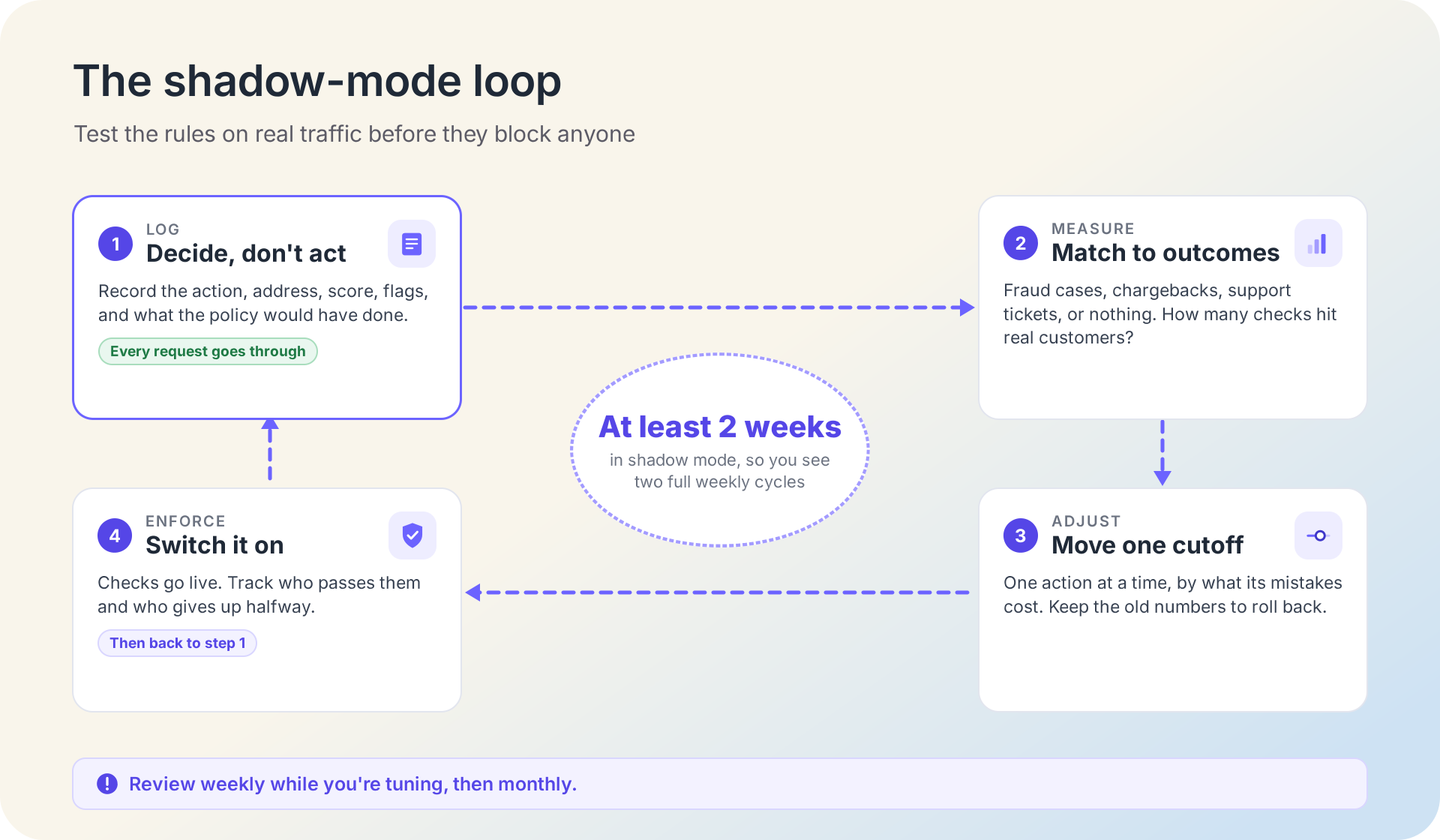
Shadow mode means the policy runs on real traffic and logs what it would have done, while every request goes through as normal. The policy code starts that way. Leave it there for at least two weeks, so you see two full weekly cycles, before you switch it to enforce.
During that time, log the action, the address, the score, the flags, and the decision, and match them later to what actually happened: a confirmed fraud case, a chargeback, a support ticket, or nothing at all. Then look at each action on its own:
- How many requests would get an extra check or a review?
- Of the requests you would have checked, how many turned out to be real customers?
- How much confirmed fraud sat above the cutoff, and how much sat just below it?
- Once checks are live, what share of people pass them, and how many give up halfway?
Move each cutoff by what its mistakes cost. If real customers pile up just above the login cutoff, raise it. If confirmed fraud keeps landing a few points under the payout cutoff, lower it. Change one action at a time, and keep the old numbers so you can roll back. If two weeks bring too few confirmed fraud cases to judge, keep logging: check rates and support tickets show harm to real customers long before fraud numbers settle.
NIST's guidelines tell services that use fraud signals to "assess their use of indicators of potential fraud for efficacy" and for their effect on users, and OWASP recommends that each defense produce metrics, including CAPTCHA solve rates, so you can spot both harm to real users and attacks that get through. Review weekly while you're tuning, then monthly.
Details that can break a good policy
Score the right IP. Behind a CDN or load balancer, the address that connects to your app belongs to that service, not the visitor. Take the visitor's IP only from a header your own proxy sets; the guide on how to read the visitor's real IP address covers each setup. An HTTP 423 from the API is the usual sign that this went wrong.
Cache, but not for days. IPGeolocation.io updates the API's security data at least twice every 24 hours, so a cached result a few hours old is still current. Payouts and other high-value actions are the exception: look the address up again at the moment you decide.
Limit IPv6 traffic by block, not by address. Internet providers usually give each customer a whole block of IPv6 addresses: RIPE-690, the operators' best-practice document, recommends a /48 or a /56 per customer, and the number after the slash says how big the block is. A per-address rate limit is easy to dodge inside that block, so count IPv6 requests per block. Keep the threat score lookup per address.
Keep the key out of your logs. The request URL contains your API key, which is why the code logs only the status code when a lookup fails.
Make every block temporary. OWASP recommends that IP-based blocks expire once abuse stops, and a check that a person can pass is better still. Addresses change hands, and today's risky address can belong to a customer next month.
Pair the score with live detection for brand-new exits. A VPN server that went live this morning hasn't been seen by any database yet. That gap is the same for every provider. IPGeolocation.io closes it with Real-Time VPN and Proxy Detection, which tests the live connection in the visitor's browser. Add include=security to the Real-Time detection call, and one round trip returns both the live result and the address's threat score.
Threat scores and evidence from IPGeolocation.io
IPGeolocation.io's IP Security API returns one of the most detailed security responses you can get from a single request: 27 fields in the security object. Every score arrives with the evidence behind it, which is what makes per-action rules possible.
The evidence is first-hand. We enumerate VPN and proxy networks by connecting through them, run our own honeypots (decoy servers that attackers probe), and add curated threat feeds and real-time behavior analysis; here's how we collect the detection evidence. Those honeypots had recorded more than 100,000 unique attacker IPs by May 21, 2026, and in our security database built on October 19, 2026, more than 110 VPN providers and more than 60 proxy providers appear by name.
It's also among the freshest threat data you can get from an API: we update the API's security data at least twice every 24 hours.
Security data also comes with the rest of an address's profile. One request to the IP Geolocation API with security data can return geolocation, security (include=security), ASN, company, abuse contact (include=abuse), time zone, and user agent data.
The security bulk endpoint checks up to 50,000 IPs per request, the API has no rate limits, and it runs on a 99.99% uptime SLA. For lookups on your own servers, the IP Security Database delivers the same detection data as CSV or MMDB files, updated daily. If your logs live in Splunk, you can add threat scores in Splunk to your events.
Try the score on an address you're unsure about with the lookup box on the IPGeolocation.io IP Security API page, compare plans on the pricing page, or ask support for a free trial.
Frequently asked questions
On IPGeolocation.io's 0 to 100 scale, a good IP threat score is anything below 20: 0 means clean, and 1 to 19 is the band its documentation maps to allowing traffic with standard controls. Lower is better on this scale, but other vendors' scales can run the other way.
There is no single cutoff. IPGeolocation.io documents 80 to 100 as the band to block, hard-challenge, or send to manual review, and 45 to 79 as the band for extra checks such as a one-time code. Password resets and payouts should react earlier, from 20; reading a page shouldn't react at all.
A threat score of 0 means clean, which isn't the same as proof of a good user. It means IPGeolocation.io's data holds no risk signal for the address, and the field reference describes 0 as clean. Someone with a stolen password can still sign in from a clean home connection, so keep your normal login checks.
They overlap but answer different questions. An IP reputation score rates an address's history of bad behavior, an IP fraud score or IP risk score usually estimates how likely a visitor or transaction is to be fraud, and a threat score summarizes every risk signal on the address. IPGeolocation.io's threat_score covers reputation plus VPN, proxy, Tor, and bot signals.
Not on its own: a VPN by itself doesn't make an IP threat score high. IPGeolocation.io's band descriptions place VPN or proxy use without attack or abuse signs in the 20 to 44 band, where the advice is to combine it with other signals. The score climbs when anonymity comes with bot activity, spam, or attack history.
Caching a threat score for a few hours per address is a safe default, because IPGeolocation.io updates the API's security data at least twice every 24 hours. Repeat the lookup at decision time for payouts and other high-value actions.
Enter the address in the lookup box on IPGeolocation.io's IP Security API page to see its threat score and flags in your browser. In code, call the /v3/security endpoint with the ip parameter; the bulk endpoint checks up to 50,000 addresses in one request.
The IPGeolocation.io threat score isn't on the API's Free plan, though single lookups are free in the browser box on the IP Security API page. Security data in the API needs a paid plan; the Free plan's 1,000 credits per day cover core geolocation data. Paid plans start at $19 per month for 150,000 credits on Starter, a security lookup costs 2 credits, and support offers a free trial.