

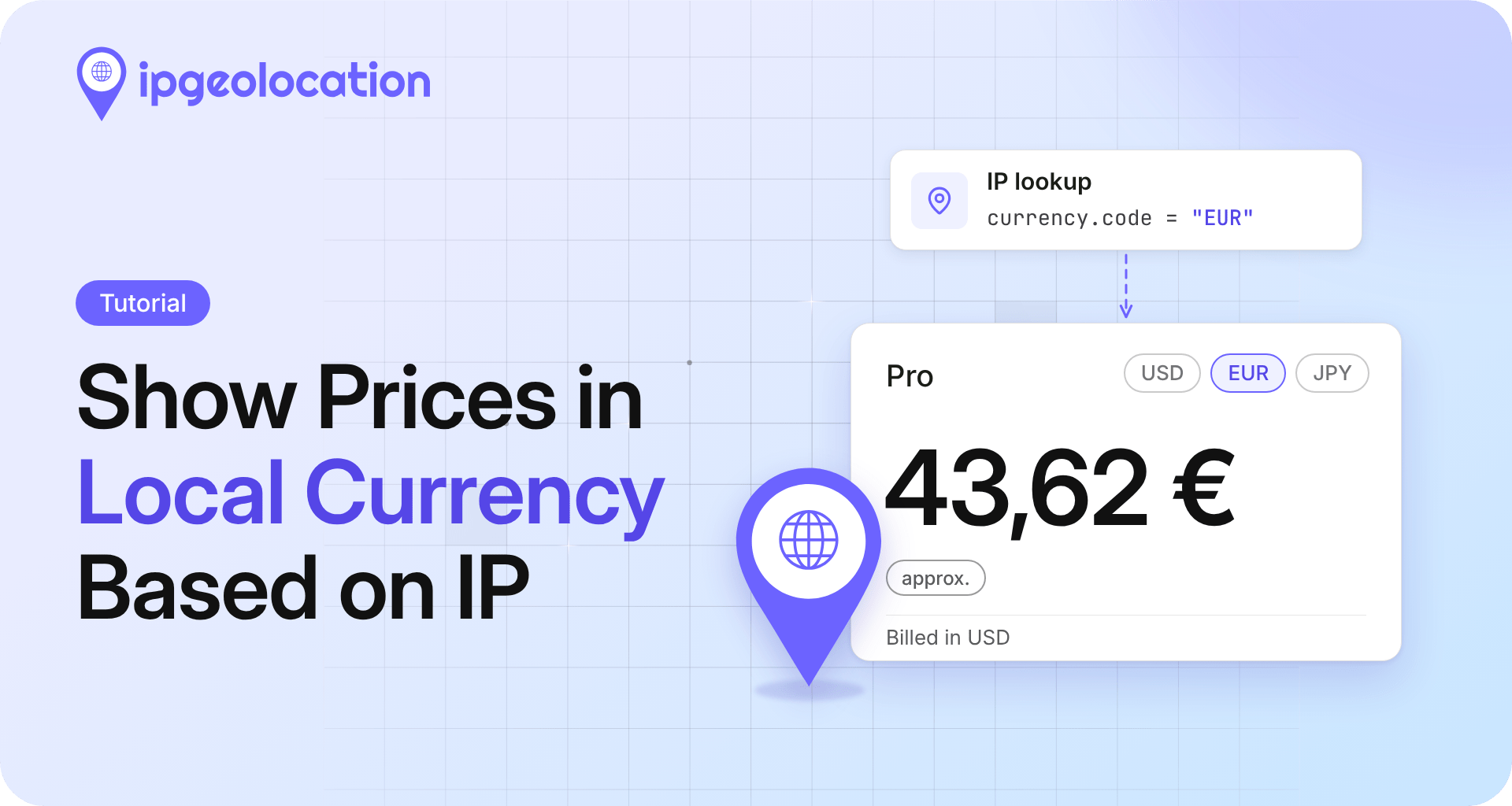
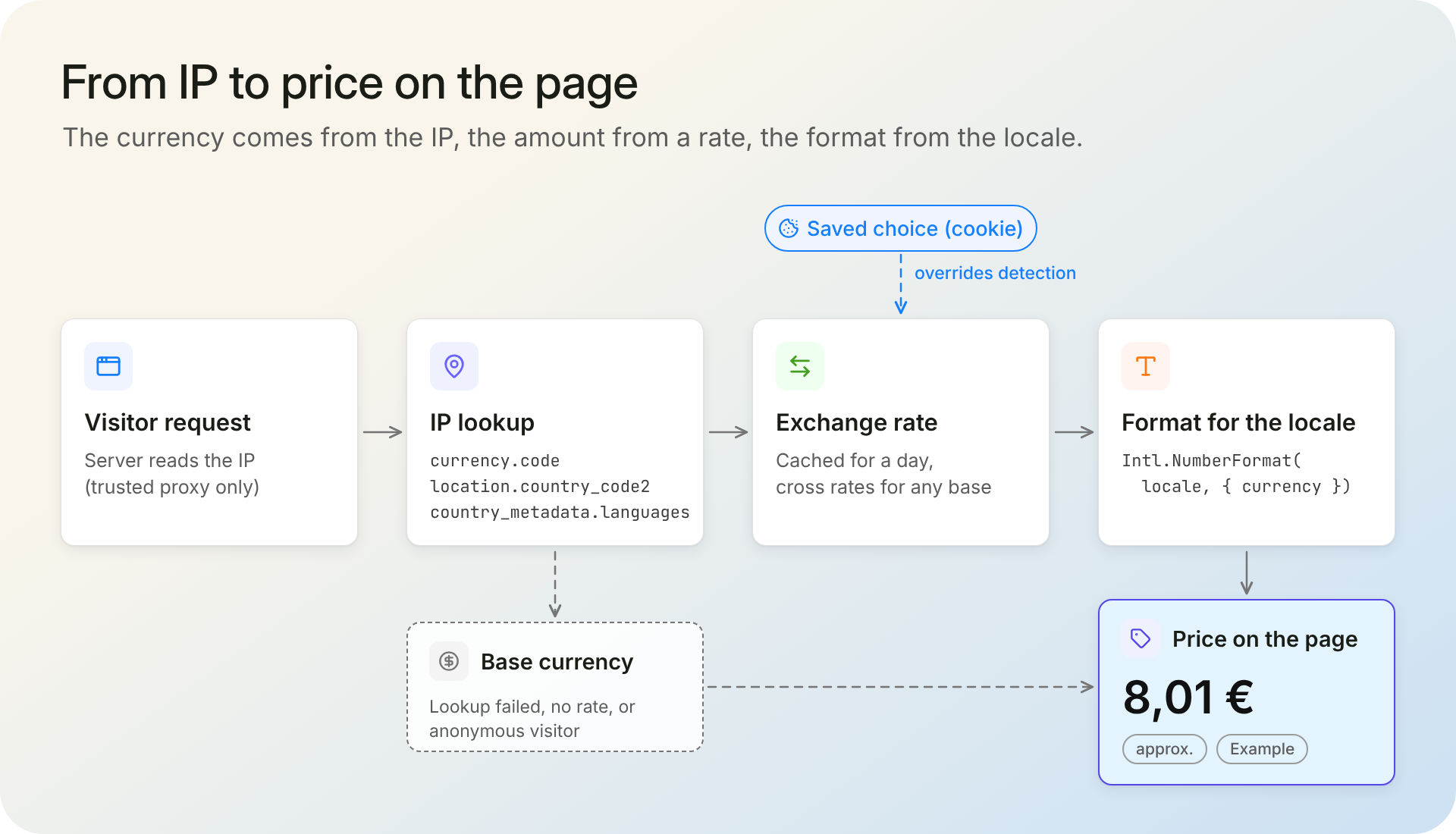
To show prices in local currency, look up the visitor's IP address on your server, read the ISO 4217 currency code from the response, convert your base price with an exchange rate, and format the result for the visitor's locale. IPGeolocation.io returns that code in its default response as currency.code next to the visitor's country and its languages.
Picture one pricing page and three visitors. A shopper in Berlin should see euros and one in Tokyo yen, while a third, on a VPN server in Dallas, gets dollars and needs a switcher that wins over detection. You'll build that page in Node.js with Express, the IPGeolocation.io API for detection, and CurrencyFreaks for exchange rates.
TL;DR
To show prices in local currency in Node.js, install ip-geolocation-api-javascript-sdk, call lookupIpGeolocation() with the visitor's IP, and read currency.code. Convert with a cached exchange rate and format with Intl.NumberFormat.
- Ask for three fields only:
location.country_code2,currency, andcountry_metadata.languages. - A saved choice beats the detected currency, and the detected currency beats your base currency.
- Cache the detected currency per IP for a day, and the rates until your provider updates them.
- For visitors flagged as VPN or anonymous, keep the base currency and show the currency switcher.
Decide what the local price promises
Showing a price in someone's currency and charging them in it are two different jobs, and "localized pricing" can mean either, so pick one before you write code.
For stores and small SaaS products, the IPGeolocation.io team's advice is to start with display only. Display prices in the visitor's local currency, keep checkout in your base currency (USD or EUR, say), label converted prices as estimates, and say which currency the card will be charged in. Add local-currency billing later, if your payment provider supports it. The code below converts for display only.
Before you start
node -vprints 18 or later. The IPGeolocation.io JavaScript SDK and Express 5 both need it.- You have an IPGeolocation.io API key. The free plan includes 1,000 credits per day, and the currency and country metadata used here are part of it.
- You have a CurrencyFreaks API key. Its free Developer plan allows 1,000 API calls a month, with rates updated daily against USD.
- Both keys sit in environment variables,
IPGEO_API_KEYandCURRENCYFREAKS_API_KEY, never in browser code. Storing API keys in environment variables covers the options.
Then create the project:
mkdir local-prices && cd local-prices
npm init -y
npm pkg set type=module
npm install ip-geolocation-api-javascript-sdk express cookie-parser
Each step explains one part of server.js; copy the complete file at the end of Step 5 to run it.
Step 1: Read the visitor's IP on the server
Express gives you the visitor's IP as req.ip, but only once you tell it how many proxies sit in front of your app. Without that, req.ip is your load balancer's address:
const app = express();
app.set("trust proxy", 1); // one proxy (your load balancer) in front; match your setup

// Inside the /pricing route: TEST_IP only replaces loopback addresses
const isLocal = ["::1", "127.0.0.1", "::ffff:127.0.0.1"].includes(req.ip);
const ip = isLocal && process.env.TEST_IP ? process.env.TEST_IP : req.ip;
With one trusted hop, Express takes the client address that your own proxy appended to X-Forwarded-For and ignores anything a client wrote further left. With no proxy in front, leave trust proxy off, or clients can pick their own IP. For Nginx, Cloudflare, or several layers, see the trust model for forwarded headers.
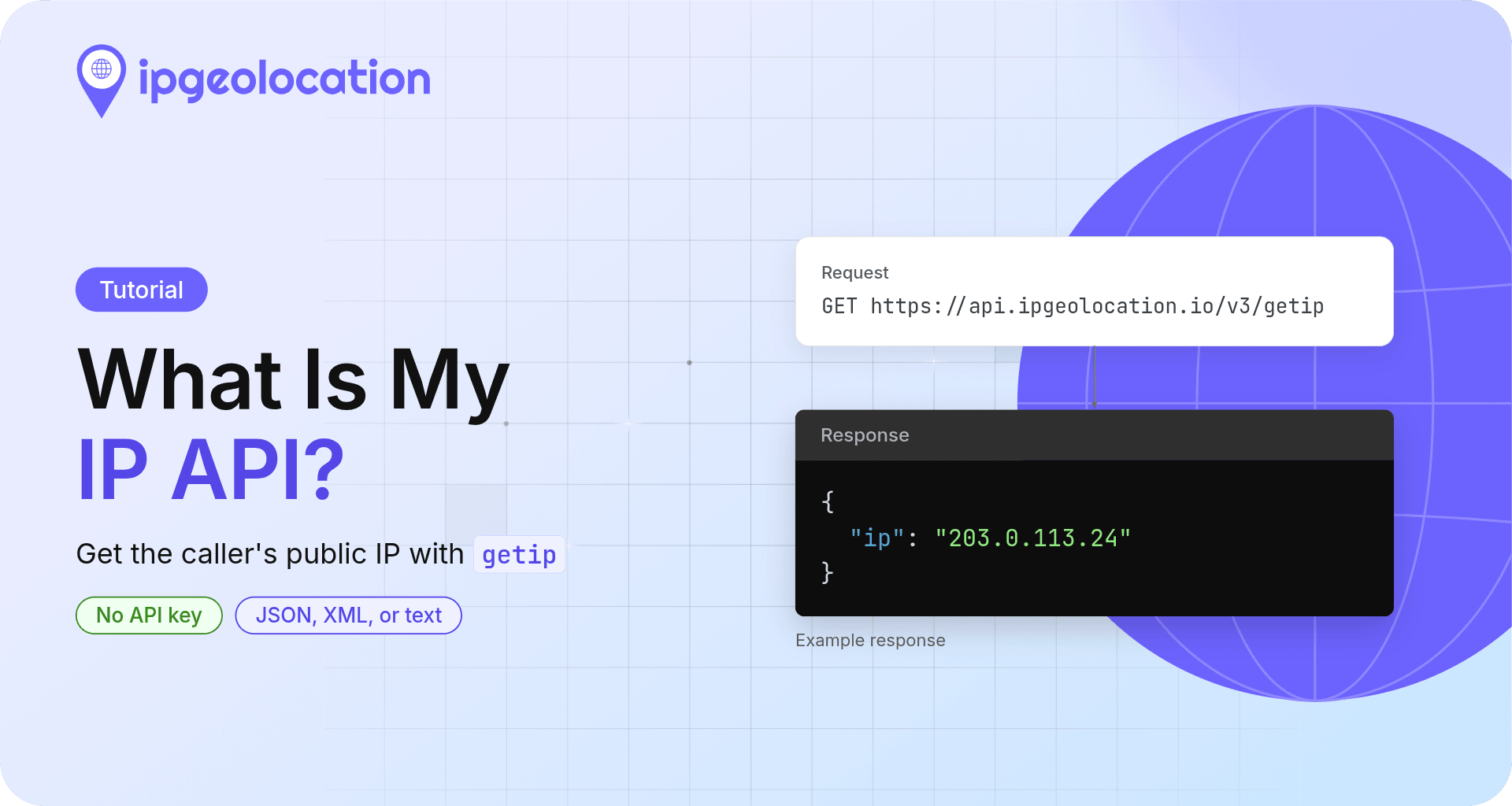
On your laptop, req.ip is ::1 or 127.0.0.1, and the API answers a private address with a 423. Set TEST_IP to 213.133.116.44 (the web server behind hetzner.com, in Germany) or to your own public address, which the what-is-my-ip API tutorial helps you find. The route uses it only for requests from localhost.
Step 2: Look up the visitor's currency
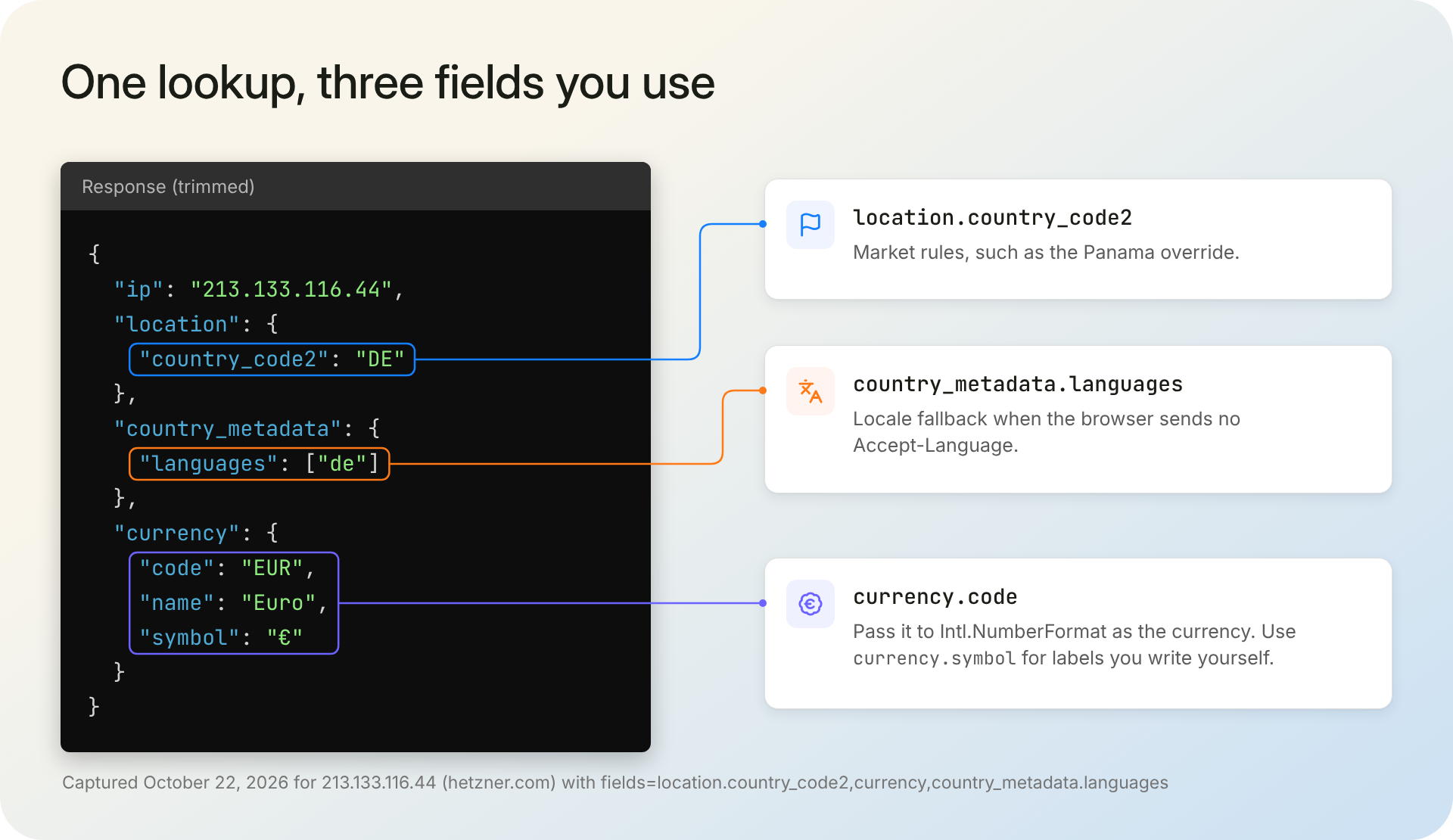
One call to the IPGeolocation.io SDK returns the currency together with the country and its languages. Request only those fields, and cache the answer per IP:
import express from "express";
import cookieParser from "cookie-parser";
import {
  IpGeolocationClient,
  LockedError,
  RateLimitError,
  UnauthorizedError,
} from "ip-geolocation-api-javascript-sdk";

const BASE_CURRENCY = "USD"; // the currency you charge in
const DAY_MS = 24 * 60 * 60 * 1000;

const ipgeo = new IpGeolocationClient({ apiKey: process.env.IPGEO_API_KEY });

// Step 2: detect the visitor's currency, cached per IP for a day
const currencyCache = new Map();

async function lookupCurrency(ip) {
  const hit = currencyCache.get(ip);
  if (hit && hit.expires > Date.now()) return hit.value;

  let value = null;
  try {
    const { data } = await ipgeo.lookupIpGeolocation({
      ip,
      fields: ["location.country_code2", "currency", "country_metadata.languages"],
    });
    value = {
      currency: data.currency?.code || null, // can be empty for some locations
      country: data.location?.countryCode2 || null,
      languages: data.countryMetadata?.languages ?? [],
    };
  } catch (err) {
    if (err instanceof LockedError) {
      // 423: private or bogon IP, such as ::1 on localhost; nothing to detect
    } else if (err instanceof UnauthorizedError || err instanceof RateLimitError) {
      console.error(`IPGeolocation.io ${err.statusCode}: ${err.apiMessage ?? err.message}`);
    } else {
      console.error(`Currency lookup failed for ${ip}: ${err.message}`);
    }
  }

  // Cache failures briefly so a timeout doesn't pin a visitor to the base currency for a day
  currencyCache.set(ip, { value, expires: Date.now() + (value ? DAY_MS : 5 * 60 * 1000) });
  if (currencyCache.size > 50_000) currencyCache.delete(currencyCache.keys().next().value);
  return value;
}
Calling lookupCurrency("213.133.116.44") returns:
{ currency: 'EUR', country: 'DE', languages: [ 'de' ] }
currency.code is the code the formatter needs. location.country_code2 drives market rules, such as the Panama override below. country_metadata.languages lists the country's languages by prevalence and becomes the locale fallback in Step 4. Because the response carries the currency itself (currency object reference), you don't maintain a country-to-currency table.
The team suggests caching a visitor's currency for a day to a week; the code uses a day. An empty currency, a 401 from a wrong key, or a 429 after the daily credits run out all return null, and the visitor sees your base currency.
Of the team's edge cases, the euro area needs nothing special: many countries, one code. Panama needs a choice: our lookup for the University of Panama's web server returns PAB (the balboa), while the US dollar circulates alongside it, so the complete file maps PA to USD in COUNTRY_OVERRIDES. Delete that entry to show balboas.
Step 3: Convert with exchange rates
Detection tells you which currency to show, not what your price is in it, and mixing the two up is one of the two mistakes IPGeolocation.io's team sees most. This step takes rates from CurrencyFreaks' latest rates endpoint and caches them:
// Step 3: exchange rates from CurrencyFreaks, cached for the plan's update interval
let ratesCache = { rates: null, expires: 0 };

async function getRates() {
  if (ratesCache.expires > Date.now()) return ratesCache.rates;

  const url = new URL("https://api.currencyfreaks.com/v2.0/rates/latest");
  url.searchParams.set("apikey", process.env.CURRENCYFREAKS_API_KEY ?? "");
  try {
    const res = await fetch(url, { signal: AbortSignal.timeout(5000) });
    const body = await res.json();
    if (!res.ok) throw new Error(`HTTP ${res.status}: ${body.message ?? "no message"}`);
    const rates = { ...body.rates, [body.base]: "1" }; // every rate is against body.base (USD)
    ratesCache = { rates, expires: Date.now() + DAY_MS }; // free plan: daily updates
  } catch (err) {
    console.error(`Rate refresh failed: ${err.message}`);
    ratesCache.expires = Date.now() + 10 * 60 * 1000; // keep the last good rates, retry later
  }
  return ratesCache.rates; // null until the first successful refresh
}
The endpoint returns every rate as a string against USD, as in this trimmed example from CurrencyFreaks' documentation:
{
  "date": "2026-08-25 13:26:00+00",
  "base": "USD",
  "rates": { "EUR": "0.9278605451274349", "GBP": "0.8172754173817152", "USD": "1.0" }
}
On the free plan, rates change once a day against USD, so a 24-hour cache costs about 30 calls a month against the 1,000 allowed. The code adds USD itself at a rate of 1, and Step 5 divides by your base currency's rate, so a EUR or GBP base works with the same feed. A failed refresh keeps the last good rates and retries in ten minutes. Before the first success, getRates() returns null and prices stay in your base currency.
Step 4: Format the price for the visitor's locale
The currency decides the money; the locale decides how the number is written. Keep them separate; the IPGeolocation.io team advises: pass the ISO currency code to Intl.NumberFormat, and take the locale from the page's language when the visitor picked one, then from the browser's Accept-Language header, then from the country's languages. Intl.NumberFormat is how JavaScript formats currency, so there's no library to add.
const PAGE_LOCALE = null; // set to the page's language (such as "de-DE") on localized pages

// Step 4: format with a locale the runtime supports
function usableLocale(tag) {
  if (!tag || tag === "*") return null;
  try {
    return Intl.NumberFormat.supportedLocalesOf(tag)[0] ?? null;
  } catch {
    return null; // malformed tag in Accept-Language
  }
}

function pickLocale(req, countryLanguages) {
  const candidates = [PAGE_LOCALE, ...req.acceptsLanguages(), ...countryLanguages, "en-US"];
  for (const tag of candidates) {
    const locale = usableLocale(tag);
    if (locale) return locale;
  }
  return "en-US";
}

function formatPrice(amount, currency, locale) {
  return new Intl.NumberFormat(locale, { style: "currency", currency }).format(amount);
}
Here's the same amount in the currencies our lookups returned, in locales a visitor might bring:
currency.code |
Locale | formatPrice(1234.5, …) |
currency.symbol |
|---|---|---|---|
| EUR | de | 1.234,50 € | € |
| EUR | en-US | €1,234.50 | € |
| JPY | ja | ¥1,235 | ¥ |
| BRL | pt-BR | R$ 1.234,50 | R$ |
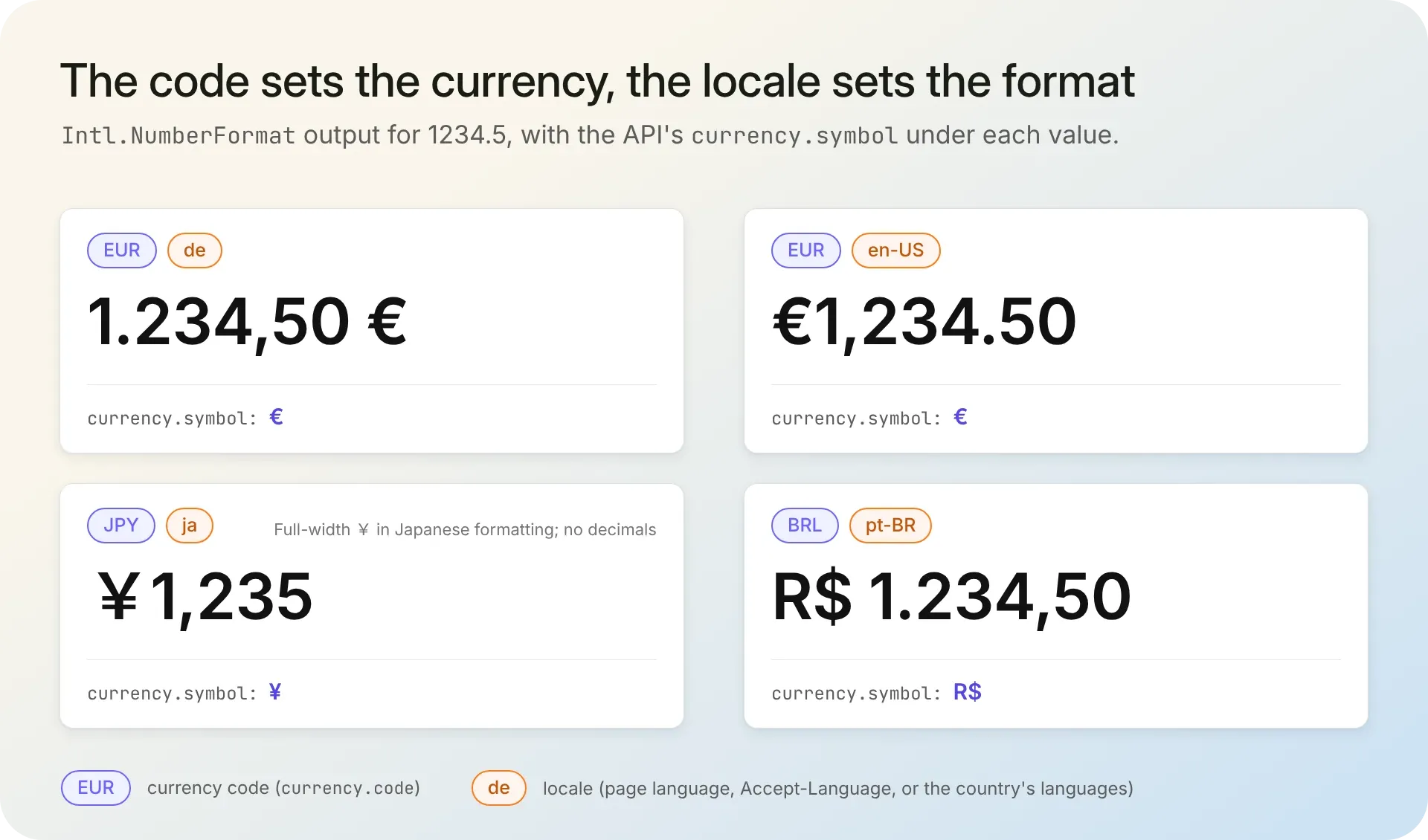
The two euro rows use one currency and two layouts. The yen row has no decimals because the currency has none, and Japanese formatting prints the full-width ¥ where the API's symbol is the standard ¥. The currency.symbol field suits places where you write the text yourself: a switcher label such as "Prices in €", a compact badge, or a template in a system without Intl. A dollar sign alone is shared by several currencies, so pair it with the code in mixed lists.
Step 5: Let the visitor's choice win
A visitor who picks a currency should keep it. The route resolves the currency in a fixed order: a saved choice from a cookie, then the detected currency, then your base currency. It skips any currency without a rate.
const PLANS = [
  { name: "Starter", priceMinor: 900 }, // prices in cents of BASE_CURRENCY
  { name: "Pro", priceMinor: 4900 },
];
const SWITCHER = ["USD", "EUR", "GBP", "JPY", "INR", "BRL"];

// Step 5: a saved choice beats detection; no rate means the base currency
function resolveCurrency(saved, detected, rates) {
  for (const code of [saved, detected]) {
    if (!/^[A-Z]{3}$/.test(code ?? "")) continue;
    if (code === BASE_CURRENCY) return { currency: code, rate: 1 };
    // Cross rate, so a EUR or GBP base works with a USD-based feed
    const rate = Number(rates?.[code]) / Number(rates?.[BASE_CURRENCY]);
    if (Number.isFinite(rate) && rate > 0) return { currency: code, rate };
  }
  return { currency: BASE_CURRENCY, rate: 1 };
}
The /pricing route in the complete file below renders on the server, so prices never flicker after the page loads, and POST /currency saves the switcher's choice in a cookie for a year.
Load your keys into the shell and start the server:
export IPGEO_API_KEY="your_ipgeolocation_key"
export CURRENCYFREAKS_API_KEY="your_currencyfreaks_key"
TEST_IP=213.133.116.44 node server.js
Open localhost:3000/pricing in a browser set to German. Our run on October 22, 2026 printed this list (yours will follow the day's rate):
Starter: 8,01 € (approx.)
Pro: 43,62 € (approx.)
Prices in EUR are estimates. You're billed in USD.
Pick GBP in the switcher: the redirect reloads the page, the cookie wins, and the same visitor sees pounds. If converted estimates look odd next to round prices, set fixed prices for your main markets. The route also sends Cache-Control: private, no-store, which keeps a CDN from serving one visitor's prices to the next.
1. The complete server.js
// server.js: show prices in the visitor's local currency (Node.js 18+, Express 5)
import express from "express";
import cookieParser from "cookie-parser";
import {
  IpGeolocationClient,
  LockedError,
  RateLimitError,
  UnauthorizedError,
} from "ip-geolocation-api-javascript-sdk";

const BASE_CURRENCY = "USD"; // the currency you charge in
const PLANS = [
  { name: "Starter", priceMinor: 900 }, // prices in cents of BASE_CURRENCY
  { name: "Pro", priceMinor: 4900 },
];
const SWITCHER = ["USD", "EUR", "GBP", "JPY", "INR", "BRL"];
const COUNTRY_OVERRIDES = { PA: "USD" }; // optional: show dollars in Panama instead of balboas
const PAGE_LOCALE = null; // set to the page's language (such as "de-DE") on localized pages
const DAY_MS = 24 * 60 * 60 * 1000;

const ipgeo = new IpGeolocationClient({ apiKey: process.env.IPGEO_API_KEY });

// Step 2: detect the visitor's currency, cached per IP for a day
const currencyCache = new Map();

async function lookupCurrency(ip) {
  const hit = currencyCache.get(ip);
  if (hit && hit.expires > Date.now()) return hit.value;

  let value = null;
  try {
    const { data } = await ipgeo.lookupIpGeolocation({
      ip,
      fields: ["location.country_code2", "currency", "country_metadata.languages"],
    });
    value = {
      currency: data.currency?.code || null, // can be empty for some locations
      country: data.location?.countryCode2 || null,
      languages: data.countryMetadata?.languages ?? [],
    };
  } catch (err) {
    if (err instanceof LockedError) {
      // 423: private or bogon IP, such as ::1 on localhost; nothing to detect
    } else if (err instanceof UnauthorizedError || err instanceof RateLimitError) {
      console.error(`IPGeolocation.io ${err.statusCode}: ${err.apiMessage ?? err.message}`);
    } else {
      console.error(`Currency lookup failed for ${ip}: ${err.message}`);
    }
  }

  // Cache failures briefly so a timeout doesn't pin a visitor to the base currency for a day
  currencyCache.set(ip, { value, expires: Date.now() + (value ? DAY_MS : 5 * 60 * 1000) });
  if (currencyCache.size > 50_000) currencyCache.delete(currencyCache.keys().next().value);
  return value;
}

// Step 3: exchange rates from CurrencyFreaks, cached for the plan's update interval
let ratesCache = { rates: null, expires: 0 };

async function getRates() {
  if (ratesCache.expires > Date.now()) return ratesCache.rates;

  const url = new URL("https://api.currencyfreaks.com/v2.0/rates/latest");
  url.searchParams.set("apikey", process.env.CURRENCYFREAKS_API_KEY ?? "");
  try {
    const res = await fetch(url, { signal: AbortSignal.timeout(5000) });
    const body = await res.json();
    if (!res.ok) throw new Error(`HTTP ${res.status}: ${body.message ?? "no message"}`);
    const rates = { ...body.rates, [body.base]: "1" }; // every rate is against body.base (USD)
    ratesCache = { rates, expires: Date.now() + DAY_MS }; // free plan: daily updates
  } catch (err) {
    console.error(`Rate refresh failed: ${err.message}`);
    ratesCache.expires = Date.now() + 10 * 60 * 1000; // keep the last good rates, retry later
  }
  return ratesCache.rates; // null until the first successful refresh
}

// Step 4: format with a locale the runtime supports
function usableLocale(tag) {
  if (!tag || tag === "*") return null;
  try {
    return Intl.NumberFormat.supportedLocalesOf(tag)[0] ?? null;
  } catch {
    return null; // malformed tag in Accept-Language
  }
}

function pickLocale(req, countryLanguages) {
  const candidates = [PAGE_LOCALE, ...req.acceptsLanguages(), ...countryLanguages, "en-US"];
  for (const tag of candidates) {
    const locale = usableLocale(tag);
    if (locale) return locale;
  }
  return "en-US";
}

function formatPrice(amount, currency, locale) {
  return new Intl.NumberFormat(locale, { style: "currency", currency }).format(amount);
}

// Step 5: a saved choice beats detection; no rate means the base currency
function resolveCurrency(saved, detected, rates) {
  for (const code of [saved, detected]) {
    if (!/^[A-Z]{3}$/.test(code ?? "")) continue;
    if (code === BASE_CURRENCY) return { currency: code, rate: 1 };
    // Cross rate, so a EUR or GBP base works with a USD-based feed
    const rate = Number(rates?.[code]) / Number(rates?.[BASE_CURRENCY]);
    if (Number.isFinite(rate) && rate > 0) return { currency: code, rate };
  }
  return { currency: BASE_CURRENCY, rate: 1 };
}

const app = express();
app.set("trust proxy", 1); // one proxy (your load balancer) in front; match your setup
app.use(cookieParser());

app.get("/pricing", async (req, res) => {
  // TEST_IP only replaces loopback addresses, so it can't leak into production traffic
  const isLocal = ["::1", "127.0.0.1", "::ffff:127.0.0.1"].includes(req.ip);
  const ip = isLocal && process.env.TEST_IP ? process.env.TEST_IP : req.ip;

  const [geo, rates] = await Promise.all([lookupCurrency(ip), getRates()]);
  const detected = COUNTRY_OVERRIDES[geo?.country] ?? geo?.currency;
  const { currency, rate } = resolveCurrency(req.cookies.currency, detected, rates);
  const locale = pickLocale(req, geo?.languages ?? []);
  const isEstimate = currency !== BASE_CURRENCY;

  const rows = PLANS.map((plan) => {
    const price = formatPrice((plan.priceMinor / 100) * rate, currency, locale);
    return `<li>${plan.name}: ${price}${isEstimate ? " (approx.)" : ""}</li>`;
  }).join("");
  const options = [...new Set([currency, ...SWITCHER])]
    .map((code) => `<option${code === currency ? " selected" : ""}>${code}</option>`)
    .join("");

  res.set("Cache-Control", "private, no-store"); // per-visitor prices: keep shared caches out
  res.type("html").send(`<!doctype html>
<html lang="en">
<h1>Pricing</h1>
<ul>${rows}</ul>
${isEstimate ? `<p>Prices in ${currency} are estimates. You're billed in ${BASE_CURRENCY}.</p>` : ""}
<form method="post" action="/currency">
  <select name="currency">${options}</select>
  <button>Change currency</button>
</form>
</html>`);
});

app.post("/currency", express.urlencoded({ extended: false }), (req, res) => {
  const code = String(req.body?.currency ?? "").toUpperCase();
  if (/^[A-Z]{3}$/.test(code)) {
    res.cookie("currency", code, {
      maxAge: 365 * DAY_MS,
      httpOnly: true,
      sameSite: "lax",
      secure: req.secure, // HTTPS-only cookie whenever the request came in over HTTPS
    });
  }
  res.redirect(303, "/pricing");
});

const server = app.listen(process.env.PORT ?? 3000, () => {
  console.log(`Listening on port ${server.address().port}`);
});

process.on("SIGTERM", async () => {
  server.close();
  await ipgeo.close(); // release the SDK client's connections on shutdown
});
When the IP points to the wrong currency
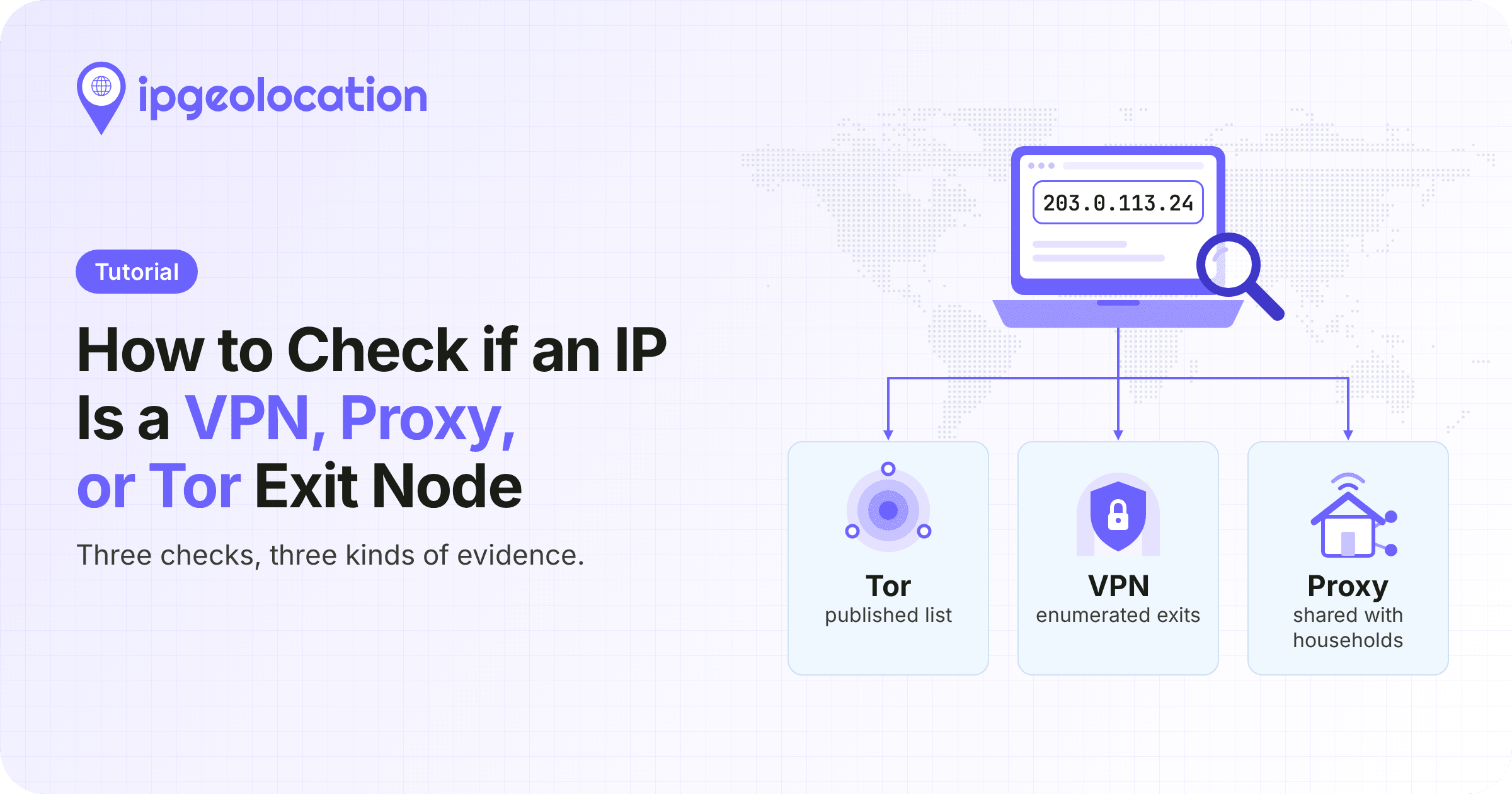
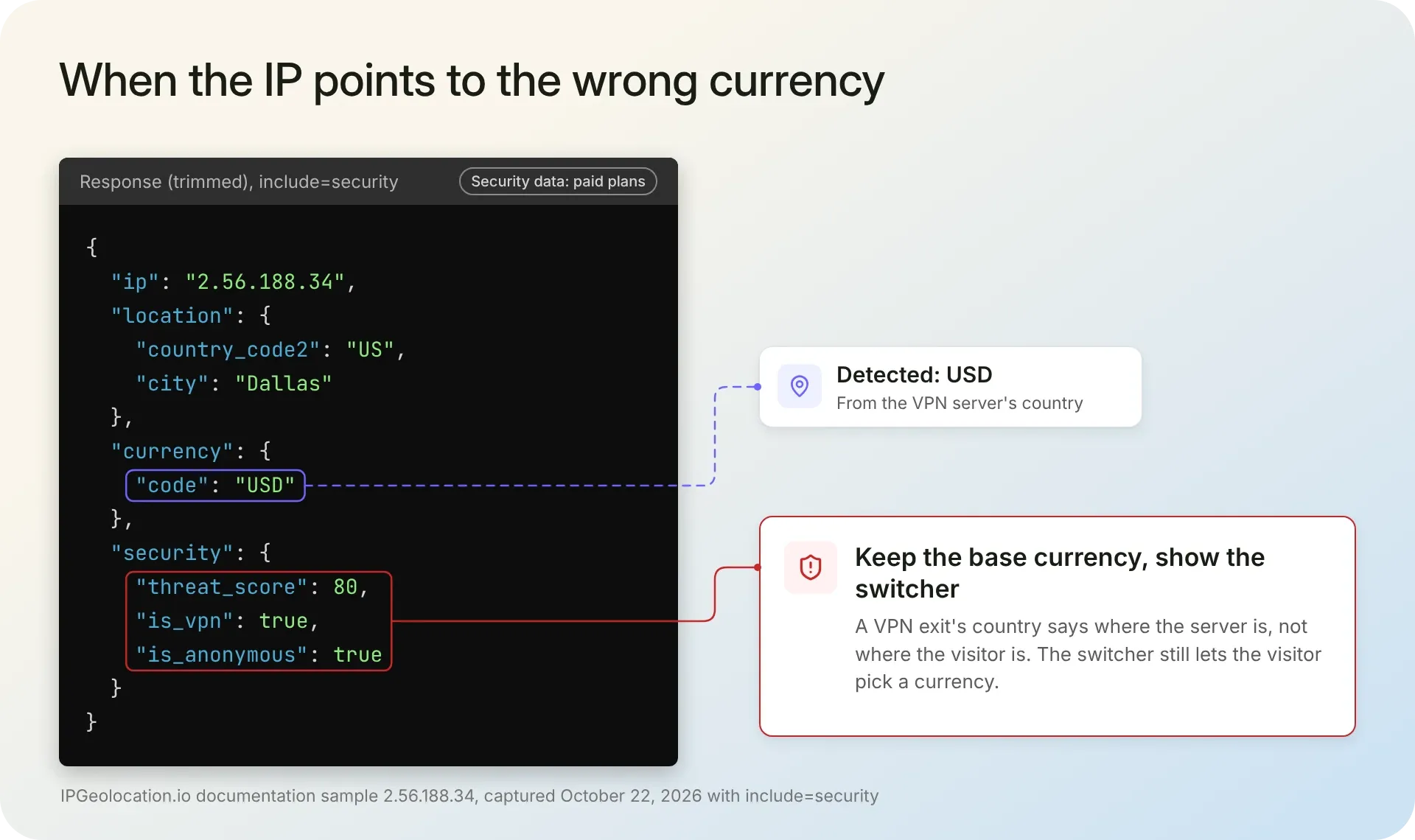
The other mistake IPGeolocation.io's team sees most is trusting the IP's currency for visitors on a VPN. Every IP geolocation provider shares this limit: a VPN, proxy, or relay shows where its server is, not where its user is, and corporate networks that route traffic through another country do the same. A sample IP 2.56.188.34 geolocates to Dallas and returns USD, while its security data flags a VPN with a threat score of 80.
So the team recommends keeping the base currency for visitors flagged as VPN or anonymous, showing the switcher, and not treating VPN detection as proof of where someone is. Our security data, on paid plans, carries the flag for that: is_anonymous is true for VPN, proxy, Tor, and relay traffic, next to a 0 to 100 threat score and separate VPN, proxy, and residential proxy flags. In lookupCurrency(), replace the lookupIpGeolocation() call and the value assignment with:
// Paid plans: include=security adds 2 credits per lookup
const { data } = await ipgeo.lookupIpGeolocation({
  ip,
  include: ["security"],
  fields: ["location.country_code2", "currency", "country_metadata.languages", "security.is_anonymous"],
});
const anonymous = data.security?.isAnonymous === true; // VPN, proxy, Tor, or relay
value = {
  currency: anonymous ? null : data.currency?.code || null, // keep the base currency
  country: data.location?.countryCode2 || null,
  languages: data.countryMetadata?.languages ?? [],
};
On a free key, the API rejects this request with a 401 and every visitor gets your base currency. With a paid key, the Dallas sample still sees dollars, now because it's flagged as anonymous: with BASE_CURRENCY set to EUR, it sees euros. Credit costs for each module show what the security data adds. At checkout, real-time VPN and proxy detection adds a live connection test that reports the visitor's actual country.
Before you ship local prices
- Translate "(approx.)" and the billing note on localized pages.
- If you store anything, store the currency code, not the IP address.
- If prices must rank in each market, give each market its own URL with hreflang annotations instead of switching currency on one URL.
- Test with documented or organization IPs, never a customer's.
- On several app instances, move both caches from memory to Redis or another shared store.
Going further with IPGeolocation.io
The lookup in Step 2 asked IPGeolocation.io for three fields, but the same request can return the rest of a visitor's IP data: geolocation, security, ASN, company, abuse contact data, time zone, and user agent, depending on your plan. So the visitor's time zone for a support-hours note, or the risk signals your signup form checks, can come from the lookup you already make.
Currency is one of the safer things to personalize by IP: it only needs the country, where IP geolocation is most reliable. Our documentation puts typical country-level accuracy at 99%+.
A static pricing page with no server can still call the API from the browser on a paid plan: with Request Origin, you register your domain, and requests from it need no key. Our pricing page shows what each plan includes.
FAQ
Look up the IP with an IP geolocation API and read the currency code from the response. In IPGeolocation.io's API, currency.code holds the ISO 4217 code (EUR, JPY, BRL) in the default response, so no country-to-currency table is needed.
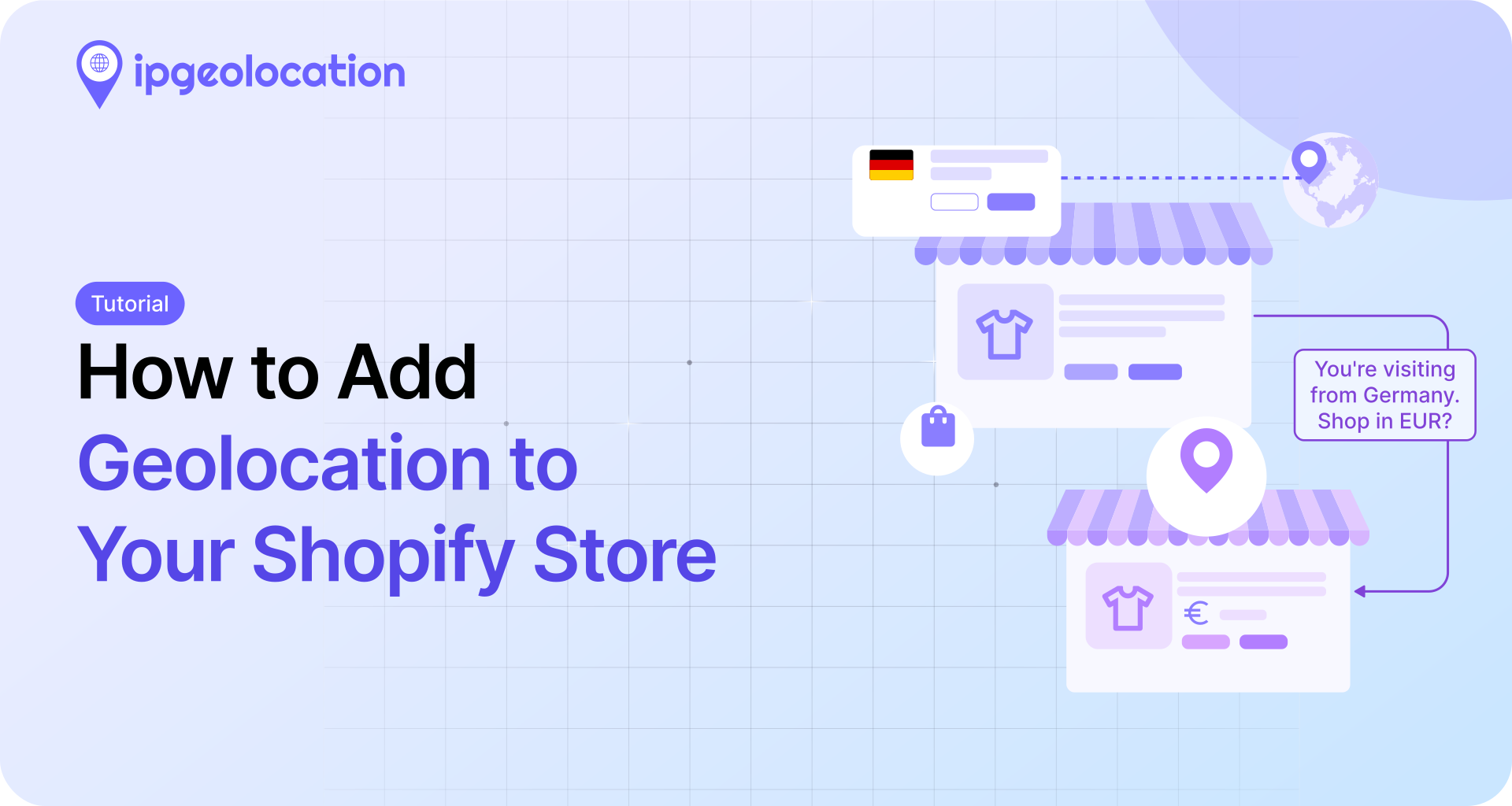
Detect the currency on your server from the visitor's IP, convert your base price with an exchange rate, and format it with Intl.NumberFormat. Save the visitor's own choice in a cookie and let it override detection. For a Shopify store, see the IPGeolocation.io tutorial on adding geolocation to Shopify.
Start by displaying it. IPGeolocation.io's team recommends showing converted prices in the visitor's currency while checkout stays in your base currency, with prices labeled as estimates and the checkout currency named. Add local-currency billing once your payment provider supports it.
Accurate for most visitors, but not for VPN or proxy traffic. Currency needs only the country, and IPGeolocation.io's documentation puts typical country-level accuracy at 99%+. A VPN exit shows its server's country, so keep the base currency for anonymous visitors and always offer a switcher.
Yes. IPGeolocation.io's free plan includes 1,000 credits per day with no credit card; the currency and country metadata objects are part of it, and a standard lookup costs 1 credit. Paid plans start at $19 per month and add security data, bulk lookups, and Request Origin for browser calls.