

IPGeolocation.io + Pipedream Integration
Overview
Automate IP intelligence workflows using IPGeolocation.io's full suite of APIs directly inside Pipedream. No custom HTTP requests, no glue code — just configure an action and go.
IPGeolocation.io is an enterprise-grade IP intelligence platform trusted by thousands of companies worldwide. It provides real-time data on geolocation, security threats, ASN details, timezone, astronomy, abuse contacts, and user-agent parsing — all through a single, fast API with a 99.99% uptime SLA.
The Pipedream integration exposes 12 ready-to-use actions that map directly to IPGeolocation.io's API v3 endpoints. You can drop these actions into any Pipedream workflow to enrich data, detect fraud, personalize experiences, automate security responses, and more.
API Version: v3
Getting Started
1. Get your API key
- Sign up at IPGeolocation.io. A free plan is available with 1,000 lookups per day.
- After logging in, copy your API Key from the dashboard.
2. Connect IPGeolocation.io to Pipedream
1. Open Pipedream and create a new workflow (or open an existing one).
2. Add a new step and search for IPGeolocation.
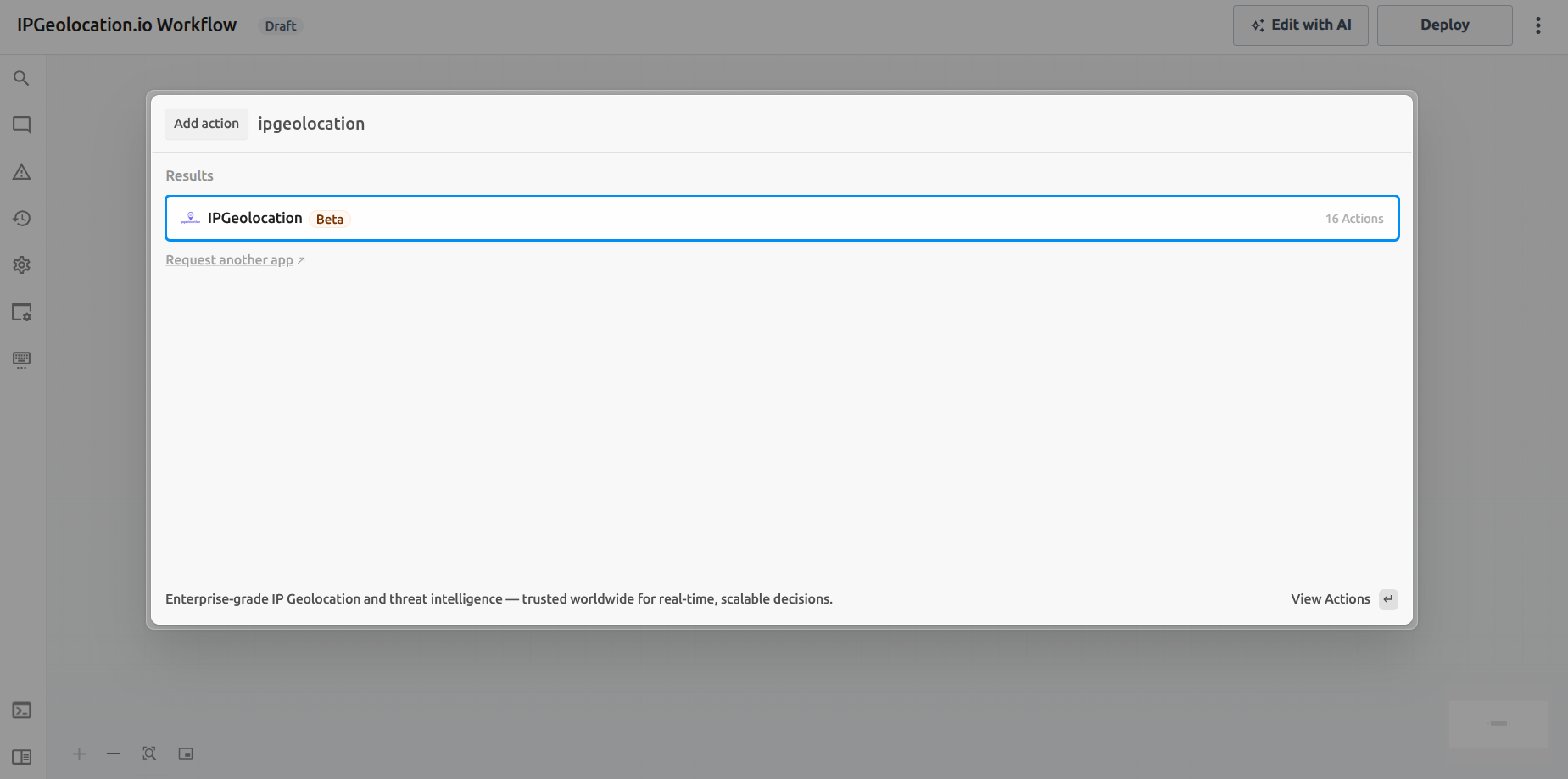
3. Click Connect Account and paste your API key when prompted.
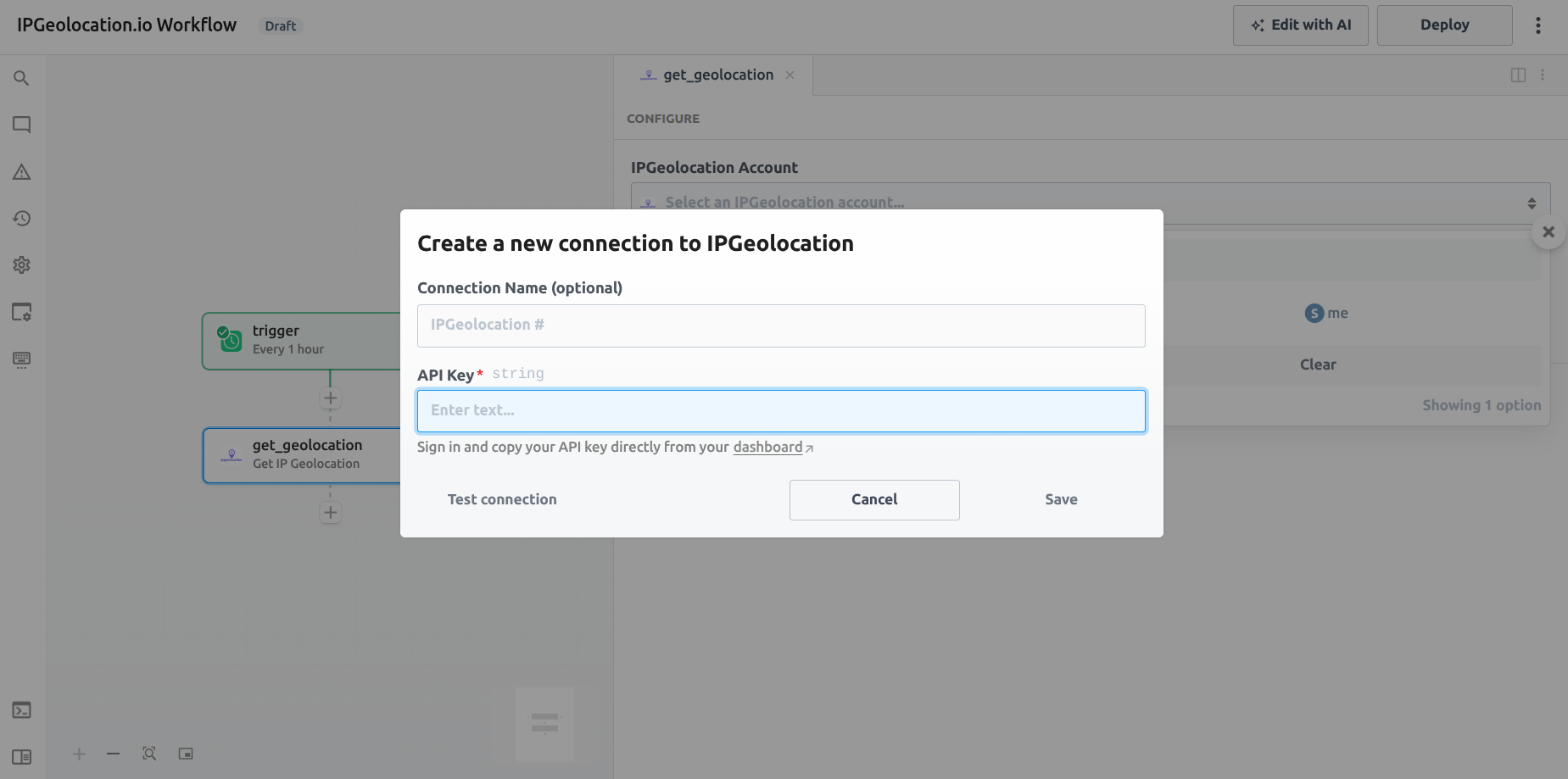
4. Your account is now linked and ready to use across all 12 actions.
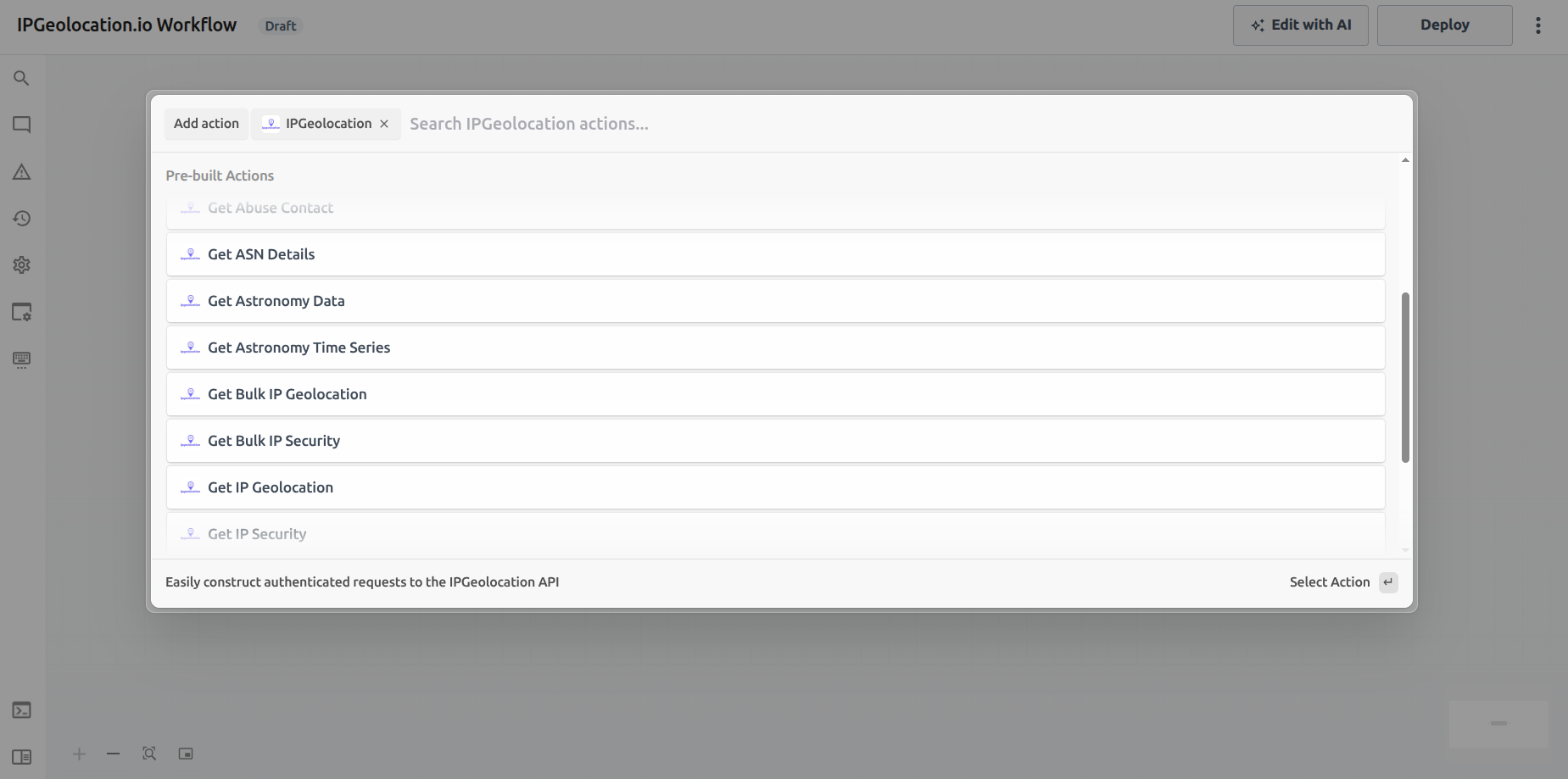
3. Add an action
Select any of the actions listed below, configure the required fields, and deploy your workflow. Each action returns a structured JSON response that can be referenced by downstream steps using Pipedream's steps object.
Actions Availability across our Plans
We offer a free Developer plan and paid plans.
The availability of actions depends on the plan you are subscribed to. The following table provides a detailed overview of which actions are included in each plan, helping you quickly identify the plan that suits your needs.
| Action | Free | Paid |
|---|---|---|
| Get IP Geolocation |  | |
| Get Bulk IP Geolocation |  | |
| Get IP Security | | |
| Get Bulk IP Security | | |
| Get ASN Details | | |
| Get Abuse Contact | | |
| Get Astronomy Information | | |
| Get Astronomy Timeseries Information | | |
| Get Timezone Information | | |
| Time Conversion | | |
| Parse User Agent | | |
| Parse Bulk User Agents | | |
For full pricing details and to choose your plan, see the pricing page.
Available Actions
1. Get IP Geolocation
- Endpoint:
GET /v3/ipgeo
Looks up geolocation data for a single IPv4 or IPv6 address (or domain). Returns country, city, state, coordinates, timezone, currency, ASN, and more depending on your plan.
Inputs
| Field | Required | Description |
|---|---|---|
| IP Address or Domain | No | Leave blank to look up the caller's IP |
| Fields | No | Comma-separated list of fields to include in the response |
| Exclude Fields | No | Fields to omit from the response |
| Language | No | Response language |
| Include Modules | No | Additional modules to include (e.g., security, hostname, abuse, user_agent, geo_accuracy, dma_code) |
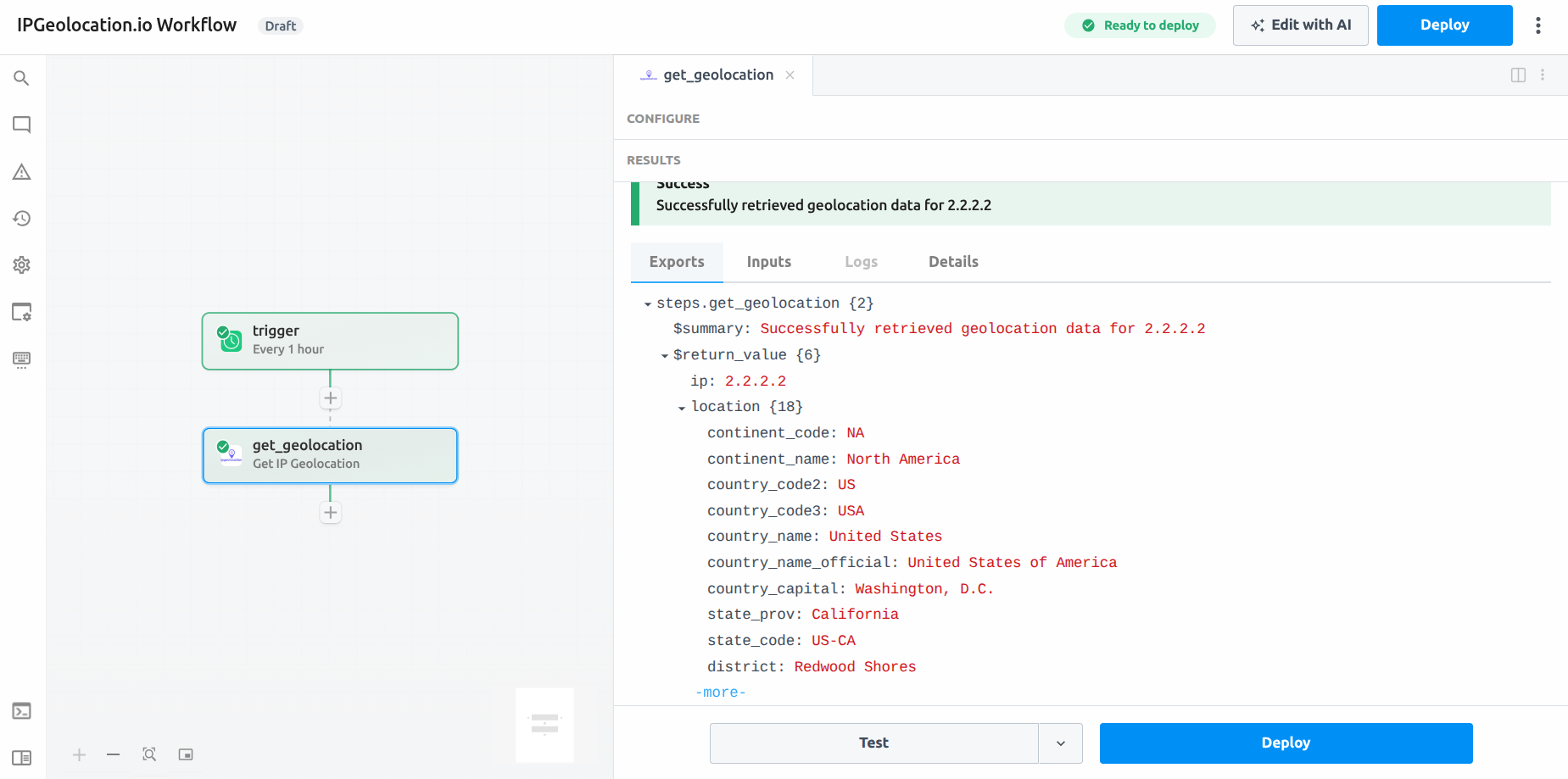
Example use case: Enrich a new sign-up event with the user's country and timezone before writing to your CRM.
// Reference the result in a downstream step
const country = steps.get_geolocation.$return_value.location.country_name;
const timezone = steps.get_geolocation.$return_value.time_zone.name;
2. Get Bulk IP Geolocation
- Endpoint:
POST /v3/ipgeo-bulk - Availability: Paid Plans
Enriches up to 50,000 IP addresses or domains in a single request. Ideal for batch processing log files, user tables, or event streams.
Inputs
| Field | Required | Description |
|---|---|---|
| IP Addresses or Domains | Yes | Array of IPs/domains (max 50,000) |
| Fields | No | Fields to include in the response |
| Exclude Fields | No | Fields to omit from the response |
| Language | No | Response language (default: en) |
| Include Modules | No | Additional modules to include (e.g., security, hostname, abuse, user_agent, geo_accuracy, dma_code) (Paid plans only) |
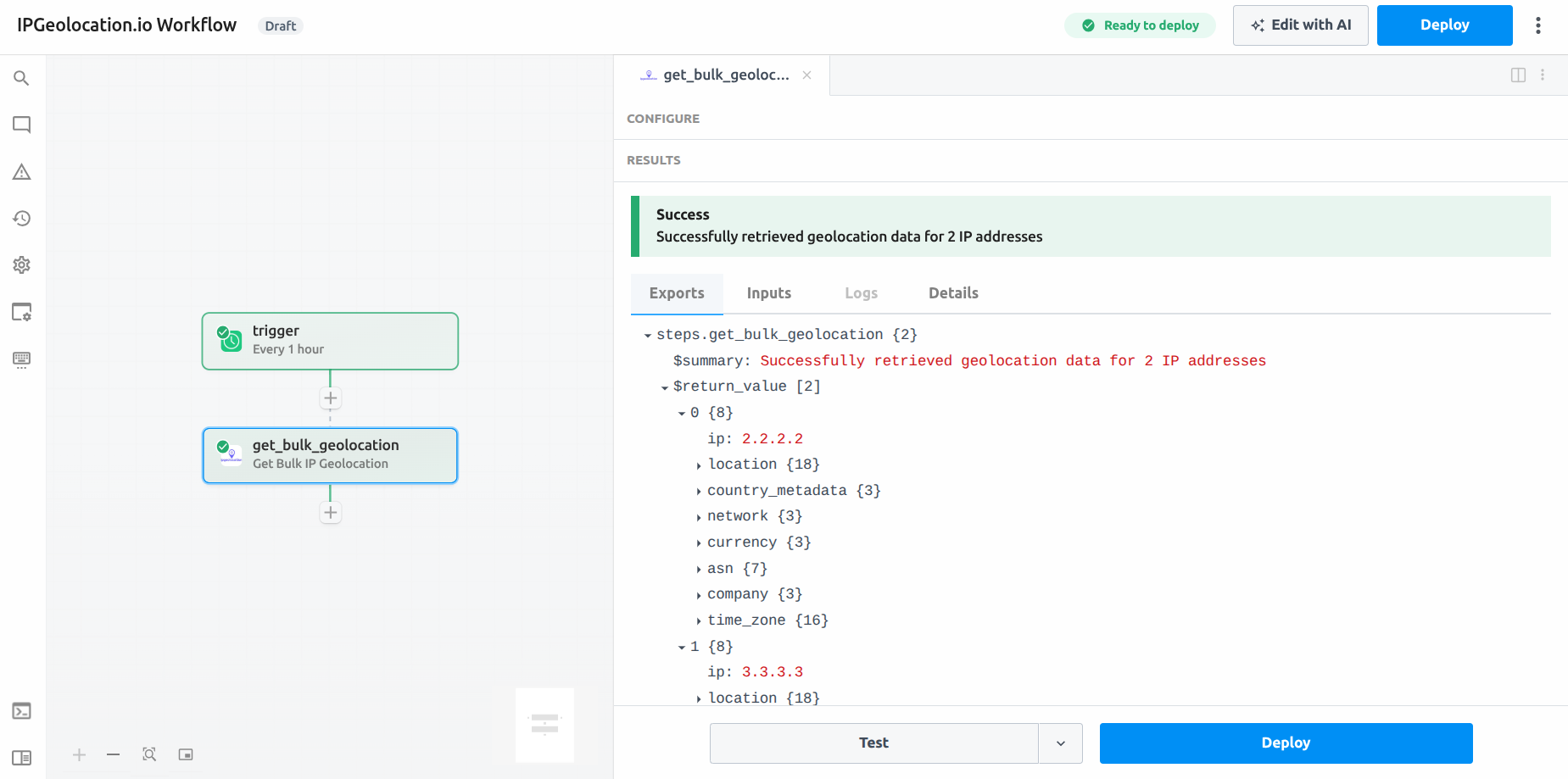
Example use case: Nightly enrichment of a database table of raw IP addresses from your access logs.
3. Get IP Security
- Endpoint:
GET /v3/security - Availability: Paid Plans
Returns threat intelligence for a single IP: VPN/proxy/Tor detection, bot flags, threat score, spam indicators, and cloud provider identification.
Inputs
| Field | Required | Description |
|---|---|---|
| IP Address | No | Leave blank to check the caller's IP |
| Fields | No | Only include these fields in the response |
| Exclude Fields | No | Fields to omit from the response |
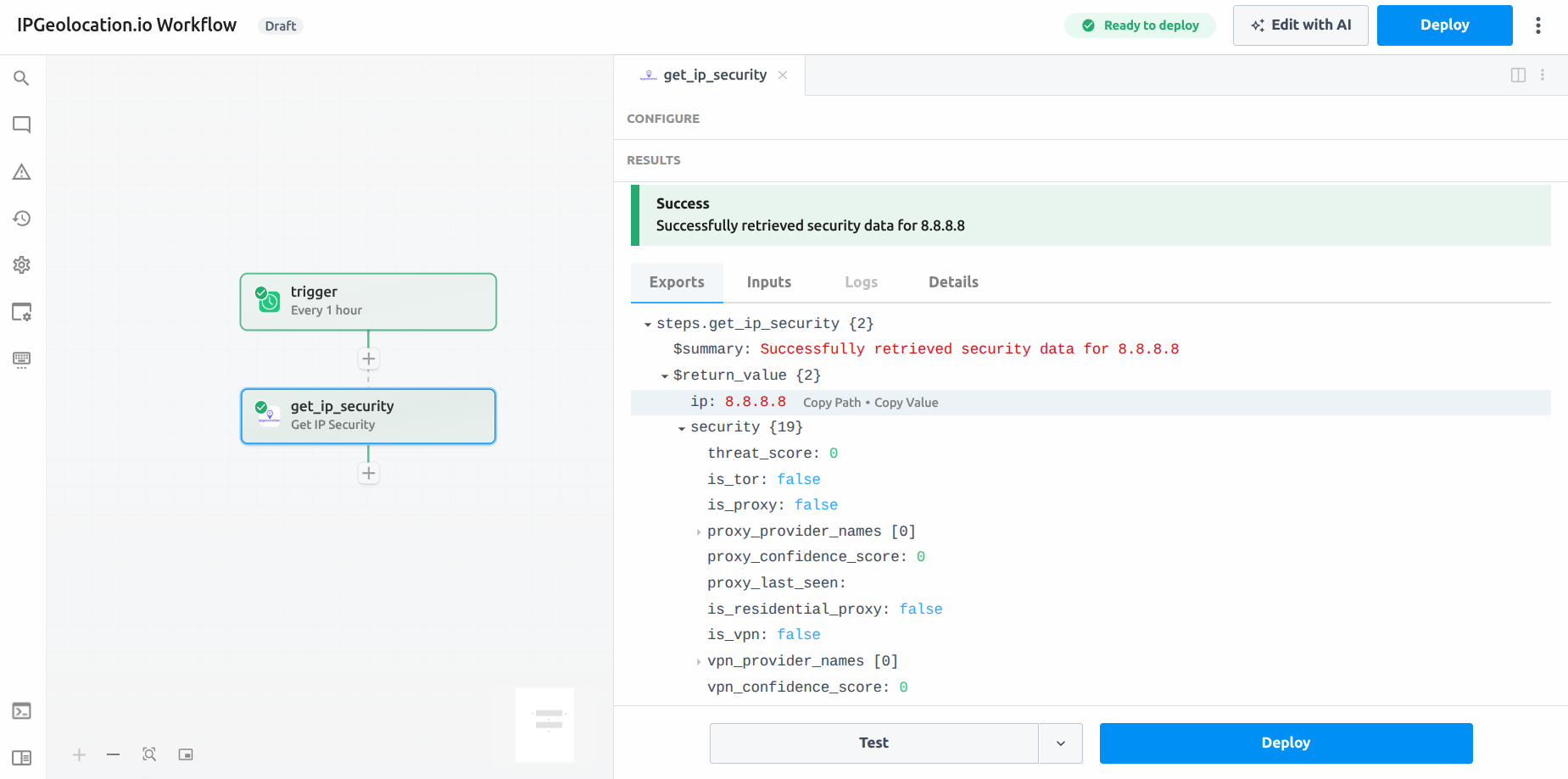
Example use case: Block or flag a login attempt if the IP has a high threat score or is detected as a known proxy.
const security = steps.get_ip_security.$return_value.security;
if (security.threat_score > 70 || security.is_proxy) {
  // trigger alert or deny action
}
4. Get Bulk IP Security
- Endpoint:
POST /v3/security-bulk - Availability: Paid Plans
Runs threat intelligence checks on up to 50,000 IP addresses at once. Returns per-IP security signals including VPN/proxy/Tor flags, threat scores, and bot detection.
Inputs
| Field | Required | Description |
|---|---|---|
| IP Addresses | Yes | Array of IPs (max 50,000) |
| Fields | No | Fields to include in the response |
| Exclude Fields | No | Fields to omit from the response |
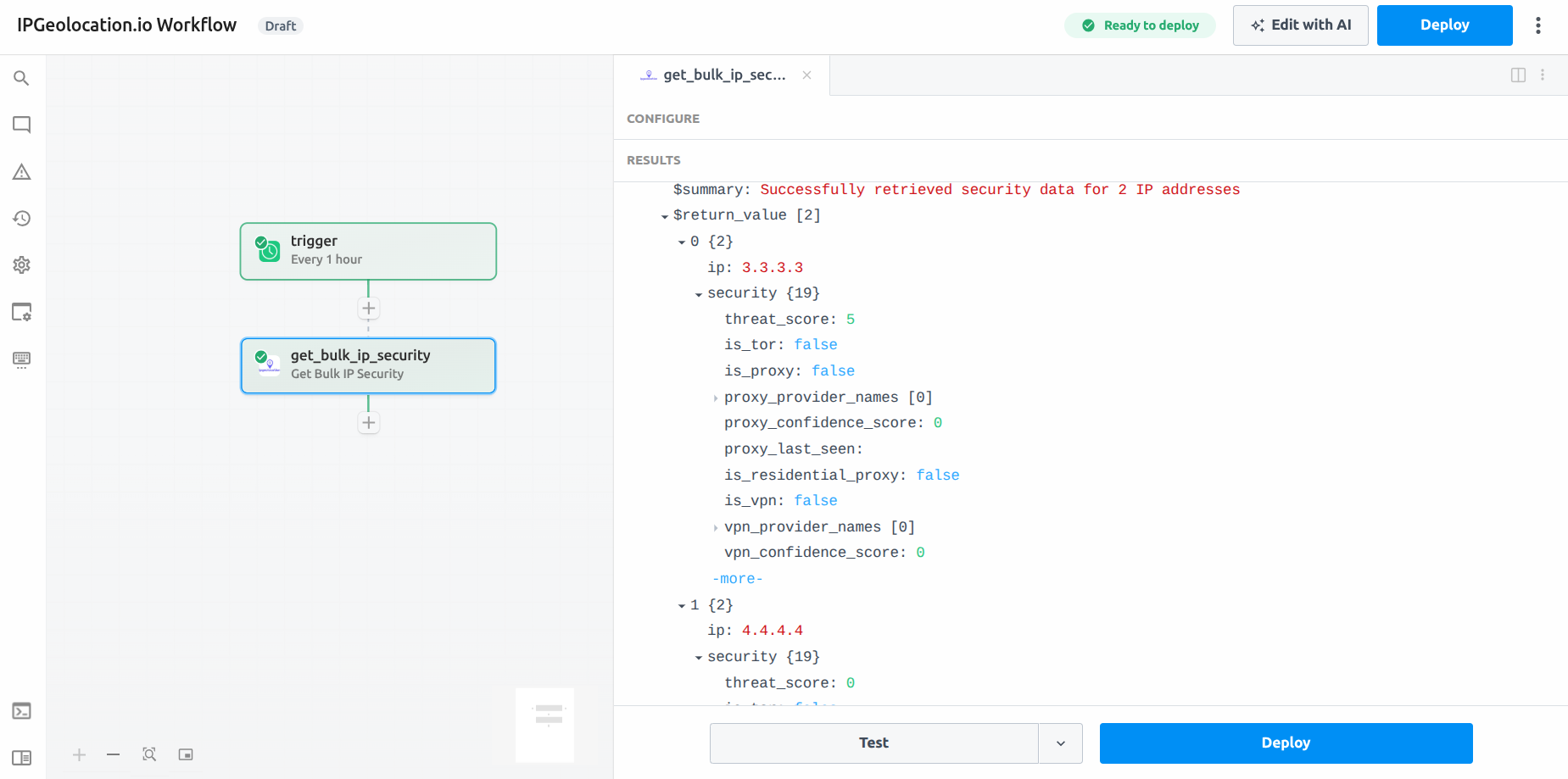
Example use case: Screen a list of IPs from a suspicious traffic spike for proxy/VPN usage before taking automated action.
5. Get ASN Details
- Endpoint:
GET /v3/asn - Availability: Paid Plans
Returns Autonomous System Number (ASN) data including AS number, organization name, IP ranges, peering info, and WHOIS details. Accepts an IP address or ASN number.
Inputs
| Field | Required | Description |
|---|---|---|
| IP Address | No | IP to look up ASN for |
| ASN | No | ASN number (e.g., AS15169) |
| Fields | No | Fields to include only in the response |
| Exclude Fields | No | Fields to omit from the response |
| Include Modules | No | Additional modules to include (e.g., routes, peers, whois_response, downstreams, upstreams) |
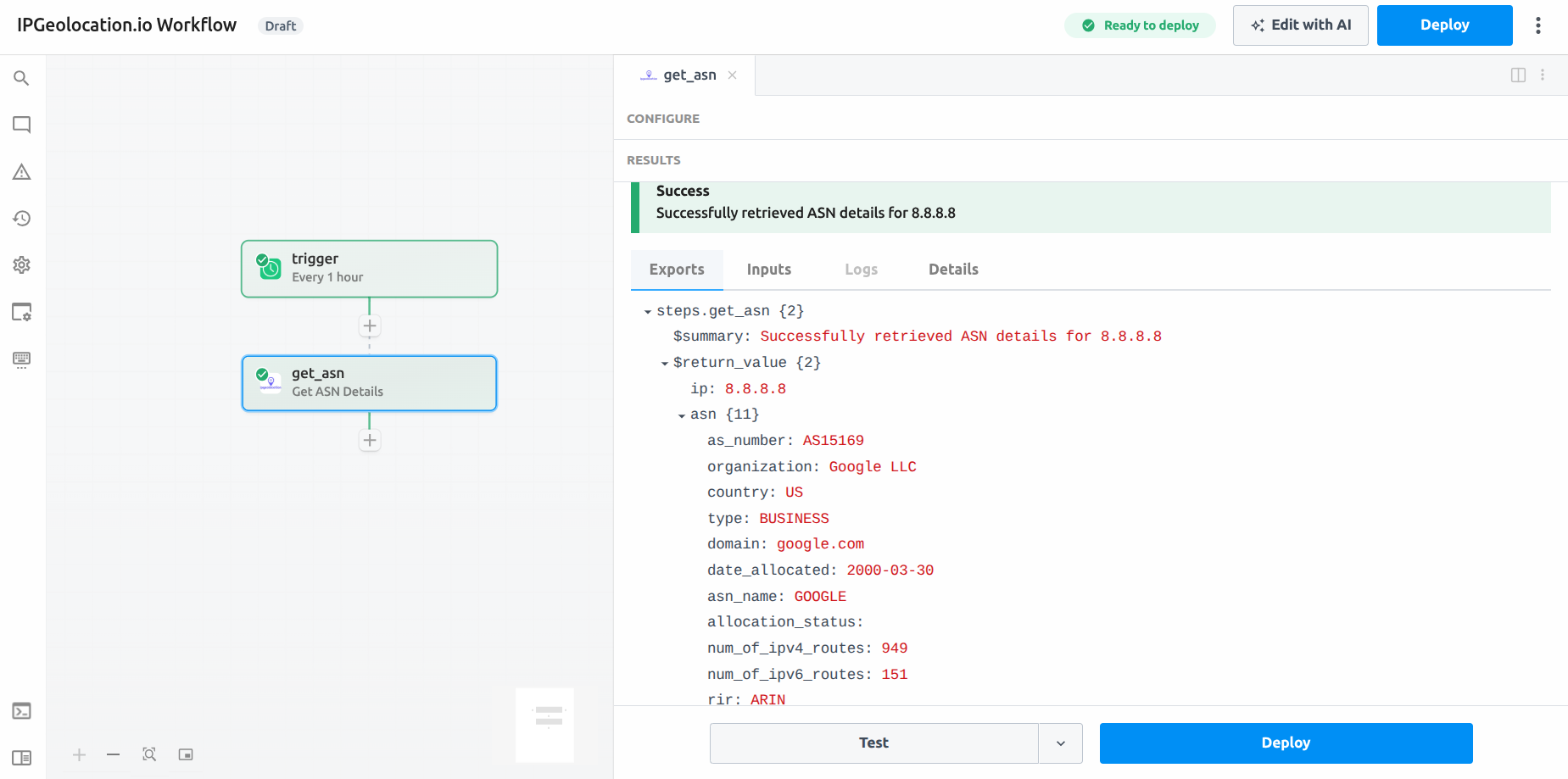
Example use case: Identify whether traffic is coming from a known cloud provider or hosting ASN to flag automated requests.
6. Get Abuse Contact
- Endpoint:
GET /v3/abuse - Availability: Paid Plans
Retrieves the abuse contact information registered for an IP address, including the responsible organization, email addresses, and phone numbers.
Inputs
| Field | Required | Description |
|---|---|---|
| IP Address | No | IP to look up; defaults to caller's IP |
| Fields | No | Fields to include only in the response |
| Exclude Fields | No | Fields to omit from the response |
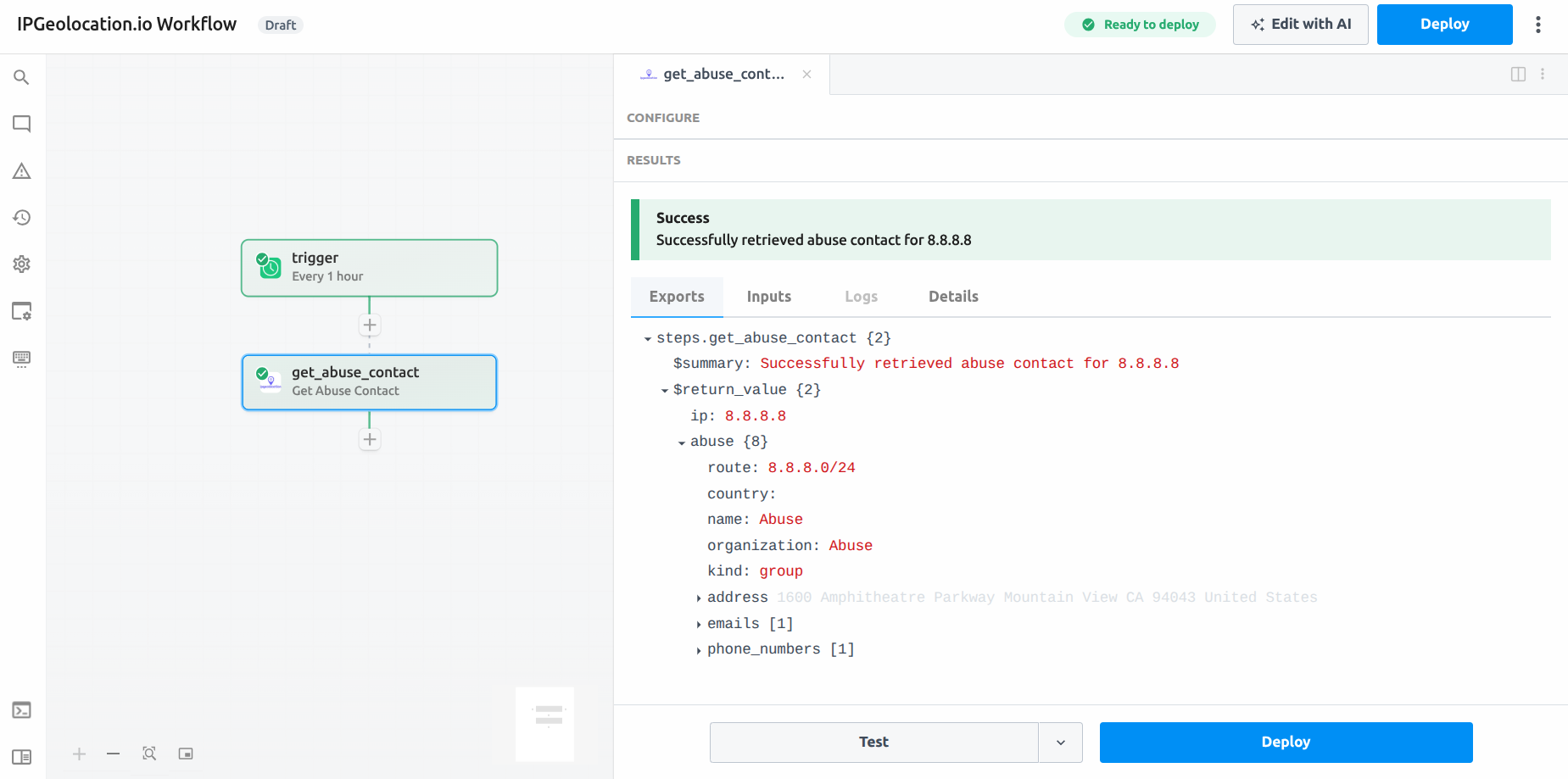
Example use case: Automatically compose and send an abuse report email when your WAF detects a repeated attacker IP.
const abuse = steps.get_abuse_contact.$return_value.abuse;
// abuse.emails[0] → abuse contact email
// abuse.name      → responsible organization
7. Get Timezone
- Endpoint:
GET /v3/timezone
Looks up timezone data for a location specified by IP address, coordinates, timezone name, city name, IATA airport code, ICAO code, or UN/LOCODE. Returns current time, UTC offset, DST status, and more.
Inputs
| Field | Required | Description |
|---|---|---|
| IP Address | No | IP to resolve timezone for |
| Timezone Name | No | e.g., America/New_York |
| Latitude | No | Must be paired with Longitude |
| Longitude | No | Must be paired with Latitude |
| Location | No | City/country string (e.g., London, UK) |
| IATA Code | No | Airport IATA code (e.g., JFK) |
| ICAO Code | No | Airport ICAO code (e.g., KJFK) |
| UN/LOCODE | No | UN/LOCODE (e.g., USNYC) |
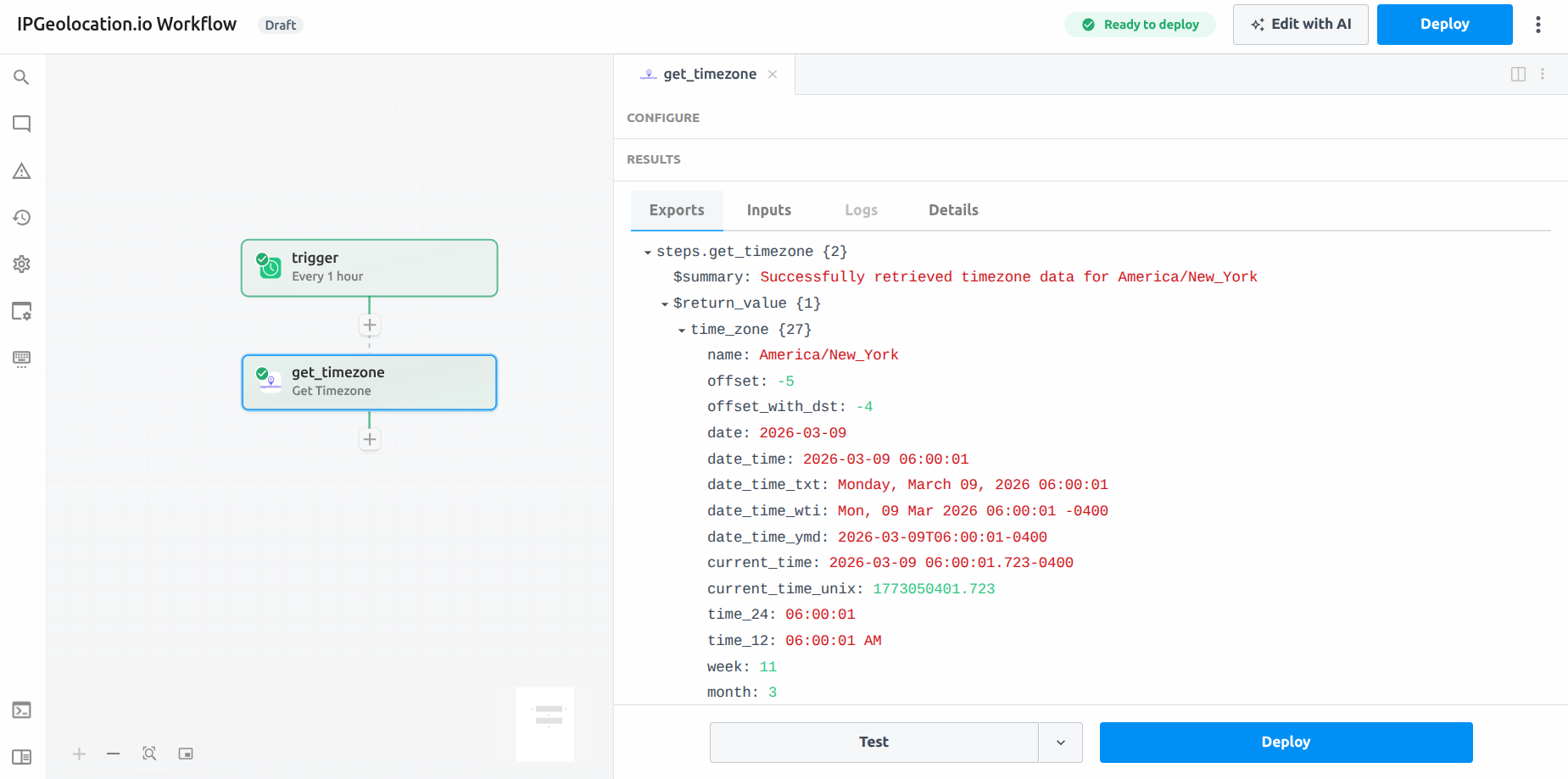
Example use case: Detect a user's local timezone from their IP on sign-up and pre-fill it in their account preferences.
8. Convert Timezone
- Endpoint:
GET /v3/timezone/convert
Converts a date/time from one timezone (or location) to another. Accepts timezone names, coordinates, city names, IATA codes, ICAO codes, or UN/LOCODEs as selectors for both the source and destination.
Inputs
| Field | API Parameter | Required | Description |
|---|---|---|---|
| Time to Convert | time | No | Datetime to convert, in yyyy-MM-dd HH:mm or yyyy-MM-dd HH:mm:ss format. Omit to convert the current time |
| Mode 1 — Timezone Names | |||
| From Timezone | tz_from | Conditional | Source IANA timezone name (e.g., America/Argentina/Catamarca) |
| To Timezone | tz_to | Conditional | Destination IANA timezone name (e.g., Asia/Kabul) |
| Mode 2 — Coordinates | |||
| From Latitude | lat_from | Conditional | Source latitude (-90 to 90) |
| From Longitude | long_from | Conditional | Source longitude (-180 to 180) |
| To Latitude | lat_to | Conditional | Destination latitude (-90 to 90) |
| To Longitude | long_to | Conditional | Destination longitude (-180 to 180) |
| Mode 3 — Location Addresses | |||
| From Location | location_from | Conditional | Source city/address string (e.g., New York, USA) |
| To Location | location_to | Conditional | Destination city/address string (e.g., Lahore, Pakistan) |
| Mode 4 — IATA Codes | |||
| From IATA | iata_from | Conditional | Source 3-letter airport IATA code (e.g., DXB) |
| To IATA | iata_to | Conditional | Destination 3-letter airport IATA code (e.g., LHR) |
| Mode 5 — ICAO Codes | |||
| From ICAO | icao_from | Conditional | Source 4-letter airport ICAO code (e.g., YSSY) |
| To ICAO | icao_to | Conditional | Destination 4-letter airport ICAO code (e.g., ZBAA) |
| Mode 6 — UN/LOCODEs | |||
| From LOCODE | locode_from | Conditional | Source 5-character UN/LOCODE (e.g., PKISB) |
| To LOCODE | locode_to | Conditional | Destination 5-character UN/LOCODE (e.g., USNYC) |
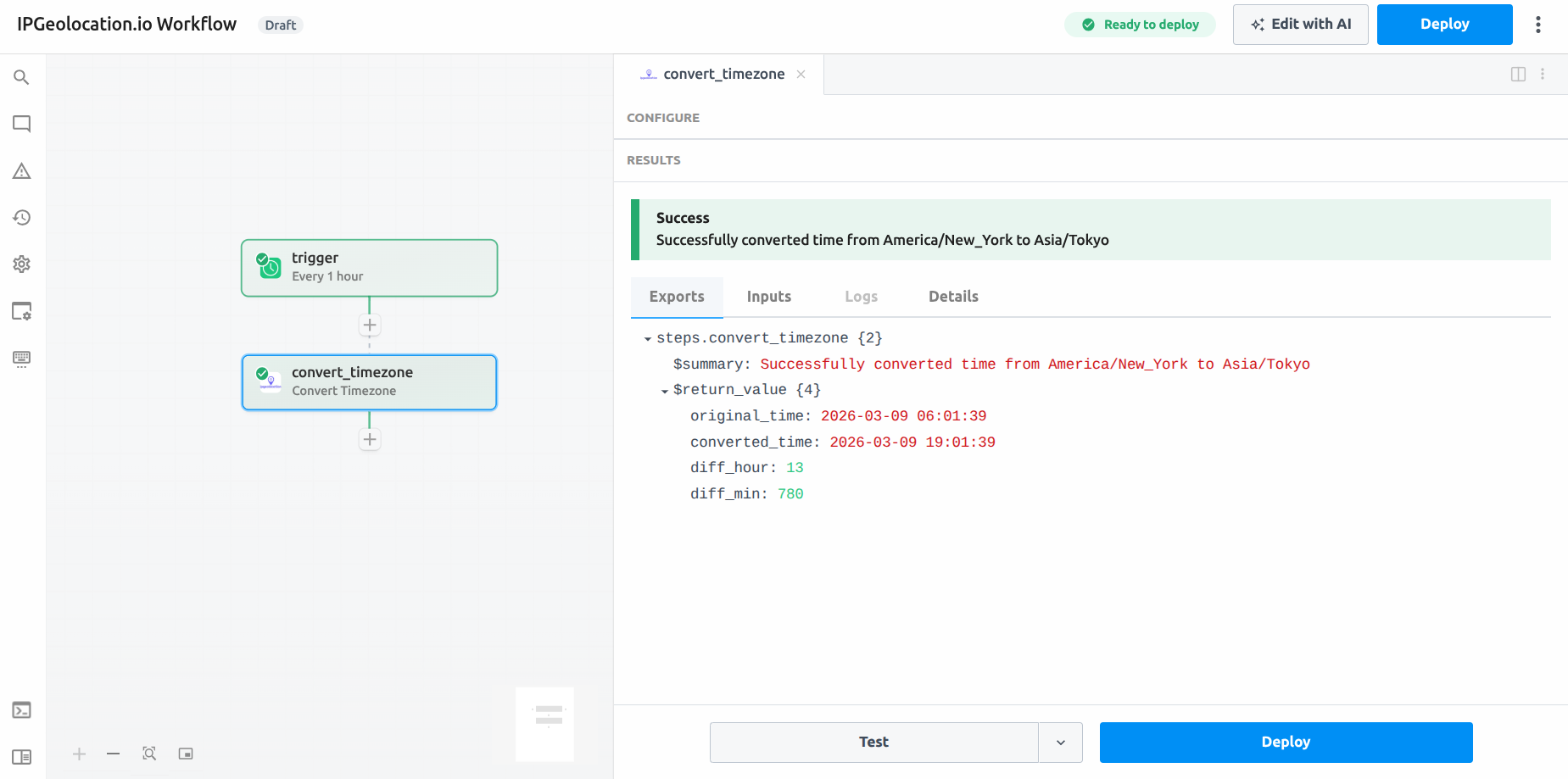
Example use case: Schedule a meeting notification by converting HQ local time to each participant's timezone before sending calendar invites.
9. Parse User Agent
- Endpoint:
POST /v3/user-agent - Availability: Paid Plans
Parses a single user agent string and returns structured data: browser name, version, device type, brand, CPU, operating system, and rendering engine.
Inputs
| Field | Required | Description |
|---|---|---|
| User Agent String | Yes | The raw UA string to parse |
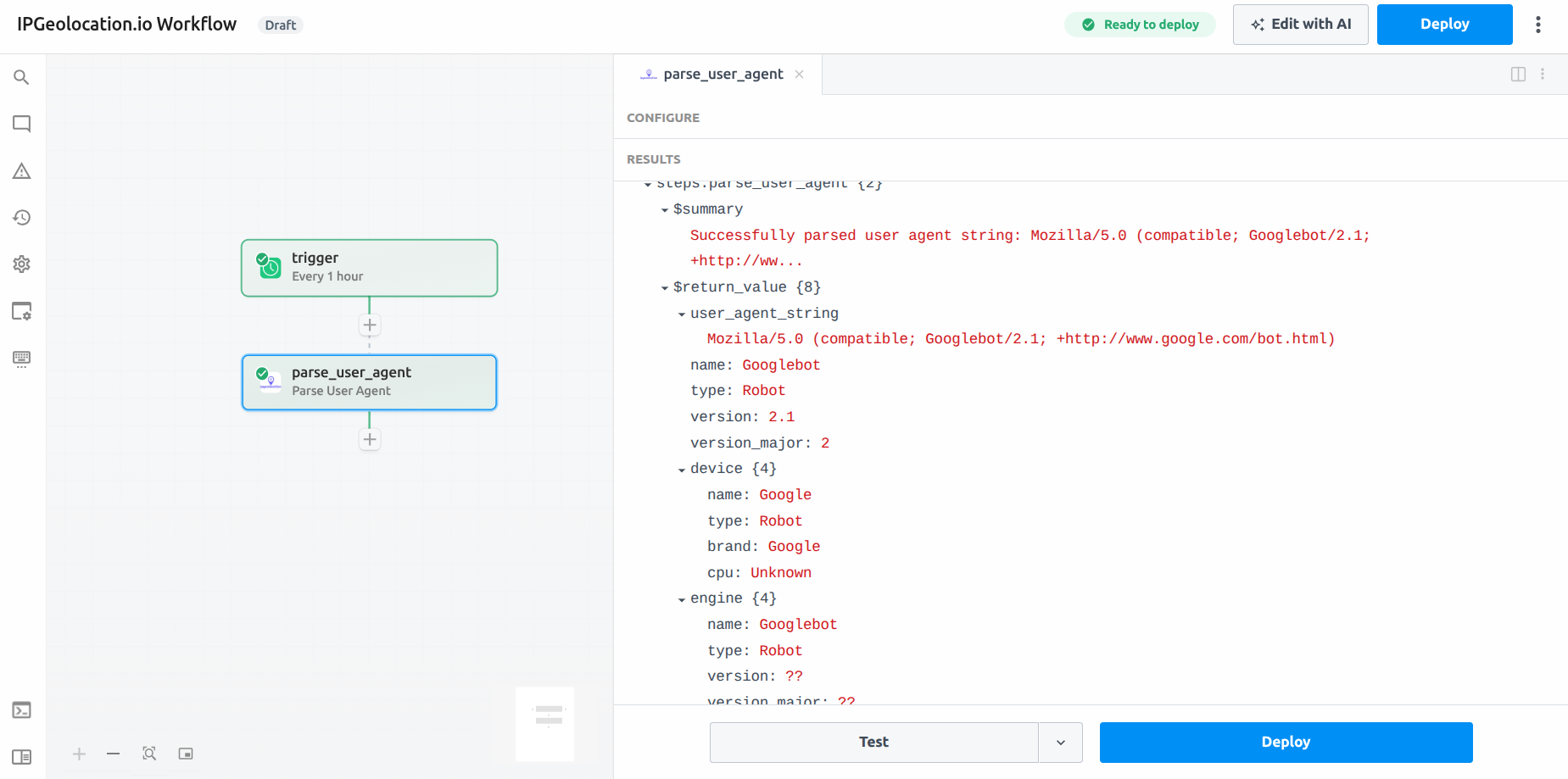
Example use case: Segment analytics by device type (mobile vs. desktop) or browser to identify UX issues for specific environments.
const ua = steps.parse_user_agent.$return_value;
// ua.name              → "Chrome"
// ua.device.type       → "Desktop"
// ua.operating_system.name → "Mac OS"
10. Parse Bulk User Agents
- Endpoint:
POST /v3/user-agent-bulk - Availability: Paid Plans
Parses up to 50,000 user agent strings in a single request. Returns the same structured breakdown as the single-UA action for each entry.
Inputs
| Field | Required | Description |
|---|---|---|
| User Agent Strings | Yes | Array of UA strings (max 50,000) |
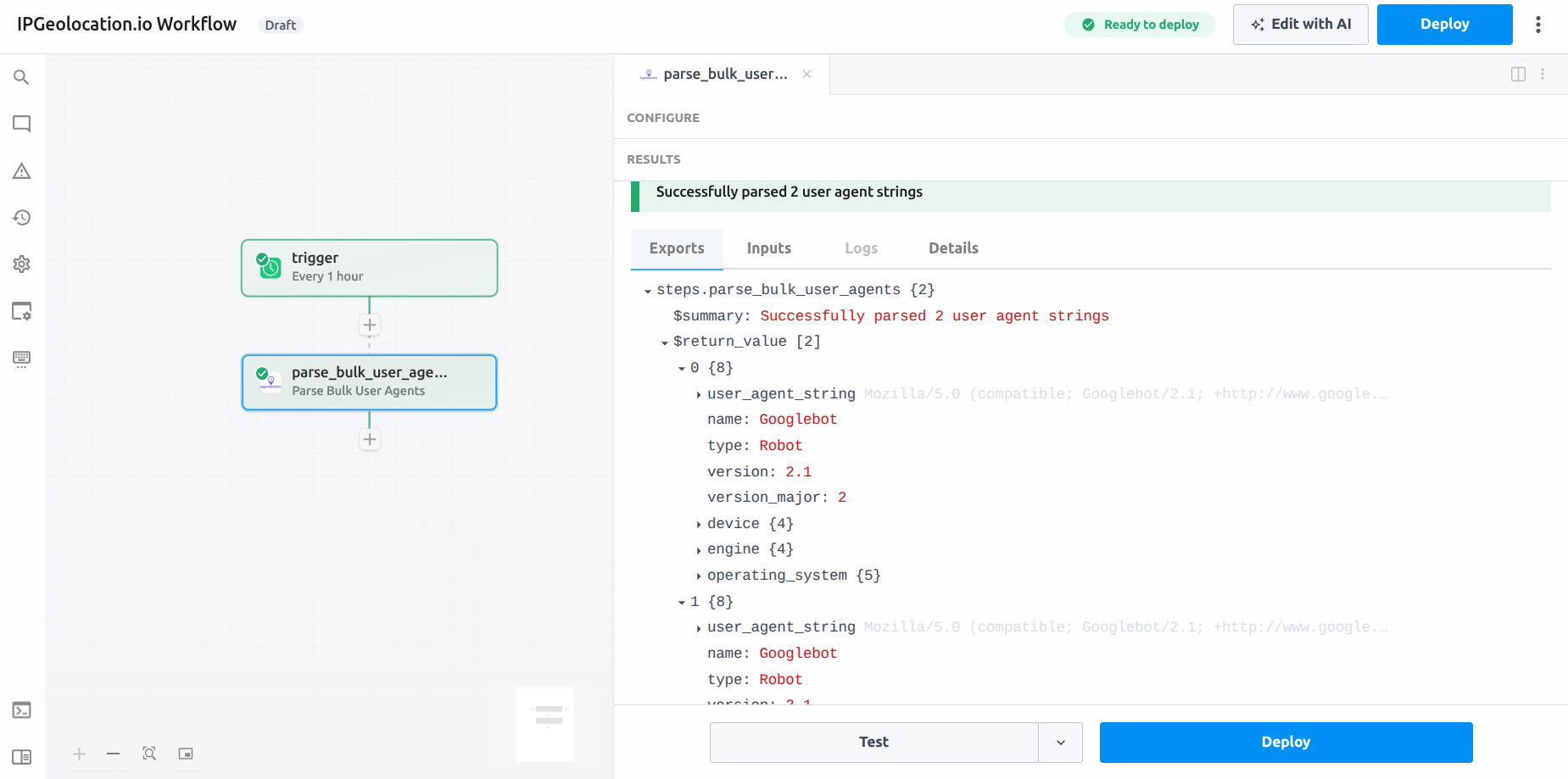
Example use case: Batch-analyze a day's worth of raw request logs to classify traffic by browser and device before loading into your analytics warehouse.
11. Get Astronomy Data
- Endpoint:
GET /v3/astronomy
Returns sunrise, sunset, moonrise, moonset, solar noon, and moon phase for a given location and date. Location can be specified by IP address, coordinates, or city name.
Inputs
| Field | Required | Description |
|---|---|---|
| Date | No | Defaults to today (YYYY-MM-DD) |
| IP Address | No | Resolve location from IP |
| Latitude | No | Must be paired with Longitude |
| Longitude | No | Must be paired with Latitude |
| Location | No | City/country string |
| Timezone | No | Timezone for result times |
| Language | No | Response language (defaults to en) |
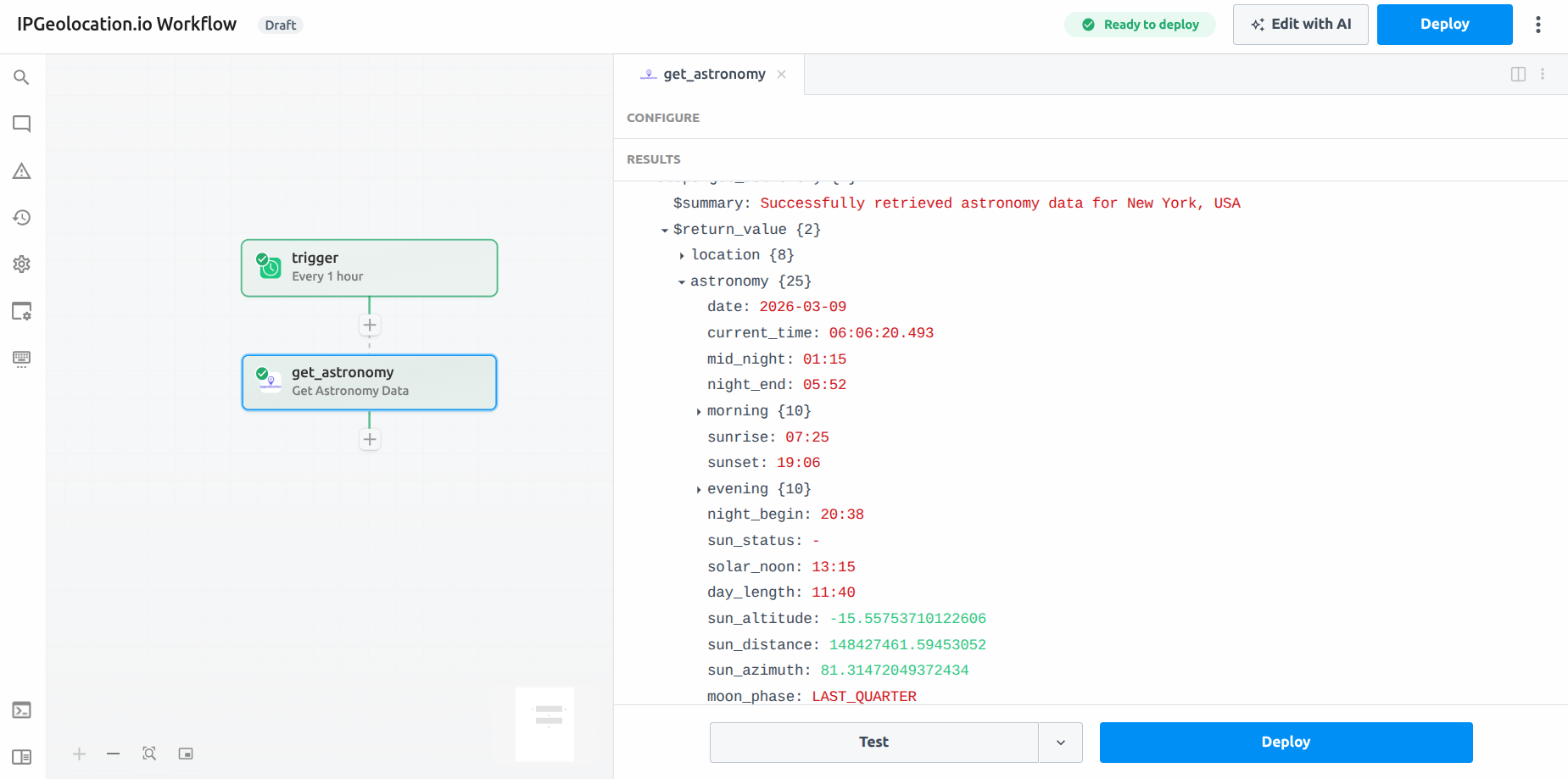
Example use case: Power an outdoor scheduling app by fetching sunrise/sunset times for a user's detected location before confirming booking slots.
12. Get Astronomy Time Series
- Endpoint:
GET /v3/astronomy/timeSeries
Returns astronomy data (sunrise, sunset, moonrise, moonset, moon phase) for every day within a specified date range, up to 90 days.
Inputs
| Field | Required | Description |
|---|---|---|
| Start Date | Yes | Range start (YYYY-MM-DD) |
| End Date | Yes | Range end (YYYY-MM-DD, max 90 days from start) |
| IP Address | No | Resolve location from IP |
| Latitude | No | Must be paired with Longitude |
| Longitude | No | Must be paired with Latitude |
| Location | No | City/country string |
| Timezone | No | Timezone for result times |
| Language | No | Response language |
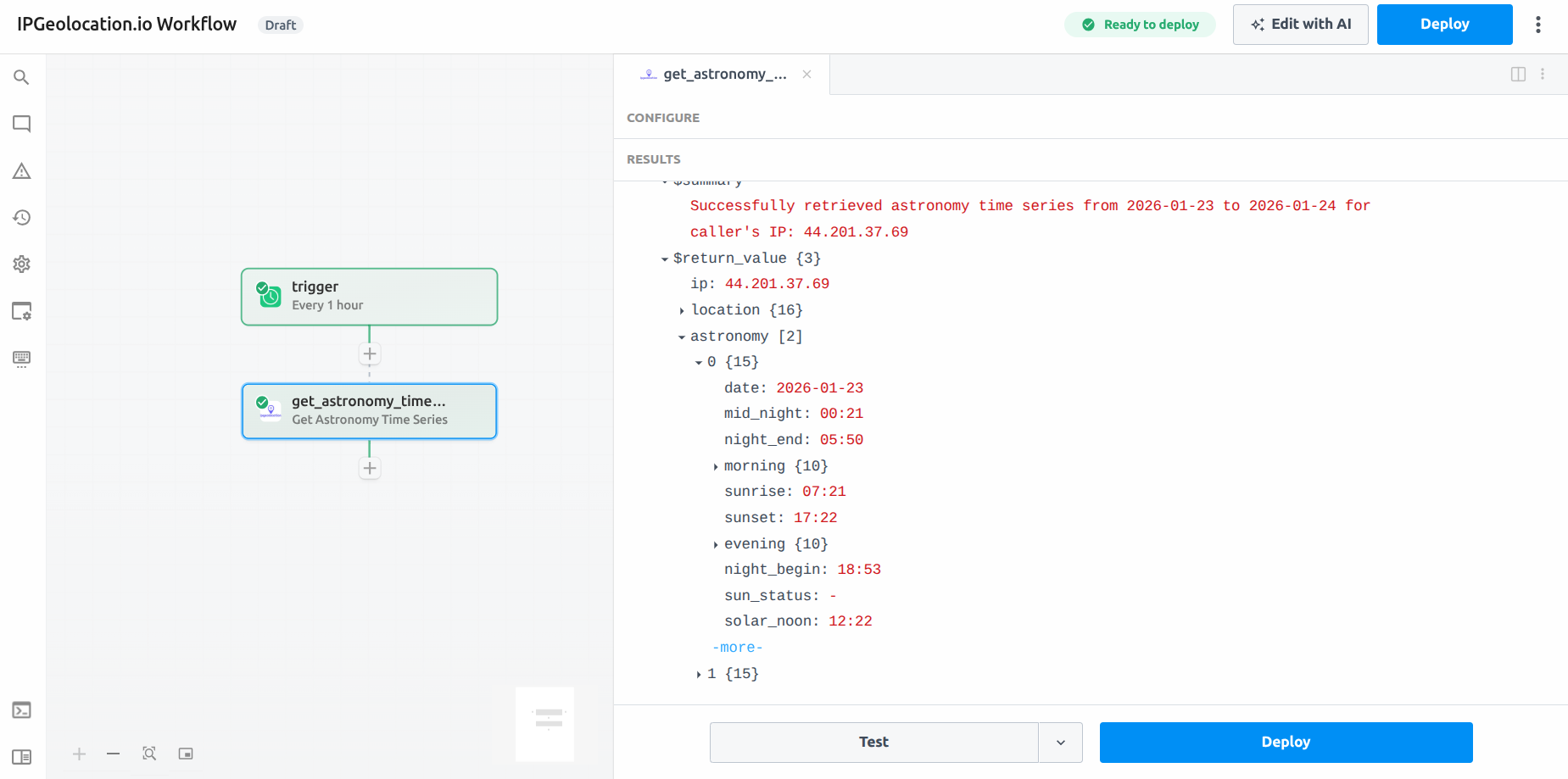
Example use case: Pre-generate a three-month calendar of golden-hour photography windows for a given location and export to a spreadsheet via Google Sheets.
Referencing Results in Pipedream
Every action's JSON response is accessible in downstream steps via steps.<action_name>.$return_value. Some common paths:
| What You Want | Path |
|---|---|
| Country name | steps.get_geolocation.$return_value.location.country_name |
| City | steps.get_geolocation.$return_value.location.city |
| Timezone name | steps.get_geolocation.$return_value.time_zone.name |
| Is EU visitor | steps.get_geolocation.$return_value.location.is_eu |
| Currency code | steps.get_geolocation.$return_value.currency.code |
| Calling code | steps.get_geolocation.$return_value.country_metadata.calling_code |
| Threat score | steps.get_ip_security.$return_value.security.threat_score |
| Is VPN | steps.get_ip_security.$return_value.security.is_vpn |
| Is Tor | steps.get_ip_security.$return_value.security.is_tor |
| ASN number | steps.get_asn.$return_value.asn.as_number |
| ASN org | steps.get_asn.$return_value.asn.organization |
| Abuse email | steps.get_abuse_contact.$return_value.abuse.emails[0] |
| Sunrise | steps.get_astronomy.$return_value.astronomy.sunrise |
| Moon phase | steps.get_astronomy.$return_value.astronomy.moon_phase |
| Converted time | steps.convert_timezone.$return_value.converted_time |
| Hour difference | steps.convert_timezone.$return_value.diff_hour |
| Browser name | steps.parse_user_agent.$return_value.name |
| Device type | steps.parse_user_agent.$return_value.device.type |
| OS name | steps.parse_user_agent.$return_value.operating_system.name |
Example Workflows
1. Fraud detection on new sign-ups
Trigger: New row in database (e.g., Supabase, Airtable) Steps:
- Get IP Geolocation — enrich with country and city
- Get IP Security — check threat score, proxy/VPN flags
- Conditional branch — if
threat_score > 60, send a Slack alert and flag the record; otherwise continue onboarding
2. Nightly log enrichment
Trigger: Schedule (daily at midnight) Steps:
- Fetch raw IP list from your data warehouse (e.g., BigQuery, Snowflake)
- Get Bulk IP Geolocation — enrich all IPs with location and ASN
- Write enriched records back to the warehouse
3. Localized email scheduling
Trigger: New subscriber added to mailing list Steps:
- Get Timezone (by IP) — detect subscriber's local timezone
- Convert Timezone — convert your send time from UTC to local time
- Schedule the email send via your ESP (e.g., Mailchimp, SendGrid)
API Limits & Best Practices
- Free Developer plan includes 1,000 credits per day.
- Astronomy time series date ranges are capped at 90 days per request.
- Bulk actions are capped at 50,000 entries per request. Pipedream will throw a validation error before the request is sent if this limit is exceeded.
- Only paid plan subscriptions can receive responses in languages other than English. On the free plan, responses are in English only. If a language other than English is specified in the
Languageparameter while using an API key on the free plan, the request will result in a401 (Unauthorized)response. - When using coordinate-based lookups (Get Timezone, Get Astronomy), always provide both Latitude and Longitude together.
- For Convert Timezone, use the same selector type for source and destination (e.g., both as timezone names or both as coordinates) to avoid validation errors.
- For best performance and lower latency, use the Fields parameter to request only the data fields your workflow actually needs.
Troubleshooting
401 Unauthorized — Your API key is invalid or missing. Re-connect your IPGeolocation.io account in Pipedream's credentials settings and verify the key is active in your dashboard.
429 Too Many Requests — You have exceeded the API credits limit for the subscription/free plan. Upgrade your plan or wait until the next billing cycle. For more information, see Pricing.
400 Bad Request — One or more inputs are invalid. Common causes include: providing only one of Latitude/Longitude, invalid IP address, specifying mismatched selector types in Convert Timezone, or passing an invalid date format (use YYYY-MM-DD where specified).
Bulk limit exceeded — The Pipedream action validates array size before sending the request. Ensure your input array does not exceed 50,000 entries.
Empty or unexpected response fields — Some fields/modules (e.g., security, hostname, abuse, user_agent, geo_accuracy, dma_code for Get IP Geolocation action and routes, peers, whois_response, downstreams, upstreams for Get ASN Details action) are only available on paid plans. Check your plan tier and enable the relevant modules using the Include Modules field.
For additional help, contact support or visit the IPGeolocation.io documentation.