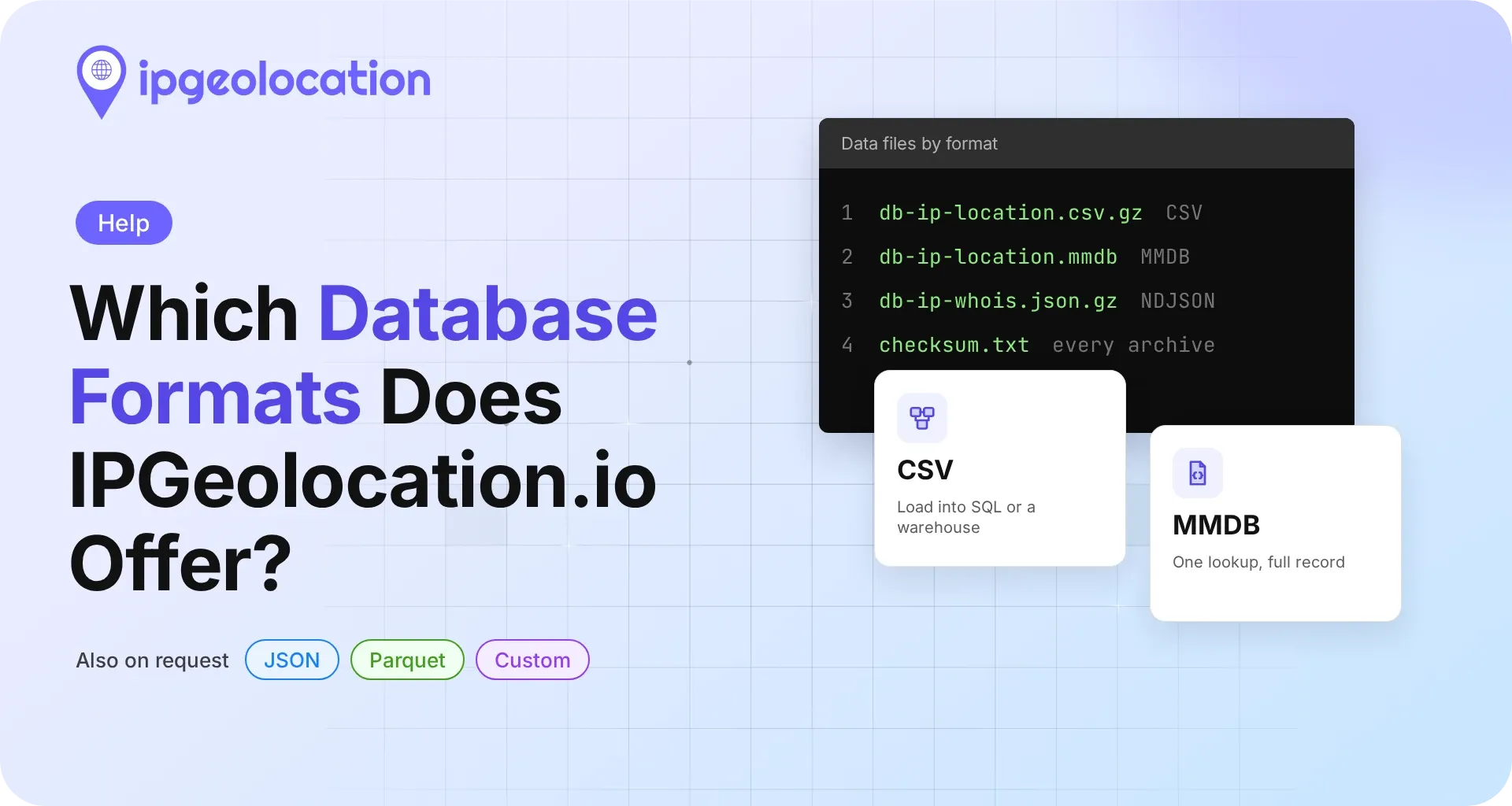
The default IPGeolocation.io database formats are CSV and MMDB for the lookup databases and Gzip-compressed NDJSON for the IP WHOIS and ASN WHOIS databases. JSON, Parquet, or a custom format is available on request at no extra cost, and every release arrives as a ZIP archive with a README and SHA-256 checksums.
Formats by database
The table lists the data files inside each archive, and each database name links to its documentation page with the full schema.
| Database | Default Formats | Files In The CSV Edition | File In The MMDB Edition |
|---|---|---|---|
| IP to Country | CSV, MMDB | db-ip-country.csv.gz, db-country.csv.gz, db-place.csv.gz | db-ip-country.mmdb |
| IP to City (Geo Standard) | CSV, MMDB | db-ip-location.csv.gz, db-country.csv.gz, db-place.csv.gz | db-ip-location.mmdb |
| IP to Location (Geo Advance) | CSV, MMDB | db-ip-location.csv.gz, db-country.csv.gz, db-place.csv.gz | db-ip-location.mmdb |
| IP Security | CSV, MMDB | db-ip-security.csv.gz | db-ip-security.mmdb |
| IP to Hosting | CSV, MMDB | db-ip-hosting.csv.gz | db-ip-hosting.mmdb |
| Residential Proxy | CSV, MMDB | db-residential-proxy.csv.gz | db-residential-proxy.mmdb |
| IP to ASN (Lite) and IP to ASN (Deep) | CSV, MMDB | db-ip-asn.csv.gz, db-asn-details.csv.gz | db-ip-asn.mmdb |
| IP to Company | CSV, MMDB | db-ip-company.csv.gz, db-company-details.csv.gz | db-ip-company.mmdb |
| IP Abuse Contact | CSV, MMDB | db-ip-abuse.csv.gz, db-abuse-details.csv.gz | db-ip-abuse.mmdb |
The IP WHOIS and ASN WHOIS databases ship in one default format, Gzip-compressed NDJSON:
Every archive, whatever the format, holds a README.md and a checksum.txt with a SHA-256 hash for each file, and each release comes with a matching signature file that you check against the IPGeolocation.io public key, following the verification steps on each database's documentation page.
Which format fits your workload
Choose a format by how you'll use the data:
- Lookups inside an application or service: MMDB. It answers one address at a time from a local file, with no joins.
- Joins in SQL or a data warehouse: CSV, or Parquet on request for columnar warehouses.
- WHOIS investigations and bulk parsing: NDJSON, streamed line by line.
Each of these assumes you host the files yourself. Whether to host them at all, or call an API for each lookup instead, is a separate decision, and choosing between an IP geolocation API and a database walks through it.
What's inside the CSV archive
A CSV download is a ZIP archive of Gzip-compressed CSV files (.csv.gz), plus README.md and checksum.txt. Every CSV file is UTF-8, comma-separated, and starts with a header row. Quoting follows the convention in RFC 4180, and some values, such as language lists, contain commas of their own, so read the files with a standard CSV parser or database loader rather than splitting lines on commas.
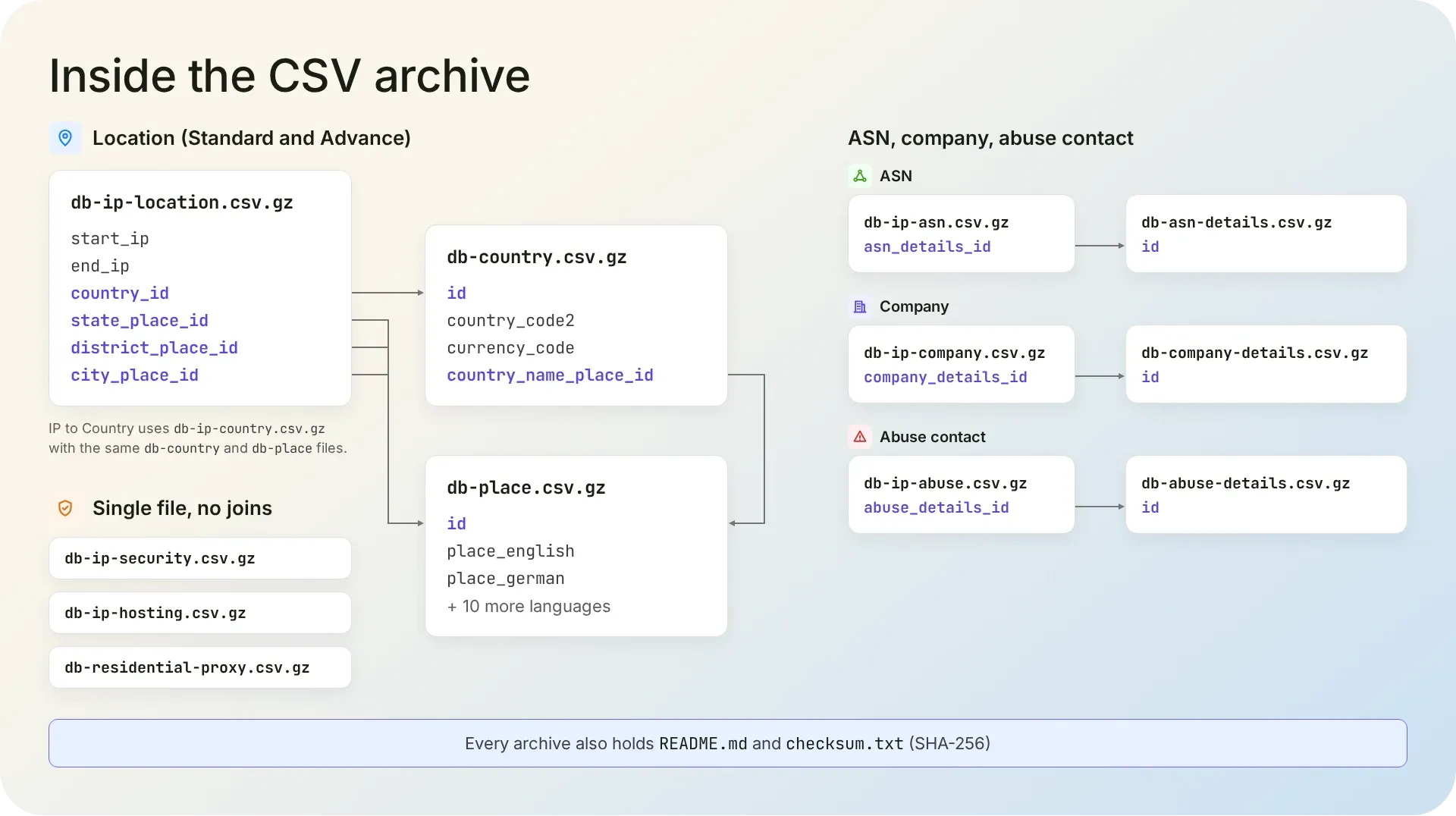
The location, ASN, company, and abuse contact archives are relational. In the location archive, db-ip-location.csv.gz holds the IP ranges with a country_id and place IDs for state, district, and city; db-country.csv.gz holds one row per country; and db-place.csv.gz holds every place name in 12 languages, keyed by ID. The ASN, company, and abuse contact archives each pair a range file with a details file. The security, hosting, and residential proxy archives each hold a single data file that keeps its attributes on every range, so there's nothing to join.
1. Why the CSV files are split and linked by ID
At IPGeolocation.io, we split the relational archives to cut duplication. In one flat file, many rows would repeat the same country and place data and differ only in start_ip and end_ip, so storing each name once keeps the archive smaller. The cost of the split is a join on ID when you look up an address, and the MMDB edition does that join for you when the file is built.
What's inside the MMDB archive
An MMDB download is a ZIP archive with a single .mmdb file, plus README.md and checksum.txt. MMDB is a binary file format built for IP lookups: it maps IP ranges to records and stores them in a search tree, so a reader finds the record for an address by walking the bits of that address instead of scanning the file.
Where the CSV edition keeps IDs that you join, the MMDB edition stores each range's full record. One lookup returns the whole record, with no joins and no database server.
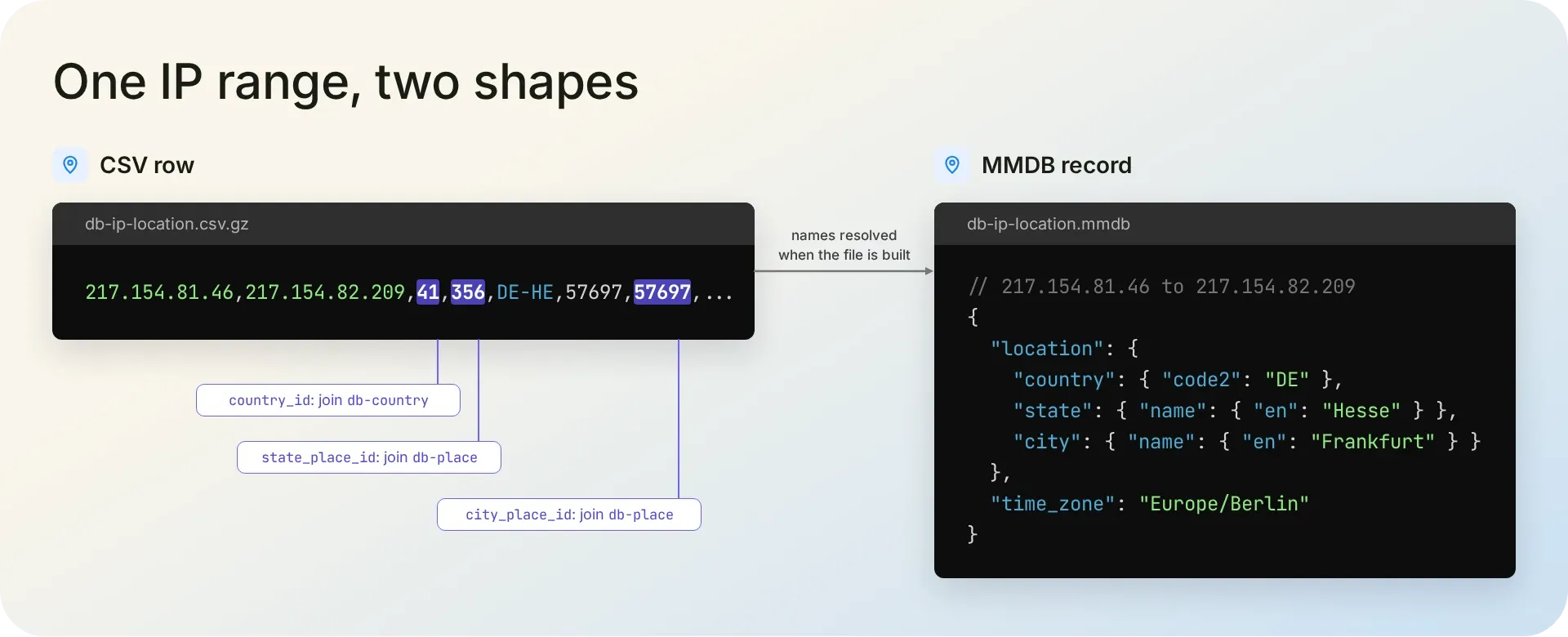
MMDB is binary, so you read it through a reader library in your application, or without writing code using the mmdbio command-line tool. To join MMDB data onto logs with plain SQL, you can query MMDB files with SQL in DuckDB.
Why the WHOIS databases ship as NDJSON
IPGeolocation.io ships its IP WHOIS and ASN WHOIS databases as NDJSON because their records are nested. NDJSON (newline-delimited JSON) is a text format with one complete JSON record per line, encoded in UTF-8. A WHOIS record carries an organization plus lists of abuse, admin, technical, and incident-response contacts, and the original registry response, which would take several linked tables in CSV.
The archive holds one Gzip-compressed file, db-ip-whois.json.gz or db-asn-whois.json.gz, with the organization and contacts embedded in each record, so there are no joins. Despite the .json.gz extension, the file isn't one JSON document: parse each line as its own record rather than loading the file as a single array. Because each line stands alone, you can stream the file and never hold it all in memory. Every field is present in every record, but the organization, contact, BGP, and date fields are null when the registry has no data for them, so check before reading them.
JSON, Parquet, and other formats on request
We deliver any IPGeolocation.io database as JSON, Parquet, or a custom format on request, at no extra cost, with the same stable schemas and changelogs. After CSV and MMDB, JSON and Parquet are the formats customers request most. Parquet suits teams that load data into a warehouse or a data lake, and JSON suits pipelines that already parse JSON everywhere else.
Beyond the format, you can change what the files hold: a custom build lets you mix fields across databases and choose the schema, transforms, update cadence, delivery, and format. The custom build itself costs nothing extra; your subscription price still depends on the databases and the update cadence you pick. For a custom build or a format on request, contact us through our contact form.
Samples, bundles, and custom builds
IPGeolocation.io maintains its data continuously and delivers updated files on your subscription’s update cadence. The databases cover IP geolocation with time zone, security risk signals such as VPN, proxy, Tor, and bot detection with a threat score, and ASN, company, abuse contact, and WHOIS data.
To move forward:
- Download a free sample from the tier page that holds your database: Geo Standard databases, Geo Advance databases, or Security Pro databases.
- Check the schema on the database's documentation page, linked from the tables above.
- Request a quote for one database, a ready-made bundle, or a custom build, and name the format you need.
FAQ
Yes, as Gzip-compressed CSV files with a header row. IPGeolocation.io ships every lookup database in both CSV and MMDB; only the IP WHOIS and ASN WHOIS databases default to NDJSON.
As CSV, yes for both, on request and at no extra cost. As MMDB, only IP WHOIS: IPGeolocation.io can prepare it on request, but ASN WHOIS has no MMDB edition, because an MMDB file looks records up by IP address and ASN WHOIS records are keyed by AS number.
Yes. In IPGeolocation.io's IP-range databases, IPv4 and IPv6 ranges sit in the same file, and the MMDB editions answer lookups for both.
Use the mmdbio command-line tool from IPGeolocation.io. It reads any MMDB file: it looks up addresses, shows the schema, exports records to JSON, and validates a file before you deploy it.
Not as a full download: IPGeolocation.io databases are subscriptions priced by quote. You can test the data with the free sample files on each database's product page, or through the free trials on our Snowflake Marketplace listings, which cover six of the databases.
Yes. IPGeolocation.io builds each MMDB file from the same CSV data, so both editions hold the same records. Only the structure differs: where the CSV edition splits data into files linked by ID, the MMDB edition returns those details already joined in one record.