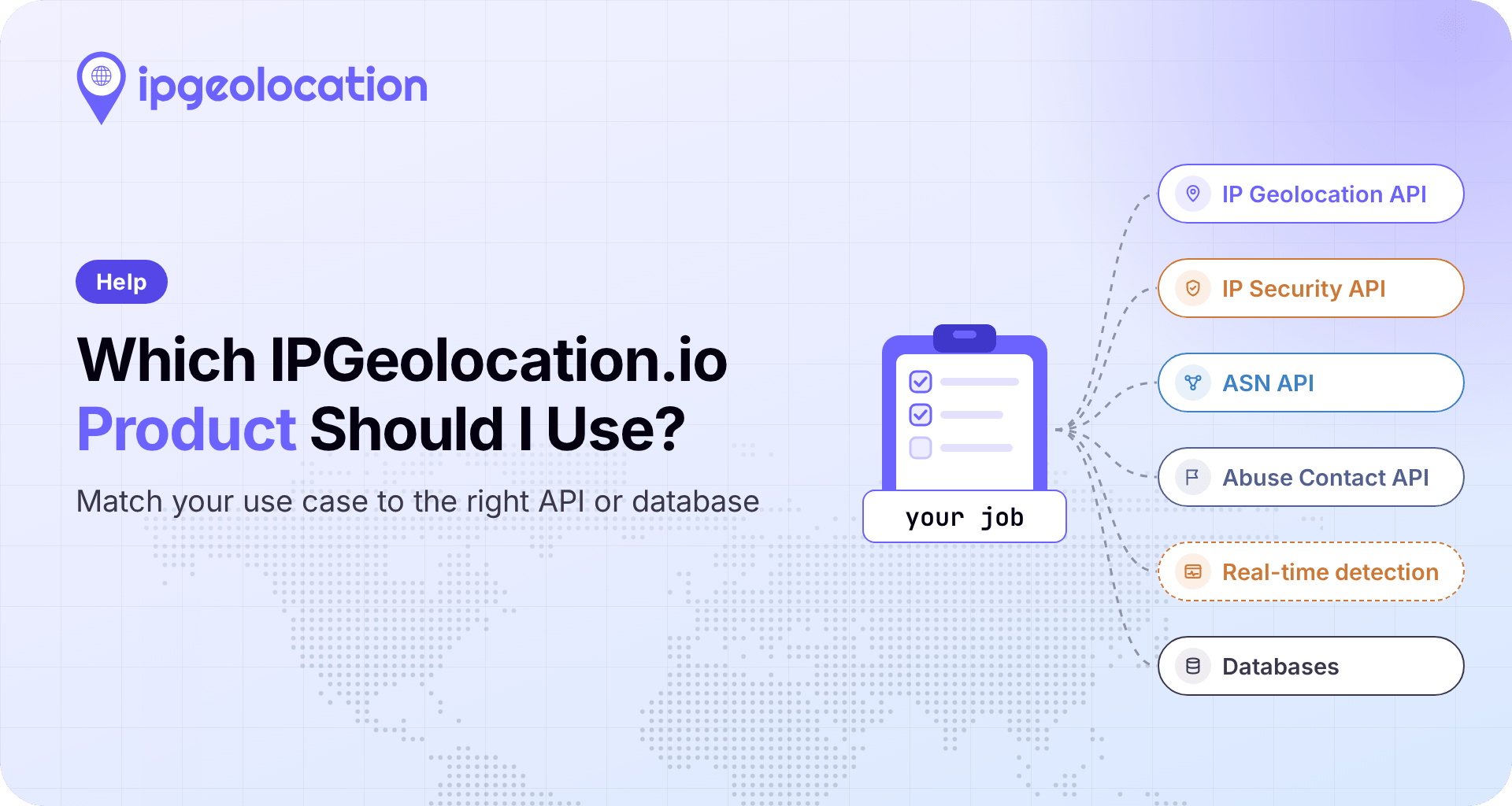
For most jobs, the IPGeolocation.io product to start with is the IP Geolocation API: one /v3/ipgeo call returns location, ASN, company, and time zone data, and optional modules such as security, abuse contact, and user agent data when you request them on a paid plan. Pick a dedicated API when you need a single data type or a feature only that API has, Real-Time VPN and Proxy Detection when you need to test a visitor's live session in the browser, and a database when lookups have to run on your own servers.
Quick pick: match your job to a product
Find your job in the first column; the rest of the row gives the product, the call, and the plan it needs.
| Your Job | Product | Call Or Delivery | Plan |
|---|---|---|---|
| Show local content, prices, and times | IP Geolocation API | /v3/ipgeo |
Free and paid |
| Score or block risky signups and logins | IP Geolocation API, or the IP Security API on its own | /v3/ipgeo?include=security, or /v3/security |
Paid |
| Check whether this visitor's session is behind a VPN or proxy right now | Real-Time VPN and Proxy Detection | Browser script | Paid |
| Research a network's routes, peers, upstreams or downstreams | ASN API | /v3/asn |
Paid |
| See which company is behind an address | IP Geolocation API | /v3/ipgeo (the company object) |
Paid |
| Report abuse coming from an address | IP Abuse Contact API, or the IP Geolocation API | /v3/abuse, or /v3/ipgeo?include=abuse |
Paid |
| Get the time zone for a city, coordinates, or an airport, or convert a time | Time Zone API | /v3/timezone, /v3/timezone/convert |
Free and paid |
| Parse browser, device, and OS from user agents | User Agent API, or the IP Geolocation API | /v3/user-agent, or /v3/ipgeo?include=user_agent |
Single GET requests that parse the User-Agent header are available on all plans. POST custom-string parsing, bulk parsing, and include=user_agent require a paid plan. |
| Enrich logs or warehouse tables offline or at high volume | Databases | MMDB or CSV files on your servers | Separate database license |
Five of the nine jobs can be done with one /v3/ipgeo call, which is why it's the place to start. Plans and prices for every row are on the API pricing page. For sunrise, sunset, and moon data, there's the Astronomy API.
Three questions that decide it
A practical way to choose is to answer three questions in order, each narrowing the next.
Which data answers the job? Name the data, not the product. Localizing a storefront needs location and currency. A login check needs location, risk signals, and the network type. An abuse desk needs the abuse contact registered for the address. Time zone and user agent jobs often have nothing to do with an IP address at all.
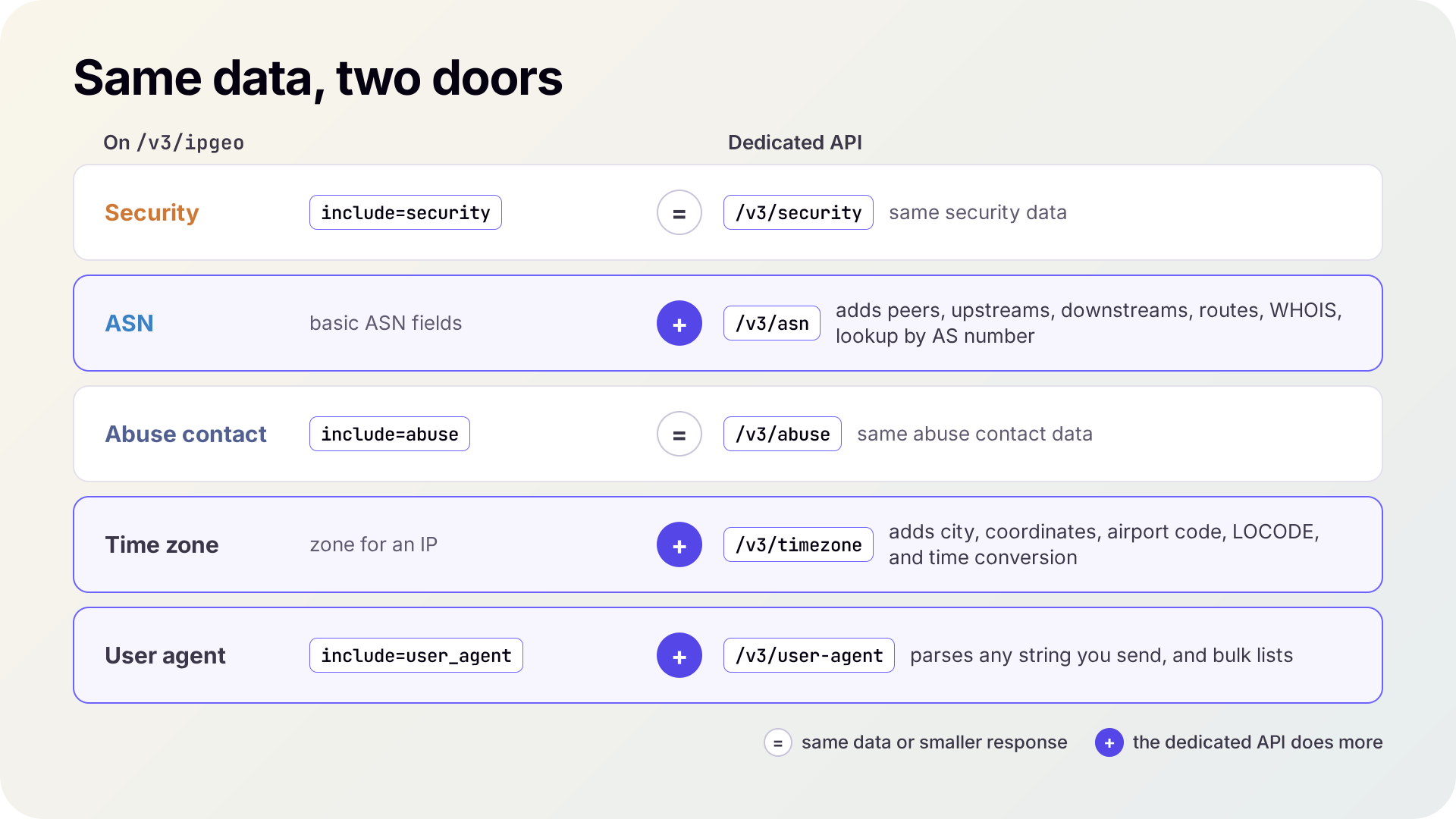
One data type or several? If the job needs two or more data types for the same address, ask for them in one /v3/ipgeo call and read one response. If it needs exactly one, check its dedicated API, which can return more detailed information, such as the dedicated ASN API can reveal the peers, upstreams, downstreams, routes, and WHOIS record, while /v3/ipgeo returns the basic response
Where does the lookup run? On your server, it's an API call. In the visitor's browser, it tests the connection itself and runs as a real-time script. Inside your own pipeline, with no outbound call at all, it's a database.
Start with the IP Geolocation API
The IP Geolocation API is the default because one request returns most of the data types in one JSON response, and most checks combine two or three of them. A login from a familiar city looks routine until the same response, with security data included, shows a hosting network and a VPN flag on the address.
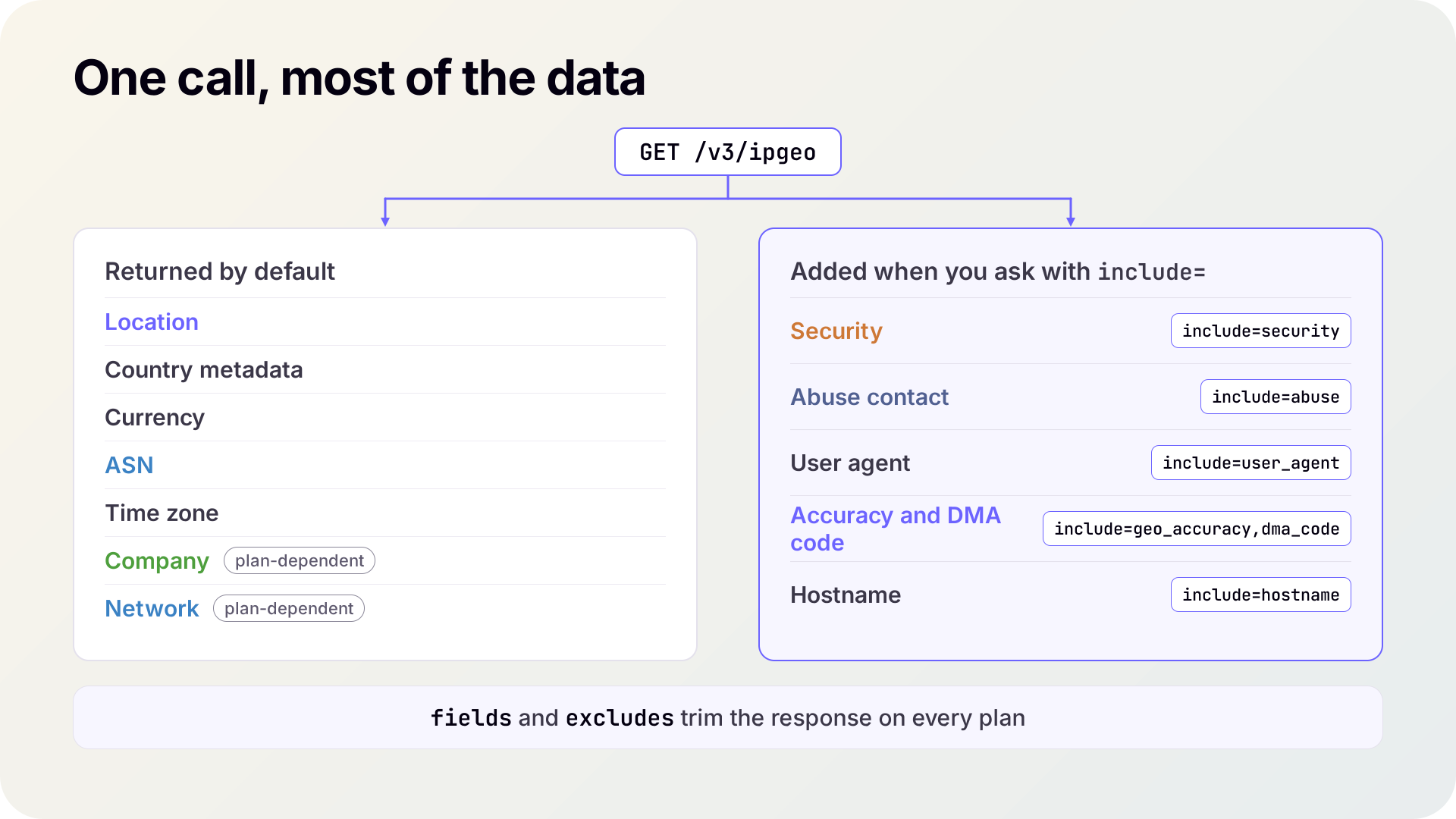
The default response includes location, country metadata, currency, ASN, and time zone data, plus company and network data (connection type, route, anycast, and CDN flags) on plans that include them. You add the rest with the include parameter: security, abuse, user_agent, geo_accuracy for the accuracy radius and confidence, dma_code, and hostname. The fields and excludes parameters trim the response to what you need.
Before you build on the main call, check these:
- Bulk: on the plans that include it,
/v3/ipgeo-bulktakes up to 50,000 IP addresses in one POST request. - Formats: JSON by default and XML with
output=xml, for IPv4 and IPv6 addresses. - Cost per module: security and abuse contact data add credits to a lookup; time zone, user agent, accuracy, DMA code, and hostname don't. The credits usage documentation lists every combination.
The company object names the organization registered for the address, which can differ from the ASN organization that routes it. A block holder can reassign or lease part of its range to a customer, and the customer appears in the registry record. The five layers of IP data cover this in more depth. Every parameter and field is in the IP Geolocation API documentation.
When a dedicated API is the better choice
A dedicated API is the better choice in two cases: you need only one data type, or you need something the main call doesn't do. For security and abuse contact data, the dedicated API returns exactly what the matching include module returns. For ASN, time zone, and user agent data, the dedicated API returns the detailed response including more information.
1. IP Security API
If risk signals are all your code reads, the IP Security API at /v3/security returns the same security object as include=security, without the location data around it. That object holds IPGeolocation.io's risk signals for the address: a threat score; VPN, proxy, residential proxy, Tor, and relay detection, with provider names, confidence scores, and last-seen dates where we have them; and bot, known-attacker, spam, cloud provider, and corporate gateway flags. When the same request also needs location or network data, keep everything in one /v3/ipgeo call. For batches, /v3/security-bulk takes up to 50,000 addresses per request and must authenticate with an API key.
2. ASN API
Routing research needs more than the AS number on an address. Only the ASN API at /v3/asn returns an autonomous system's peers, upstreams, downstreams, announced routes, and its raw WHOIS record, and it looks up a network by AS number as well as by IP address. Use it for peering analysis, threat investigations, and infrastructure mapping; for an address's location with its basic ASN fields, the main v3/ipgeo call is enough.
3. IP Abuse Contact API
Detection and reporting are distinct tasks. Once the IP Security API or the main call has scored an address, the IP Abuse Contact API at /v3/abuse tells you where to send the report: the abuse emails, phone numbers, organization, and network range registered for it. The data comes from records registered with all five regional internet registries and is refreshed daily. It's the same abuse contact data include=abuse returns, but the dedicated endpoint skips the location lookup, so the response is smaller, and the call costs less. It takes one address per request; for batches, send /v3/ipgeo-bulk with include=abuse.
4. Time Zone API
A booking page that shows a flight's departure in the departure airport's local time can't get that from an IP lookup, which only gives the time zone of an address. The Time Zone API looks up a time zone by name, coordinates, city, airport code (IATA or ICAO), or UN/LOCODE, as well as by IP, and /v3/timezone/convert converts a time between two locations.
5. User Agent API
A user agent string comes from the request, not the IP address. With include=user_agent, the main call parses the User-Agent header of the request it receives. The User Agent API does more: GET /v3/user-agent parses the caller's own header, POST /v3/user-agent parses any string your server sends, and /v3/user-agent-bulk parses up to 50,000 strings at once, which suits user agents already sitting in your logs. A server that calls our API on a visitor's behalf should pass the visitor's string, as the request's User-Agent header or, with the User Agent API, in the POST body; otherwise it parses the server’s own.
Real-Time VPN and Proxy Detection answers a different question
The IP Security API tells you what is known about an IP address. Real-Time VPN and Proxy Detection tests whether the visitor's current session is anonymized from inside the browser and recovers the visitor's actual country behind the VPN or proxy, with its own confidence score.
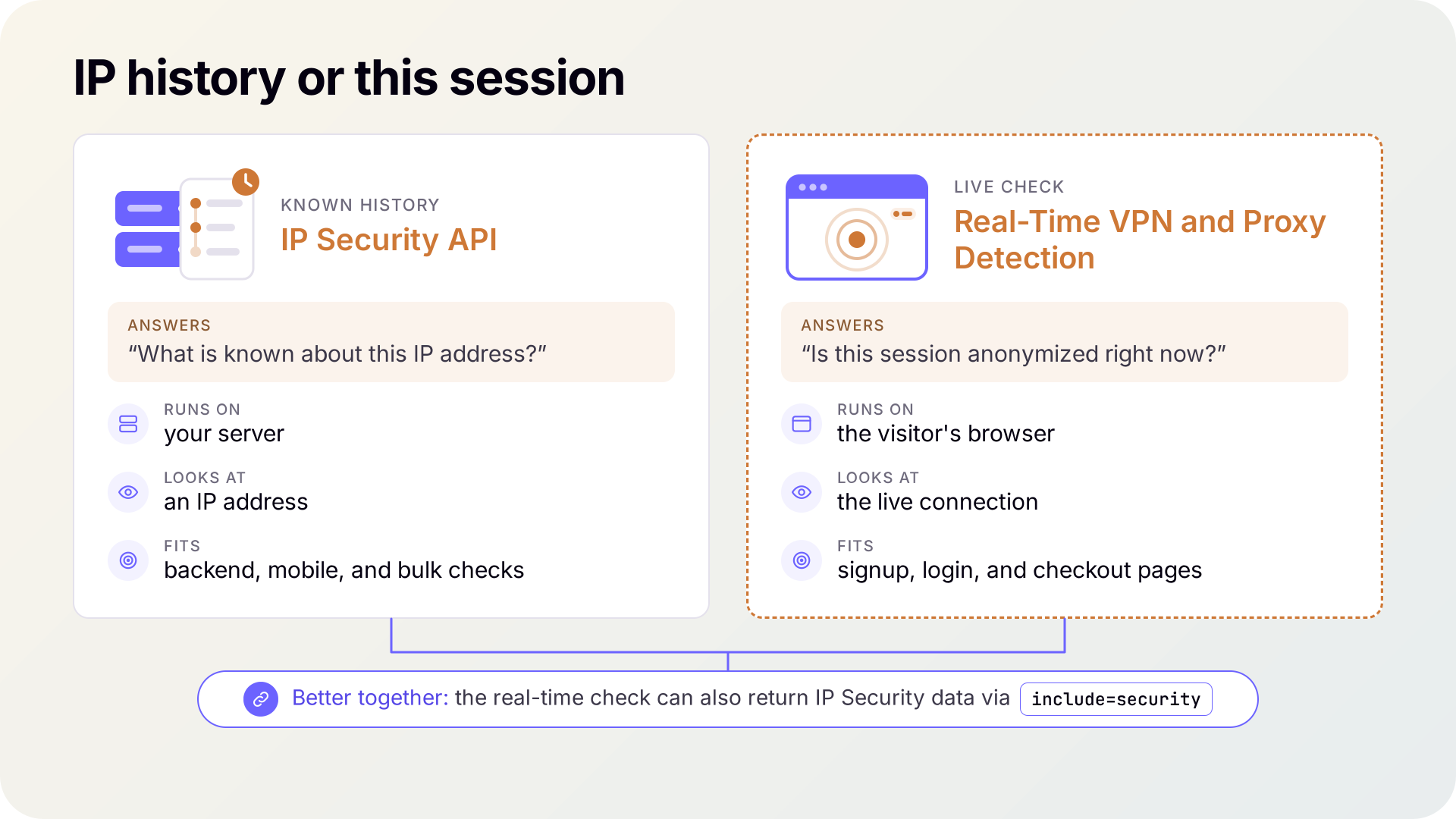
It runs as a JavaScript snippet on your page, authorized by your registered domain, so no API key is sent to the browser. A verdict usually takes 1 to 5 seconds because the tests run against the live connection, so start monitoring when the page loads, and the result is usually ready by the time the user reaches the signup or payment button. The script is browser-only; for backend, mobile, or bulk checks, use the IP Security API.
We'd run both where a decision is at stake, and the script can do both in one request: add include=security and the same round trip returns the IP Security API's view of the address next to the live result. Treat either result as a signal to weigh. Many anonymized visitors are ordinary privacy-conscious or corporate users, so log the weak signals, challenge the likely ones, and keep blocks for high confidence backed by a second signal.
API or database: where your lookups run
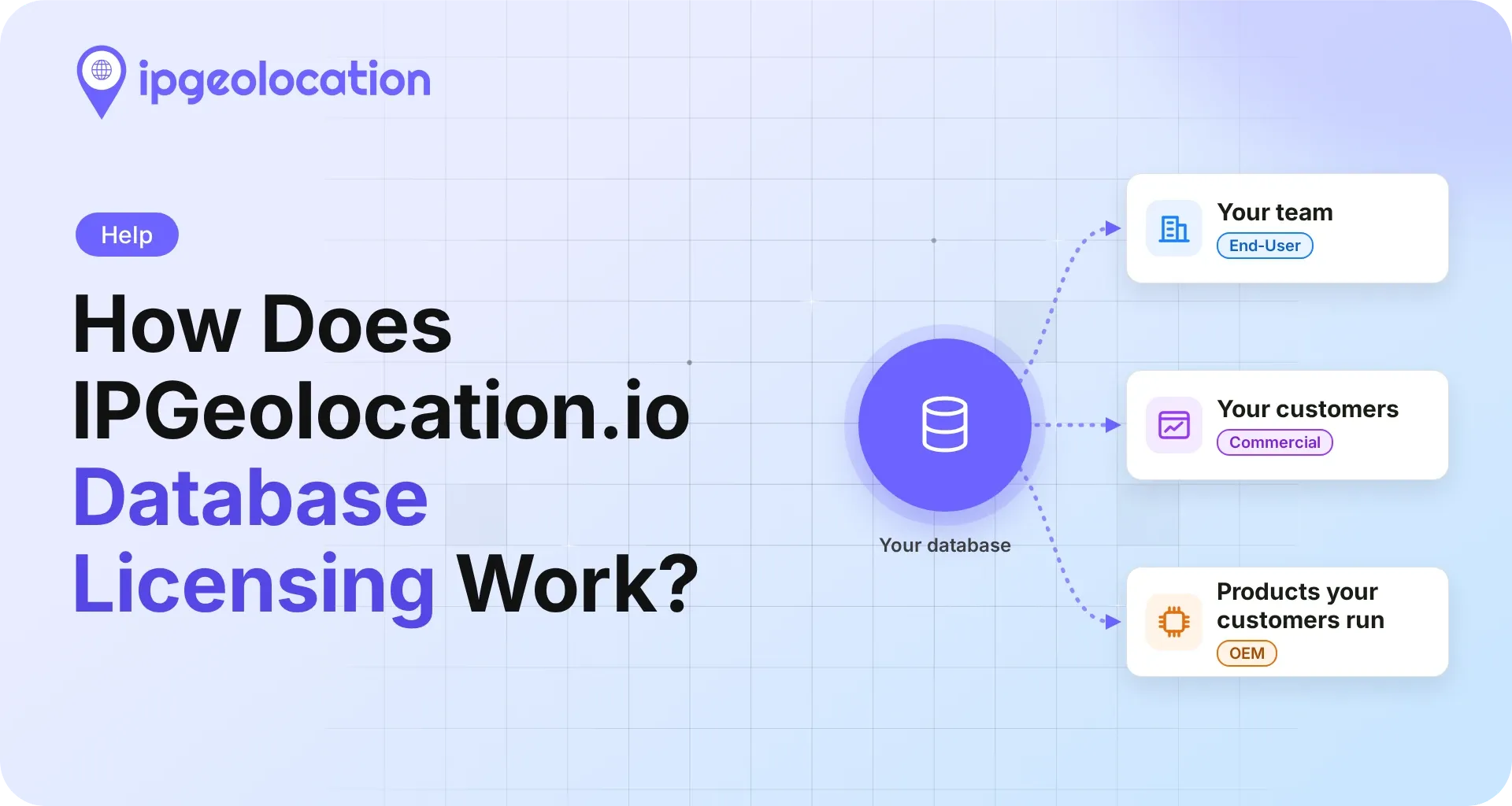
An API returns data over HTTP for each lookup, while a database is a file you download and query on your own servers. IPGeolocation.io's databases carry the same data the API returns. The API fits real-time lookups with no files to maintain; a database fits offline lookups, very high volumes, and systems that must not make outbound calls. Database updates arrive daily or weekly, depending on the plan, and several integrations, including Nginx, Traefik, Kong, and DuckDB, read the MMDB files directly with no API calls. The IP geolocation API vs database guide covers the decision in depth, including when to choose MMDB over CSV.
1. Which database tier holds your data
The tier you need follows from the data types in your job.
| Tier | Databases | Use It When |
|---|---|---|
| Geo Standard | IP to Country, IP to City, IP to ISP | You need location and the ISP, without accuracy radius, confidence, DMA code, or connection type |
| Geo Advance | IP to Location, IP to ASN, IP to Company, IP Abuse Contact, IP WHOIS, ASN WHOIS | You need location with accuracy radius, confidence, DMA code, and connection type, or ASN, company, abuse contact, and WHOIS data |
| Security Pro | IP Security, Residential Proxy, IP to Hosting | You need risk signals offline: VPN, proxy, Tor, bots, residential proxies, and hosting ranges |
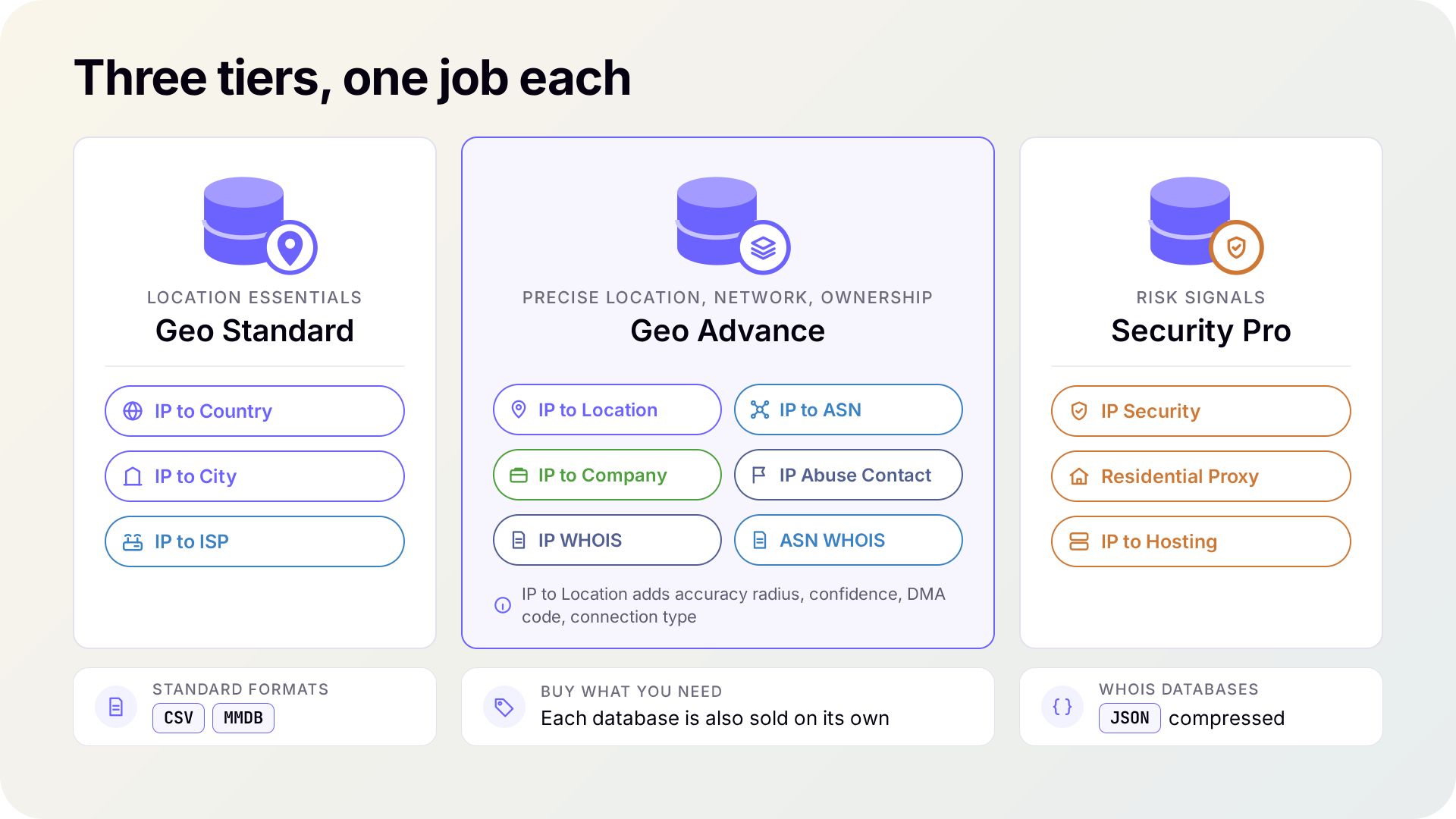
Geo Advance databases carry no VPN or proxy flags, so a job that needs location and risk signals offline adds the IP Security Database, bought separately or as a bundle with the location data. Lookup databases come as CSV and MMDB, and the WHOIS databases as compressed JSON; other formats are available on request. Pricing is quote-based; database pricing lists the tiers and bundles.
How the products work together
A sign-up or login check on your server: One /v3/ipgeo call with include=security returns the city, the network and ASN, the company, and the risk signals for the address in one response. Your code compares the location with the account's history and reads the threat score and VPN or proxy flags before it decides to allow, challenge, or block.
A checkout page: The real-time script starts when the page loads, with include=security, so the live session test and the address's history arrive together before the buyer clicks Pay. Your page reads the result's fields in code and decides whether to let the purchase through, add a verification step, or hold it for review.
Log and warehouse enrichment: A Geo Advance database, plus Security Pro when you need risk flags, sits in the pipeline and enriches every row locally. The API stays for single lookups outside the pipeline, such as an analyst checking one address. Enriching logs with IP data walks through both approaches with code.
Getting the data into your stack
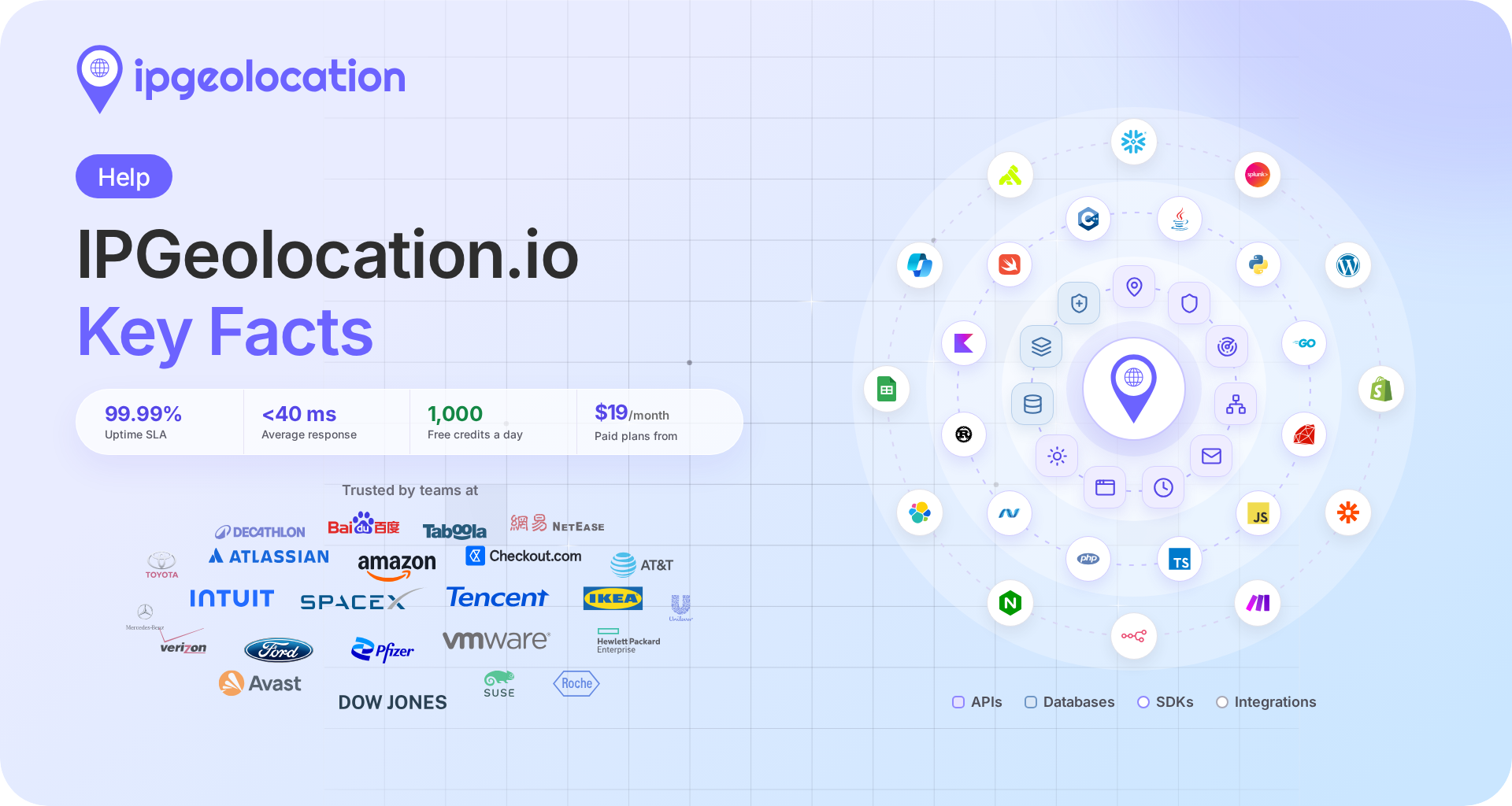
Official SDKs cover 12 programming languages through 13 SDKs, from Python, Go, and Java to Swift, Rust, and C++; the SDK list links each one. Integrations connect the API and the databases to tools such as Splunk, Snowflake, Zapier, and n8n, and the IPGeolocation.io MCP server lets AI assistants call the APIs as tools.
Every layer of IP data from IPGeolocation.io
IPGeolocation.io products cover geolocation, security, ASN, company, abuse contact, time zone, and user agent data, and one call with include=* returns all seven in a single response. The same data ships as databases for teams that keep lookups in-house, and one credit balance works across every API. Our location data is measured at 99%+ accuracy for country, 90%+ for state or region, and 85%+ for city. We build each result from independent signals, including active measurements, and continuously cross-check and refresh them. ASN data is rebuilt every day from global routing feeds and the five regional internet registries, and the APIs run on a global edge with a 99.99% uptime SLA.
Frequently Asked Questions
Not usually. Adding include=security to a /v3/ipgeo call returns the same security object the IP Security API does, at 3 credits for the combined lookup. Use /v3/security when risk signals are all you need: it skips the location data and costs 2 credits. Both need a paid plan.
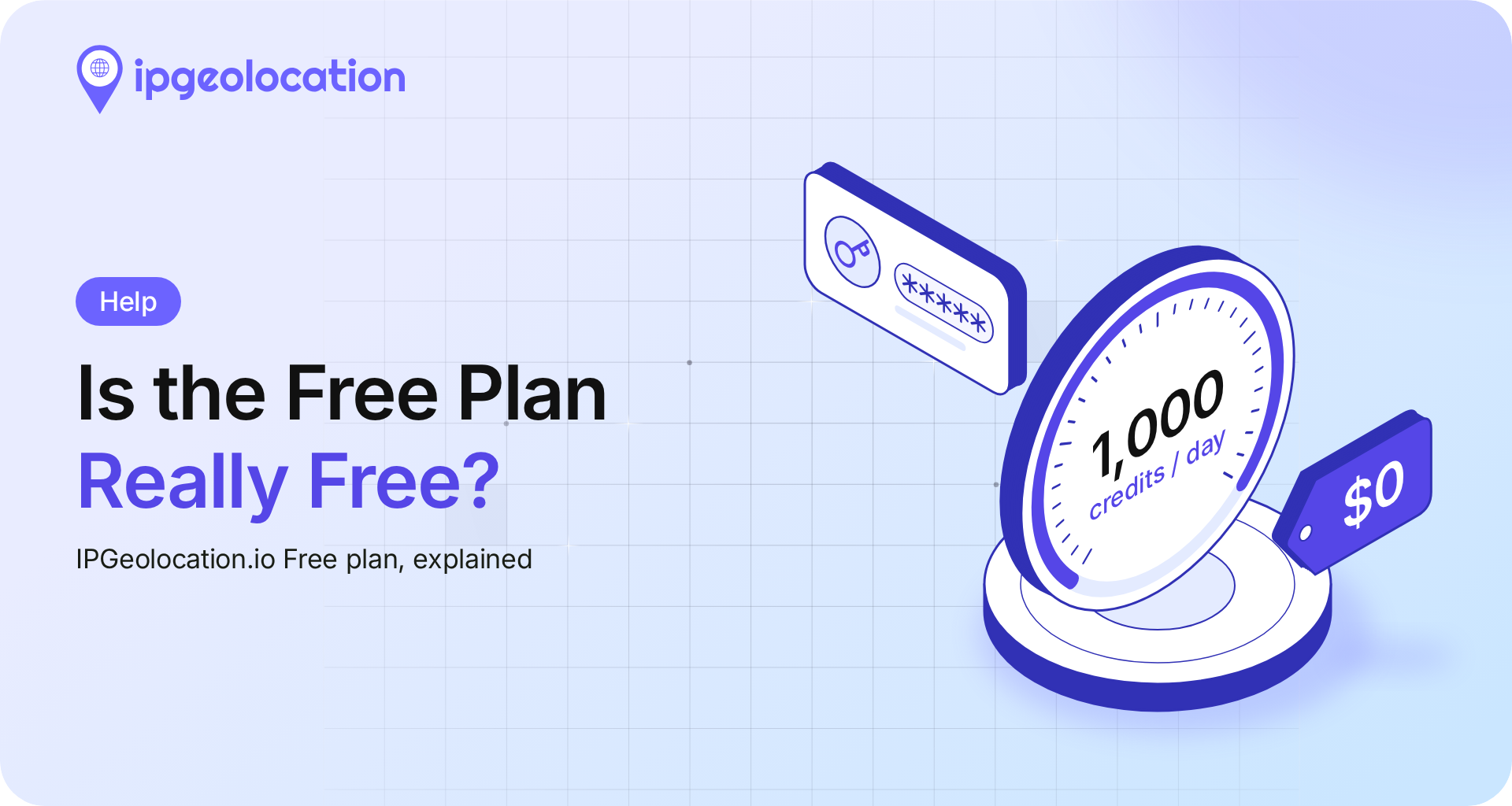
Yes, for core data: IPGeolocation.io's free plan gives 1,000 credits per day with no credit card, covering location, country metadata, currency, basic ASN, and time zone data. Single GET User Agent API calls are included. Company, security, abuse contact, bulk lookups, POST parsing of a supplied user agent string, bulk user agent parsing, and the ASN, IP Security, and IP Abuse Contact APIs require a paid plan, starting at $19 per month for 150,000 credits.
An API returns data over HTTP for each lookup, while a database is a file you host and query on your own servers. IPGeolocation.io's databases carry the same data as its API, update daily or weekly depending on the plan, and support offline or high-volume lookups.
The IP Security API reports what is known about an IP address from a server-side lookup. Real-Time VPN and Proxy Detection tests the visitor's live session in the browser; it needs a paid plan and costs 3 credits per call, or 5 when it also returns IP Security API data with include=security.
The IP Security Database in the Security Pro tier flags VPN, proxy, residential proxy, Tor, and relay addresses and assigns each a threat score. Geo Advance databases carry no VPN or proxy flags, but you can request a bundle that combines them with the IP Security Database.
Yes. One split that works with IPGeolocation.io's products: keep a database in the high-volume path and call the API for tasks the database doesn't handle, such as Time Zone API conversions or a live session check in the browser. Database licenses are separate from API plans, so API calls draw on your credits while local lookups don't.
Start building
Get a free API key and make your first /v3/ipgeo call by getting started with the IP Geolocation API. When a job needs a dedicated API, real-time detection, or a database, the pricing page compares plans, and our team can help you size a database license.